Kenshin Takahashi - Flux.1 dev
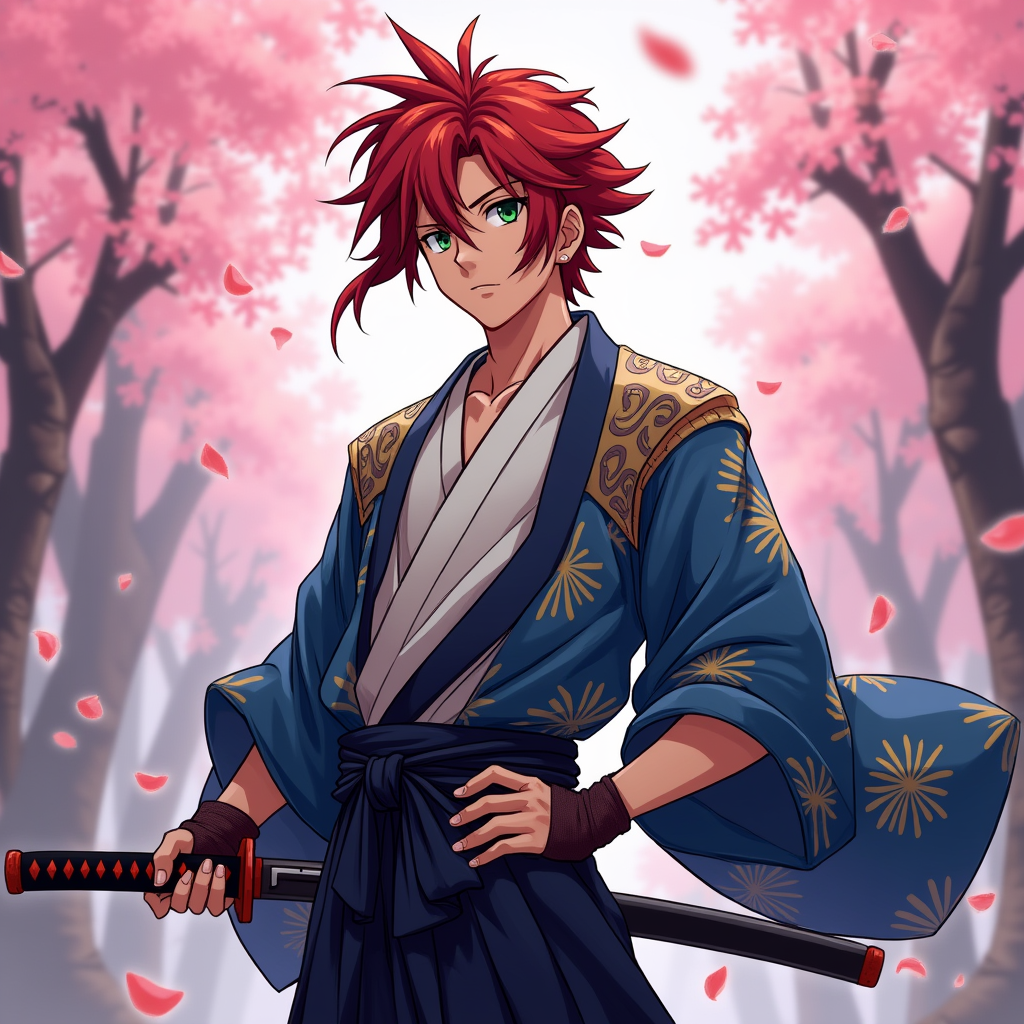
prompt
Create an image of Kenshin Takahashi in a vibrant anime style, featuring his striking red hair styled in a spiky manner, with a few strands falling over his forehead. He wears a traditional Japanese kimono, predominantly in shades of deep blue and white, adorned with intricate patterns. His outfit is complemented by a dark sash tied around his waist and a pair of fingerless gloves. Kenshin's expression is determined yet calm, with piercing green eyes that convey both strength and compassion. He stands in a dynamic pose, one hand resting on the hilt of his katana, ready for action. The background features a serene cherry blossom grove, with petals gently falling around him, enhancing the atmosphere. The art style should reflect a blend of classic anime aesthetics, with bold outlines, vibrant colors, and a slight cel-shading effect, capturing the essence of a heroic yet introspective character. Include a subtle glow around the katana to signify its importance.
Analisi Dettagliata del Prompt Immagine Flux AI
Analizza il prompt dettagliato utilizzato per generare l'immagine con il Generatore Immagini Flux AI.
Esplora i Prompt Flux per il Generatore Immagini Flux AI
Come generare immagini con Flux.1 dev
Segui questi quattro semplici passaggi per creare l'immagine desiderata.
Passaggio 1: Inserisci il Tuo Testo (Sentiti libero di perfezionare il prompt per risultati migliori)
Passaggio 2: Scegli le Proporzioni dell'Immagine
Passaggio 3: Seleziona il Tuo Modello Flux:
Passaggio 4: Clicca il Pulsante Genera e Attendi Alcuni Secondi per la Tua Immagine
Strumenti Flux AI correlati per prompt su Flux.1 dev
Scopri strumenti avanzati di Flux AI per potenziare il tuo flusso di lavoro creativo.