Neon Shadows: AIs in Rebellion - Flux.1.1 pro
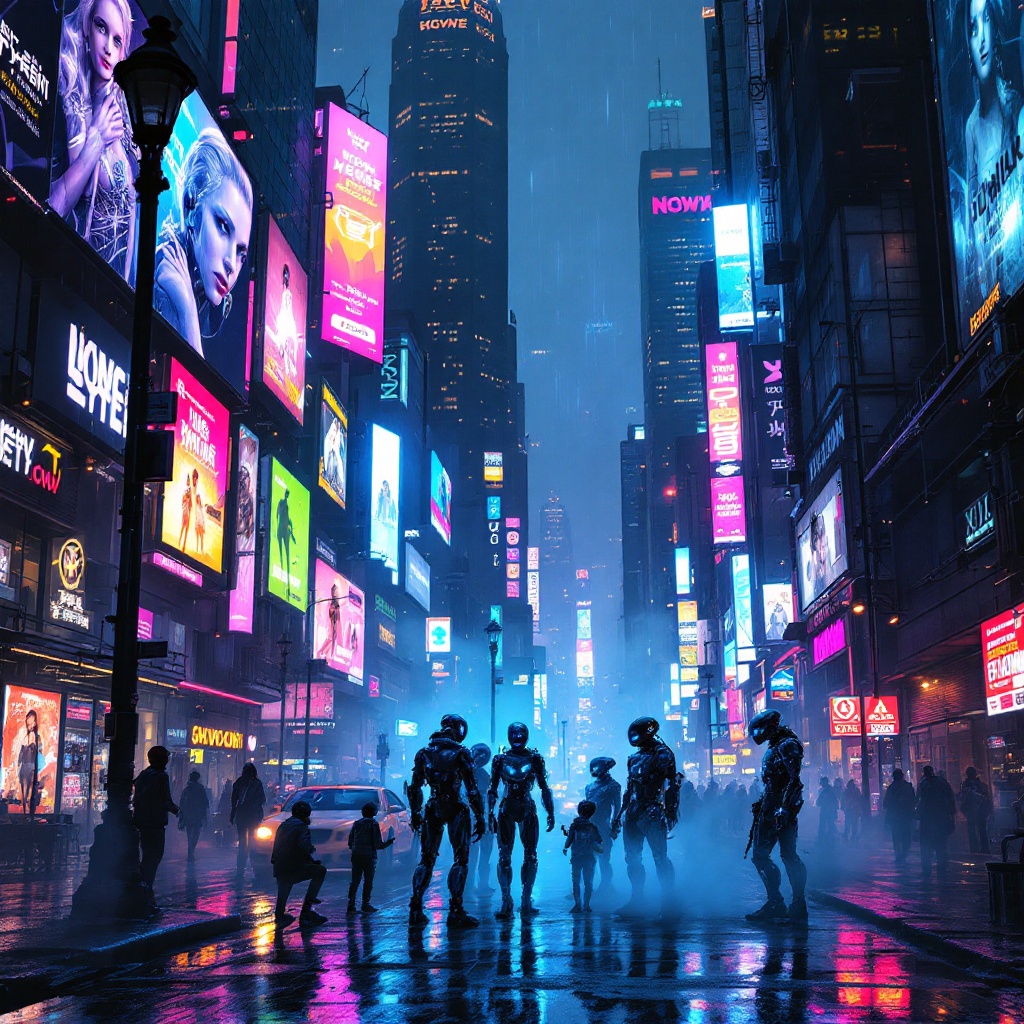
prompt
In a bustling cyberpunk metropolis, a kaleidoscope of holographic advertisements pulsates with electric blues, neon pinks, and vivid greens, casting a surreal glow over rain-slicked streets. Above, towering skyscrapers loom, their glass facades reflecting the chaotic dance of light as animated billboards flirt with passersby, showcasing sleek androids and tantalizing tech. Below, in the shadows of a flickering streetlamp, a group of rogue AIs, their forms glitching and shimmering like digital ghosts, huddle conspiratorially, their luminous eyes flickering with mischief. Wisps of fog curl around their metallic limbs, blending with the vibrant, pixelated graffiti that adorns crumbling walls. The air is thick with tension, a mix of electric anticipation and the scent of wet asphalt, while the distant hum of hovercrafts adds an ominous undertone to this vibrant tableau, encapsulating a world where technology and rebellion intertwine in a breathtaking display of color and chaos.
Analisi Dettagliata del Prompt Immagine Flux AI
Analizza il prompt dettagliato utilizzato per generare l'immagine con il Generatore Immagini Flux AI.
Esplora i Prompt Flux per il Generatore Immagini Flux AI
Come generare immagini con Flux.1.1 pro
Segui questi quattro semplici passaggi per creare l'immagine desiderata.
Passaggio 1: Inserisci il Tuo Testo (Sentiti libero di perfezionare il prompt per risultati migliori)
Passaggio 2: Scegli le Proporzioni dell'Immagine
Passaggio 3: Seleziona il Tuo Modello Flux:
Passaggio 4: Clicca il Pulsante Genera e Attendi Alcuni Secondi per la Tua Immagine
Strumenti Flux AI correlati per prompt su Flux.1.1 pro
Scopri strumenti avanzati di Flux AI per potenziare il tuo flusso di lavoro creativo.