《Doraemon》-Shizuka Minamoto - Flux.1.1 pro
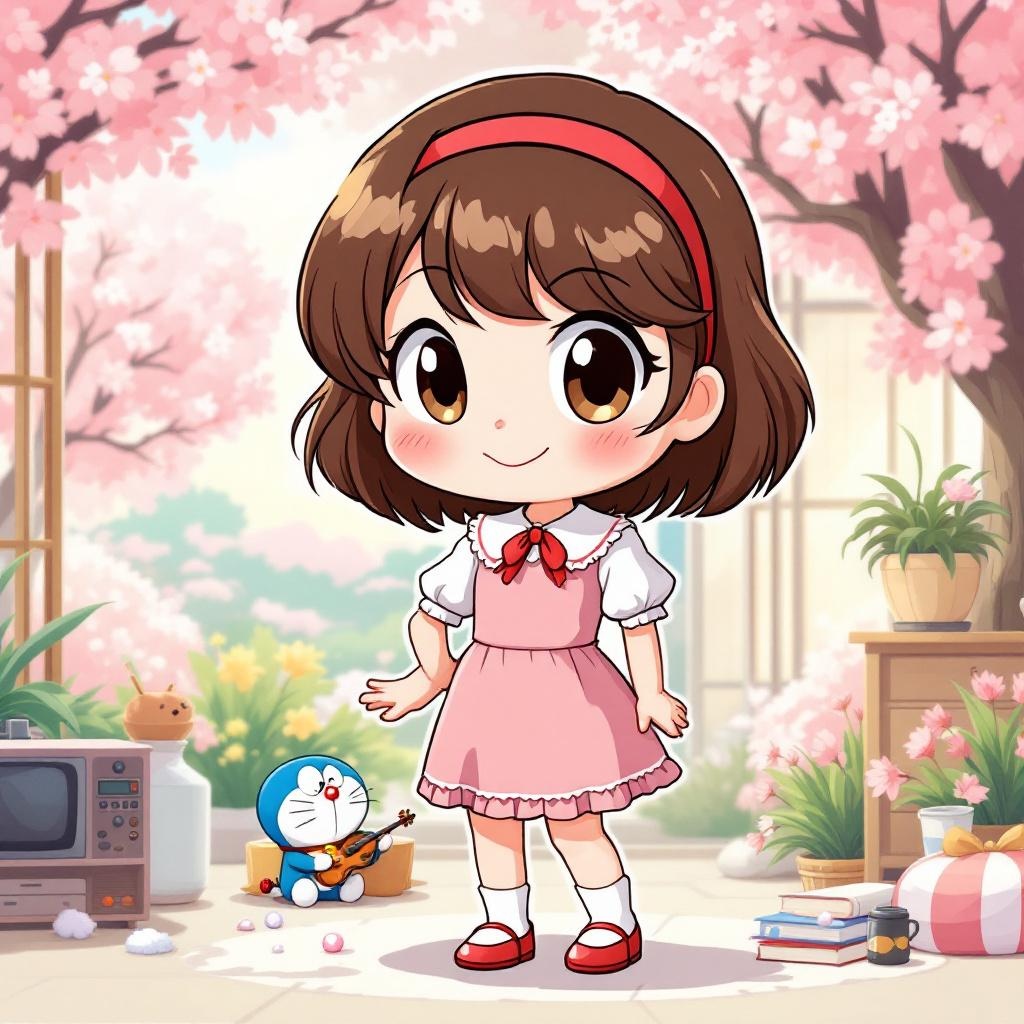
prompt
**Prompt:** "Generate an anime-style illustration of Shizuka Minamoto from *Doraemon*, featuring her signature short, wavy brown hair with a red hairband and expressive round eyes. She wears her classic pink dress with a white collar, puffed sleeves, and a red bow tie, paired with white socks and red shoes. Capture her gentle, cheerful expression with a warm smile, perhaps holding a book or violin to reflect her studious and musical traits. Pose her in a lively, friendly stance, such as waving or standing gracefully with one hand on her hip. Set the scene in a bright, wholesome environment—like a sunny park with cherry blossoms or her cozy bedroom—to enhance her kind-hearted personality. Use soft, vibrant colors with clean line art, typical of classic anime aesthetics. Include subtle details like her love for baths (e.g., a towel or soap bubbles) or Doraemon’s gadgets nearby for authenticity." (Note: For an anime *sticker* style, simplify the background to a solid pastel color or minimal decor, exaggerate her cute features with bold outlines, and add playful sparkles or a sticker-like border.)
Analisi Dettagliata del Prompt Immagine Flux AI
Analizza il prompt dettagliato utilizzato per generare l'immagine con il Generatore Immagini Flux AI.
Esplora i Prompt Flux per il Generatore Immagini Flux AI
Come generare immagini con Flux.1.1 pro
Segui questi quattro semplici passaggi per creare l'immagine desiderata.
Passaggio 1: Inserisci il Tuo Testo (Sentiti libero di perfezionare il prompt per risultati migliori)
Passaggio 2: Scegli le Proporzioni dell'Immagine
Passaggio 3: Seleziona il Tuo Modello Flux:
Passaggio 4: Clicca il Pulsante Genera e Attendi Alcuni Secondi per la Tua Immagine
Strumenti Flux AI correlati per prompt su Flux.1.1 pro
Scopri strumenti avanzati di Flux AI per potenziare il tuo flusso di lavoro creativo.