Lego Shock: A Parent's Agony - Flux.1 dev
プロンプト
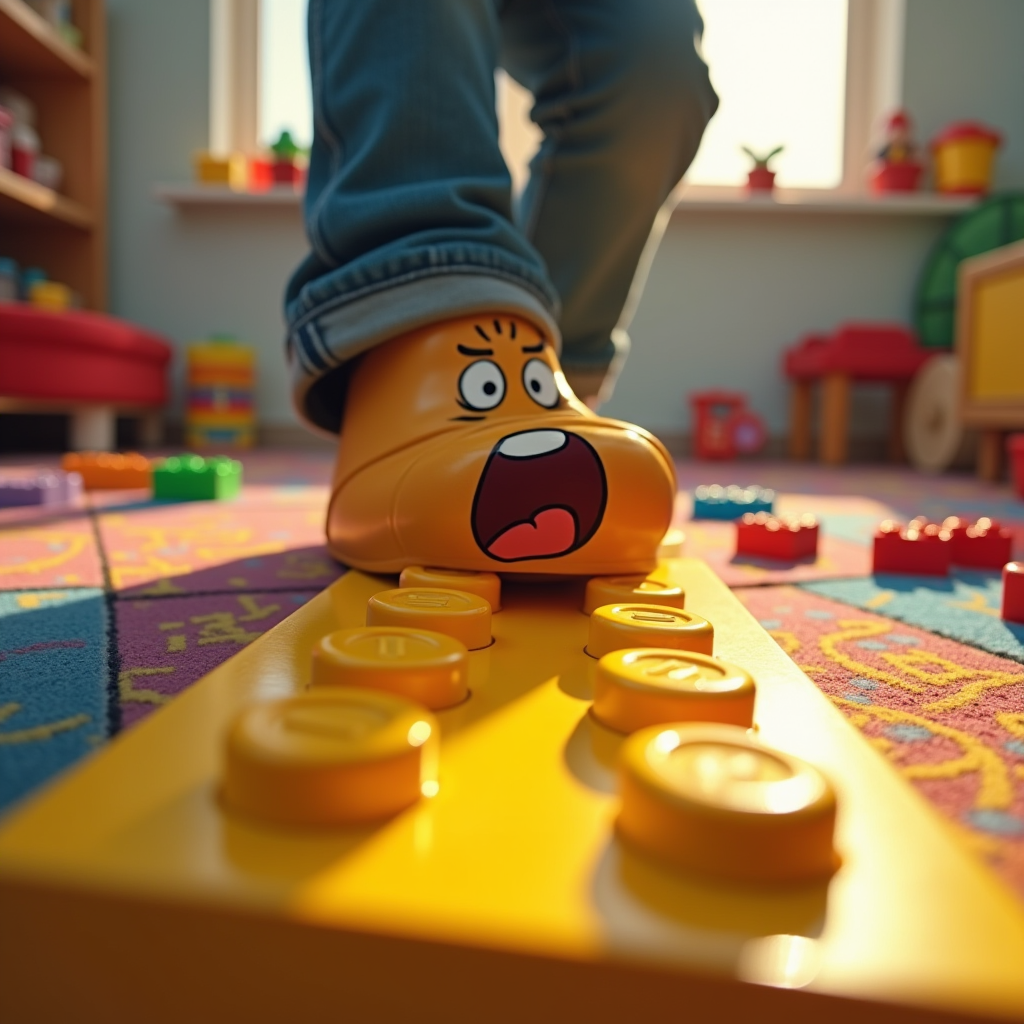
Create a hyper-realistic image capturing the moment of stepping on a bright yellow Lego brick. The foreground features a close-up of a foot, mid-step, with a look of shock and pain on the face of a cartoonish character, a parent in casual attire, eyes wide and mouth agape. The background is a chaotic playroom, scattered with colorful toys and Lego pieces, emphasizing the vibrant chaos of childhood. Use warm, saturated colors to convey the playful yet painful atmosphere. Soft, diffused lighting highlights the Lego brick, casting a dramatic shadow that accentuates the moment of impact. Incorporate a slight motion blur around the foot to suggest sudden movement. Artistic styles like comic book realism or exaggerated caricature can enhance the emotional impact, combining humor with the relatable agony of stepping on a Lego.
Flux AI Image Promptの詳細分析
Flux AI Image Generatorを使用して画像を生成するために使用された詳細なプロンプトを分析します。
Flux AI画像生成のプロンプトを探索
で画像を生成する方法 Flux.1 dev
以下の4つの簡単なステップに従って、希望する画像を作成してください。
ステップ 1: テキストを入力 (より良い結果のためにプロンプトを調整してください)
ステップ 2: 画像のアスペクト比を選択
ステップ 3: Fluxモデルを選択:
ステップ 4: 生成ボタンをクリックして数秒待ち、画像を取得
プロンプトに関連するFlux AIツール Flux.1 dev
Flux AIの高度なツールを発見して、クリエイティブな作業フローを強化しましょう。