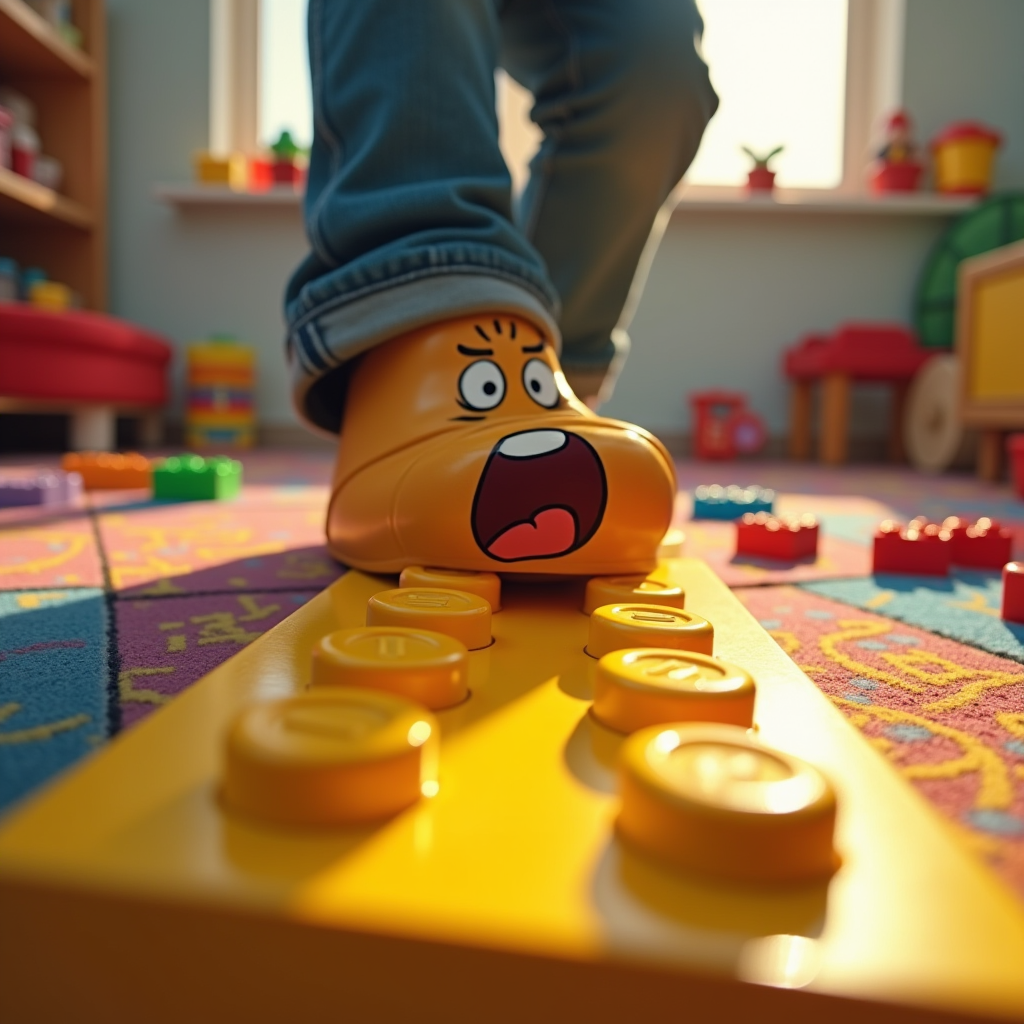
Lego Shock: A Parent's Agony - Flux.1 dev
提示
Create a hyper-realistic image capturing the moment of stepping on a bright yellow Lego brick. The foreground features a close-up of a foot, mid-step, with a look of shock and pain on the face of a cartoonish character, a parent in casual attire, eyes wide and mouth agape. The background is a chaotic playroom, scattered with colorful toys and Lego pieces, emphasizing the vibrant chaos of childhood. Use warm, saturated colors to convey the playful yet painful atmosphere. Soft, diffused lighting highlights the Lego brick, casting a dramatic shadow that accentuates the moment of impact. Incorporate a slight motion blur around the foot to suggest sudden movement. Artistic styles like comic book realism or exaggerated caricature can enhance the emotional impact, combining humor with the relatable agony of stepping on a Lego.
Flux AI 圖像提示的詳細分析
分析使用 Flux AI 圖像生成器生成圖像所使用的詳細提示。
探索 Flux AI 圖像生成器的提示
如何通過 Flux.1 dev
遵循以下四個簡單步驟來創建您想要的圖片。
步驟 1:輸入您的文字 (可自由調整提示以獲得更好的結果)
步驟 2:選擇圖片的縱橫比
步驟 3:選擇您的 Flux 模型:
步驟 4:點擊生成按鈕並等待幾秒鐘獲取您的圖片
與提示相關的 Flux AI 工具 Flux.1 dev
發現來自 Flux AI 的高級工具,提升您的創意工作流程。