《The Melancholy of Haruhi Suzumiya》-Haruhi Suzumiya - Flux.1 dev
プロンプト
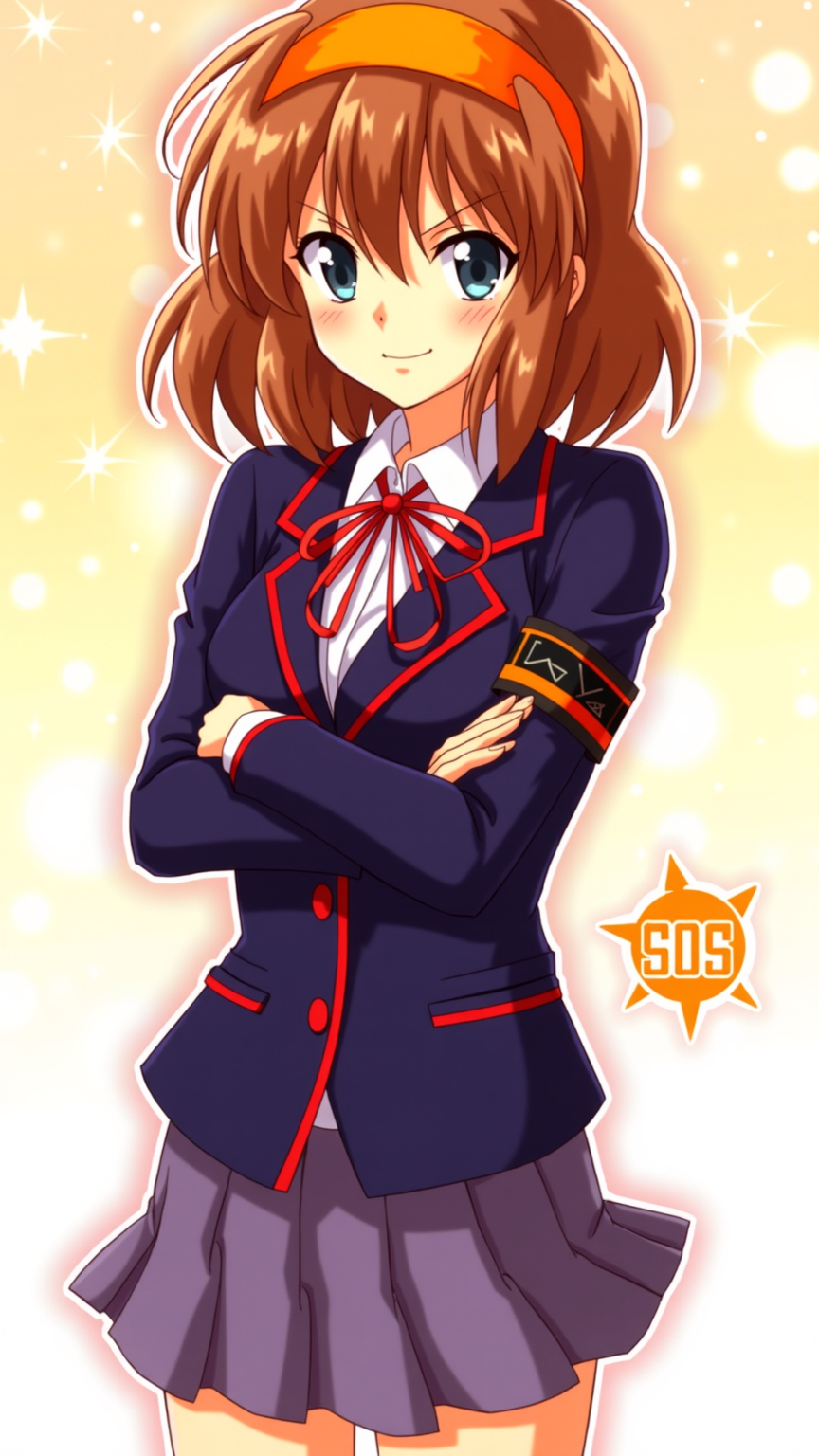
**Prompt:** "Haruhi Suzumiya in a vibrant anime sticker style, featuring her iconic orange headband, shoulder-length chestnut-brown hair, and energetic expression. She wears her standard North High School uniform—a navy blue blazer with red trim, white shirt, and red ribbon—paired with a short pleated skirt. Her pose is dynamic, arms crossed with a confident, mischievous smirk, capturing her bold personality. The background is a bright, bubbly gradient with sparkling effects, emphasizing her playful and unpredictable nature. Include her signature SOS Brigade armband and a stylized 'SOS' logo nearby. The art style is crisp, with bold outlines, exaggerated facial expressions, and vibrant colors, resembling a high-quality anime sticker or decal." (999 characters)
Flux AI Image Promptの詳細分析
Flux AI Image Generatorを使用して画像を生成するために使用された詳細なプロンプトを分析します。
Flux AI画像生成のプロンプトを探索
で画像を生成する方法 Flux.1 dev
以下の4つの簡単なステップに従って、希望する画像を作成してください。
ステップ 1: テキストを入力 (より良い結果のためにプロンプトを調整してください)
ステップ 2: 画像のアスペクト比を選択
ステップ 3: Fluxモデルを選択:
ステップ 4: 生成ボタンをクリックして数秒待ち、画像を取得
プロンプトに関連するFlux AIツール Flux.1 dev
Flux AIの高度なツールを発見して、クリエイティブな作業フローを強化しましょう。