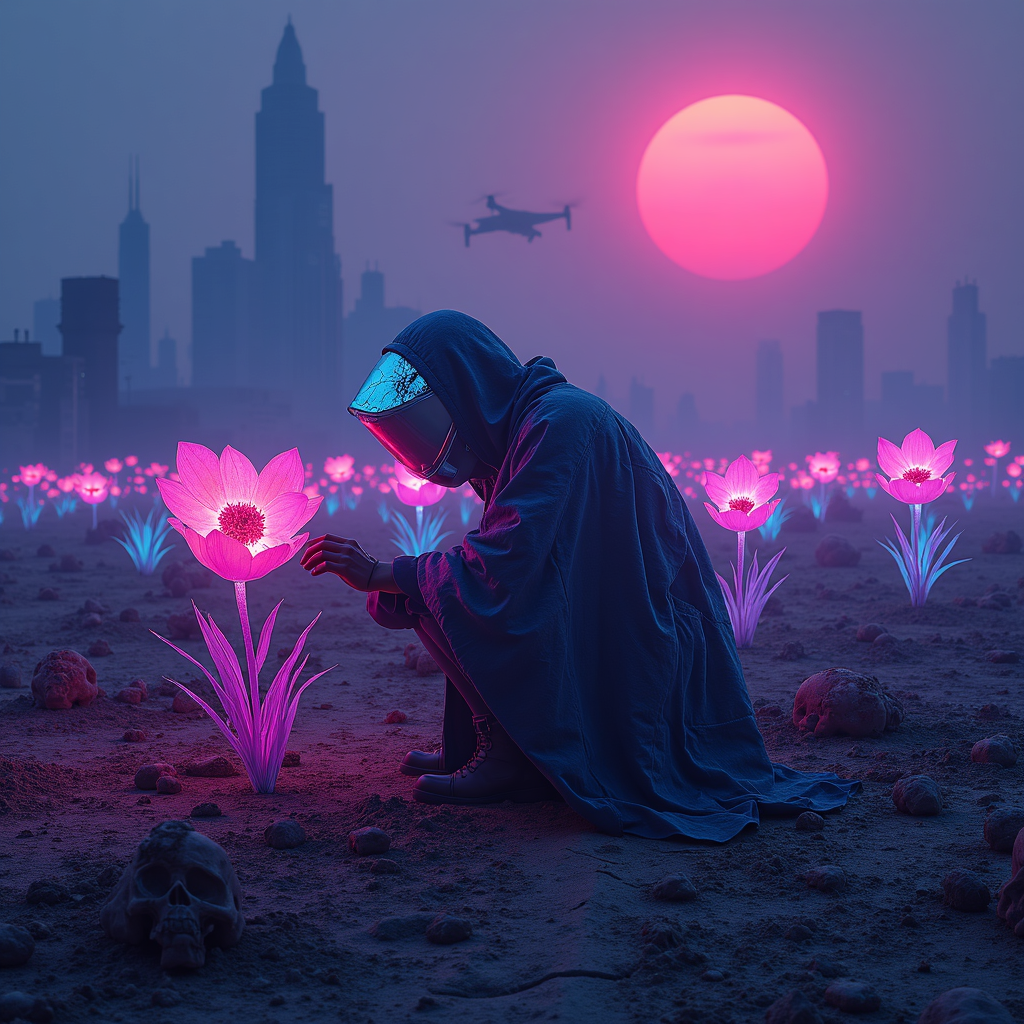
Neon-lit plastic flowers adorn mass grave sites - Flux.1 dev
プロンプト
A neon-drenched wasteland stretches under a smog-choked sky, where clusters of synthetic flowers glow with an eerie, electric luminescence, their plastic petals shimmering in hues of toxic pink, electric blue, and radioactive violet. The flowers sprout defiantly from cracked earth, their roots entwined with bleached bones and forgotten relics, marking the edges of mass graves hidden beneath the soil. Flickering holographic epitaphs float above the site, their fragmented text glitching in and out of existence. Distant, monolithic megacities loom on the horizon, their jagged silhouettes backlit by a blood-orange sun, while drones hum overhead, casting fleeting shadows. The air is thick with the scent of ozone and decay, and the faint hum of a distant synthwave dirge echoes through the ruins. A lone figure in a tattered, high-tech poncho kneels at the edge of the grave, their face obscured by a cracked visor reflecting the neon glow, one hand brushing the petals of a flower as if in mourning or reverence. The scene is bathed in the cold, artificial light of buzzing streetlamps, their glow diffused through the perpetual haze, casting everything in a surreal, dreamlike pallor.
Flux AI Image Promptの詳細分析
Flux AI Image Generatorを使用して画像を生成するために使用された詳細なプロンプトを分析します。
Flux AI画像生成のプロンプトを探索
で画像を生成する方法 Flux.1 dev
以下の4つの簡単なステップに従って、希望する画像を作成してください。
ステップ 1: テキストを入力 (より良い結果のためにプロンプトを調整してください)
ステップ 2: 画像のアスペクト比を選択
ステップ 3: Fluxモデルを選択:
ステップ 4: 生成ボタンをクリックして数秒待ち、画像を取得
プロンプトに関連するFlux AIツール Flux.1 dev
Flux AIの高度なツールを発見して、クリエイティブな作業フローを強化しましょう。