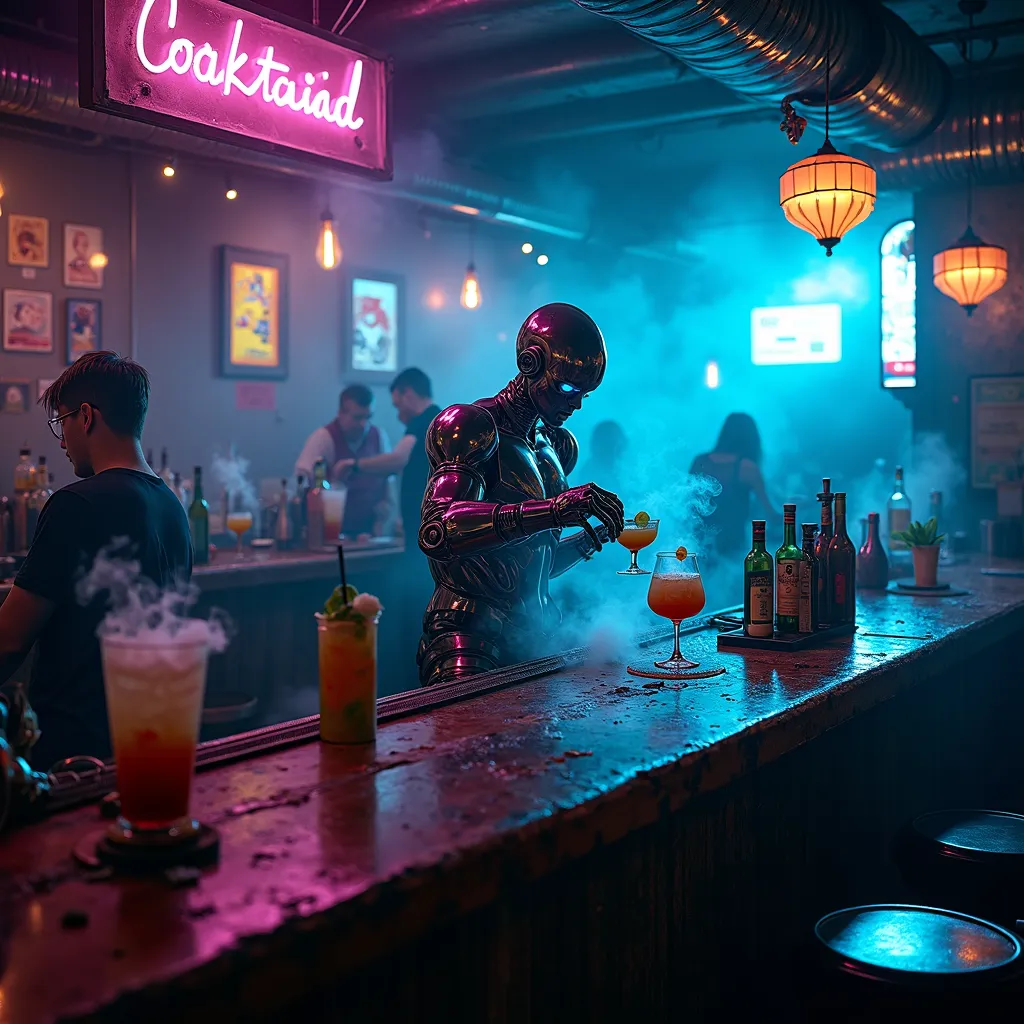
Neon Elixirs in a Cyber Haven - Flux.1 dev
Prompt
A dimly lit, smoke-filled dive bar with neon-tinged haze hanging in the air, casting an eerie blue-purple glow across the room. Behind a worn, metallic bar counter stands a tall, augmented bartender with sleek chrome arms and glowing cybernetic eyes. Their movements are fluid and precise as they mix drinks with inhuman speed and accuracy. Holographic menus flicker above the bar, displaying an array of futuristic cocktails. Patrons with various cybernetic enhancements occupy the shadowy corners, their implants gleaming in the low light. Exposed pipes and wires crisscross the ceiling, while vintage posters and digital screens adorn the grimy walls. A soft electronic beat pulses in the background, barely audible over the hum of conversation and clinking glasses. The bartender's bionic hands deftly manipulate bottles, glasses, and high-tech mixing tools, creating swirling vortexes of colorful liquids that defy gravity. Steam rises from some concoctions, while others glow with bioluminescent ingredients. The bar's worn wooden surface is etched with years of spills and scorch marks, telling silent stories of countless nights in this cyberpunk haven.
Análise Detalhada do Prompt de Imagem Flux IA
Analise o prompt detalhado usado para gerar a imagem com o Flux IA Image Generator.
Explore Prompts Flux para o Gerador de Imagens
Como gerar uma imagem por Flux.1 dev
Siga estes quatro passos simples para criar a imagem desejada.
Passo 1: Insira seu texto (Sinta-se à vontade para refinar seu prompt para melhores resultados)
Passo 2: Escolha a proporção da imagem
Passo 3: Selecione seu modelo Flux:
Passo 4: Clique no botão Gerar e aguarde alguns segundos para sua imagem
Ferramentas Flux IA relacionadas a prompts sobre Flux.1 dev
Descubra ferramentas avançadas da Flux IA para melhorar seu fluxo de trabalho criativo.