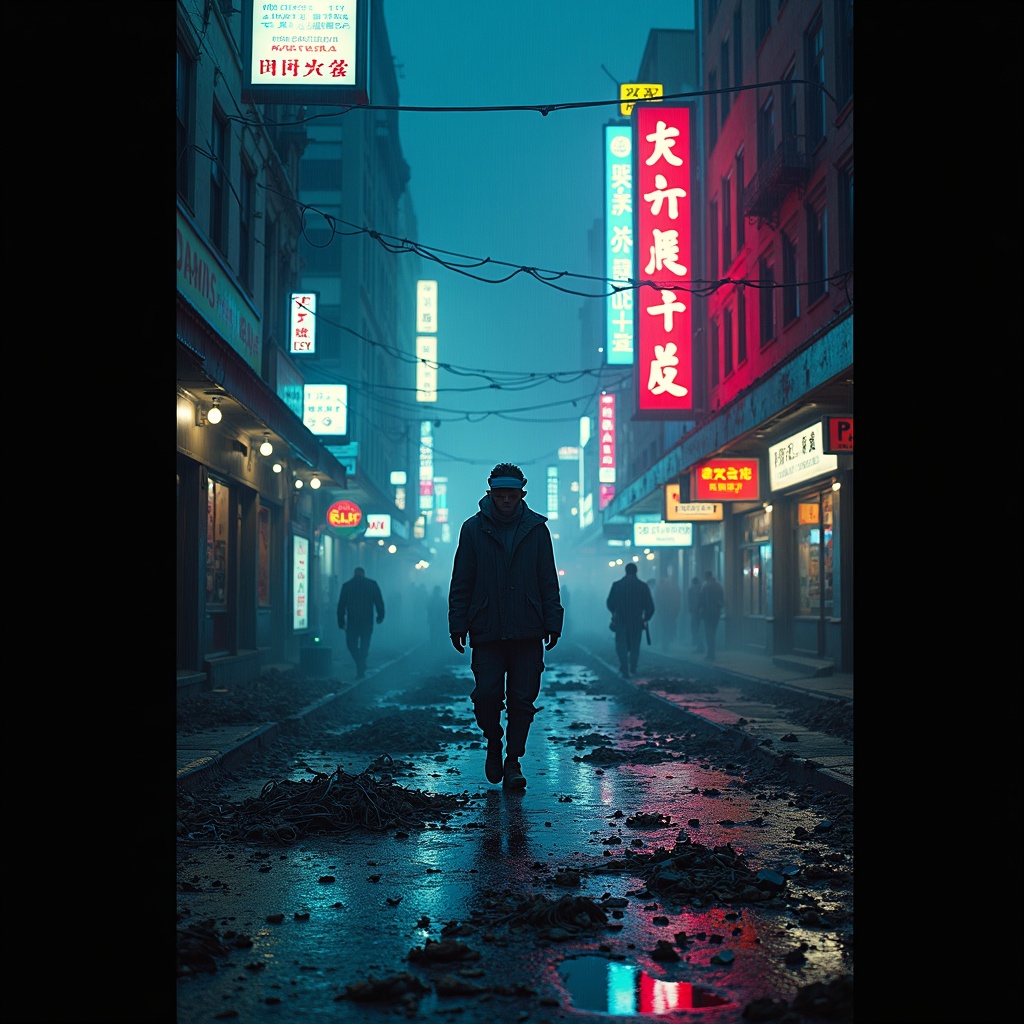
Disposable burner phones fill Chinatown gutter streams - Flux.1 dev
Prompt
The neon glow of Chinatown’s towering billboards reflects off rain-slicked streets, casting rippling electric hues of cyan, magenta, and gold across the murky gutter streams clogged with discarded burner phones—shattered screens flickering faintly, their dying pixels glitching fragmented ads and scrambled text. The air hums with the static of dead signals, mingling with the scent of fried street food and ozone, as steam rises from sewer grates, weaving through the tangled cords and cracked plastic casings that litter the pavement. A lone figure in a tattered, high-collar jacket steps carefully over the debris, their face obscured by a flickering AR visor, while holographic graffiti pulses on the damp brick walls above, warning of surveillance and dead drops. The scene is a chaotic symphony of decay and hyper-modernity, where the detritus of disposable technology merges with the vibrant, oppressive energy of the district, bathed in the cold, uneven light of flickering signage and distant police drones cutting through the smog.
Análise Detalhada do Prompt de Imagem Flux IA
Analise o prompt detalhado usado para gerar a imagem com o Flux IA Image Generator.
Explore Prompts Flux para o Gerador de Imagens
Como gerar uma imagem por Flux.1 dev
Siga estes quatro passos simples para criar a imagem desejada.
Passo 1: Insira seu texto (Sinta-se à vontade para refinar seu prompt para melhores resultados)
Passo 2: Escolha a proporção da imagem
Passo 3: Selecione seu modelo Flux:
Passo 4: Clique no botão Gerar e aguarde alguns segundos para sua imagem
Ferramentas Flux IA relacionadas a prompts sobre Flux.1 dev
Descubra ferramentas avançadas da Flux IA para melhorar seu fluxo de trabalho criativo.