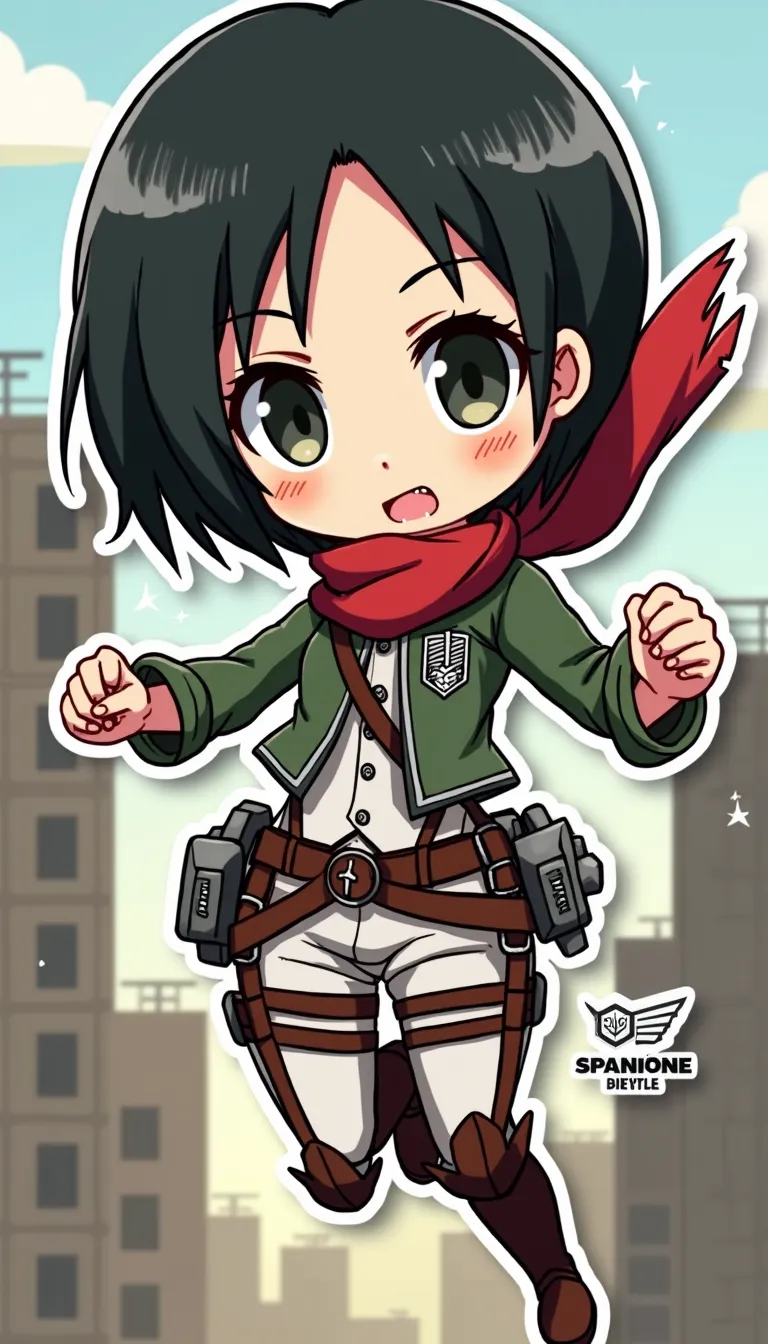
Mikasa Ackerman - Flux.1 dev
提示
Anime sticker style, Mikasa Ackerman from Attack on Titan, chibi proportions, large expressive eyes, short black hair with signature red scarf, wearing Survey Corps uniform with 3D maneuver gear harness, dual blades in hands, determined expression with slight frown, action pose mid-air as if swinging through city, simplified background with stylized buildings and walls, dynamic speed lines, bold outlines, flat colors with minimal shading, kawaii aesthetic, small white sparkles for emphasis, tiny Scout Regiment wings of freedom logo in corner, miniature titans in far background for scale, slight drop shadow beneath character for sticker-like effect, vibrant color palette with emphasis on greens and browns for uniform, red for scarf, and steel gray for blades, subtle gradient in sky from light blue to pale yellow
Flux AI 圖像提示的詳細分析
分析使用 Flux AI 圖像生成器生成圖像所使用的詳細提示。
探索 Flux AI 圖像生成器的提示
如何通過 Flux.1 dev
遵循以下四個簡單步驟來創建您想要的圖片。
步驟 1:輸入您的文字 (可自由調整提示以獲得更好的結果)
步驟 2:選擇圖片的縱橫比
步驟 3:選擇您的 Flux 模型:
步驟 4:點擊生成按鈕並等待幾秒鐘獲取您的圖片
與提示相關的 Flux AI 工具 Flux.1 dev
發現來自 Flux AI 的高級工具,提升您的創意工作流程。