Wimbledon - Flux.1 pro
Lời nhắc
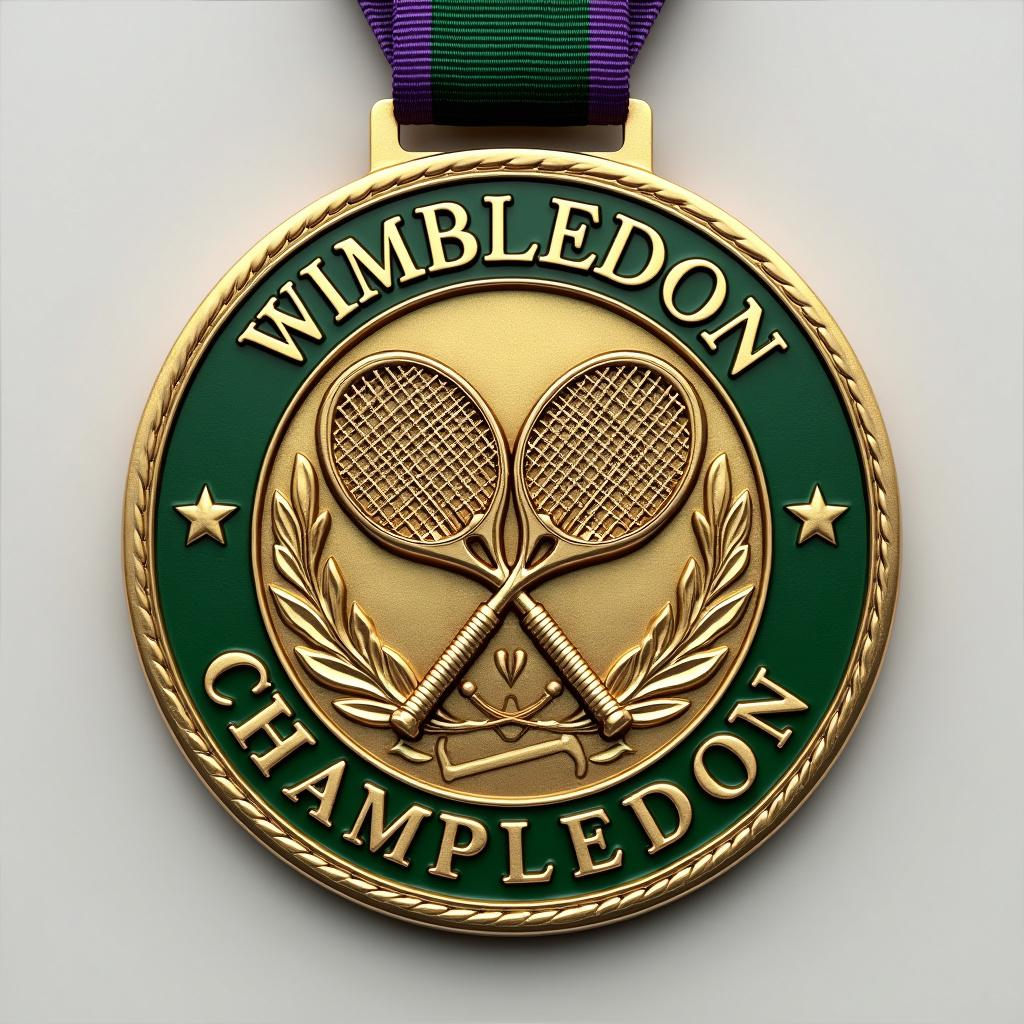
Sure, to make the prompt more engaging and generate a well-detailed response about the Wimbledon medal, I'll include more specific aspects and a touch of creativity: --- Create a stunning, detailed image of a Wimbledon Championship Medal. Capture the essence and prestige of the event with meticulous attention to detail. Sports Meet: Wimbledon Please consider the following aspects: - **Medal Shape**: A circular shape with a refined, elegant edge. - **Material**: High-quality gold, symbolizing excellence and achievement. - **Color**: A polished, gleaming gold finish with intricate green enamel accents to represent the lush Wimbledon grass courts. - **Design**: An exquisitely detailed image that features: - The iconic Wimbledon logo at the center, with the crossed tennis racquets. - Elaborate engravings around the border that reflect traditional British motifs and tennis heritage. - Subtle, artistic flourishes that capture the dynamism and grace of the sport. - **Text**: Bold, elegant typography inscribed with "Wimbledon Champion" along the top curve and the year of the tournament along the bottom. - **Ribbon**: A luxurious ribbon in the classic Wimbledon colors of dark green and purple, with a comfortable and robust silk texture. - **Size**: A substantial size of approximately 80mm in diameter, conveying the significance of the achievement without being overly cumbersome. Take inspiration from the grandeur and history of Wimbledon, ensuring the medal exudes prestige, elegance, and a timeless quality suitable for tennis champions. --- This revised prompt should inspire the creation of a more specific and engaging image, capturing the grandeur of the Wimbledon event and providing rich details about the medal design.
Phân tích Chi tiết về Prompt Hình ảnh Flux AI
Phân tích prompt chi tiết được sử dụng để tạo ra hình ảnh với Flux AI Image Generator.
Khám phá Flux Prompts cho Trình tạo hình ảnh Flux AI
Cách tạo hình ảnh bằng Flux.1 pro
Theo dõi bốn bước đơn giản dưới đây để tạo ra hình ảnh bạn mong muốn.
Bước 1: Nhập Văn bản của Bạn (Cảm thấy tự do tinh chỉnh prompt của bạn để có kết quả tốt hơn)
Bước 2: Chọn Tỷ lệ Khung Hình của Hình ảnh
Bước 3: Chọn Mô hình Flux của Bạn:
Bước 4: Nhấn Nút Tạo và Chờ vài Giây để Có Hình ảnh của Bạn
Công cụ Flux AI liên quan đến prompts về Flux.1 pro
Khám phá các công cụ nâng cao từ Flux AI để tăng cường quy trình làm việc sáng tạo của bạn.