Hand-Micro Wolf Silhouette - Flux.1.1 pro
Eingabe
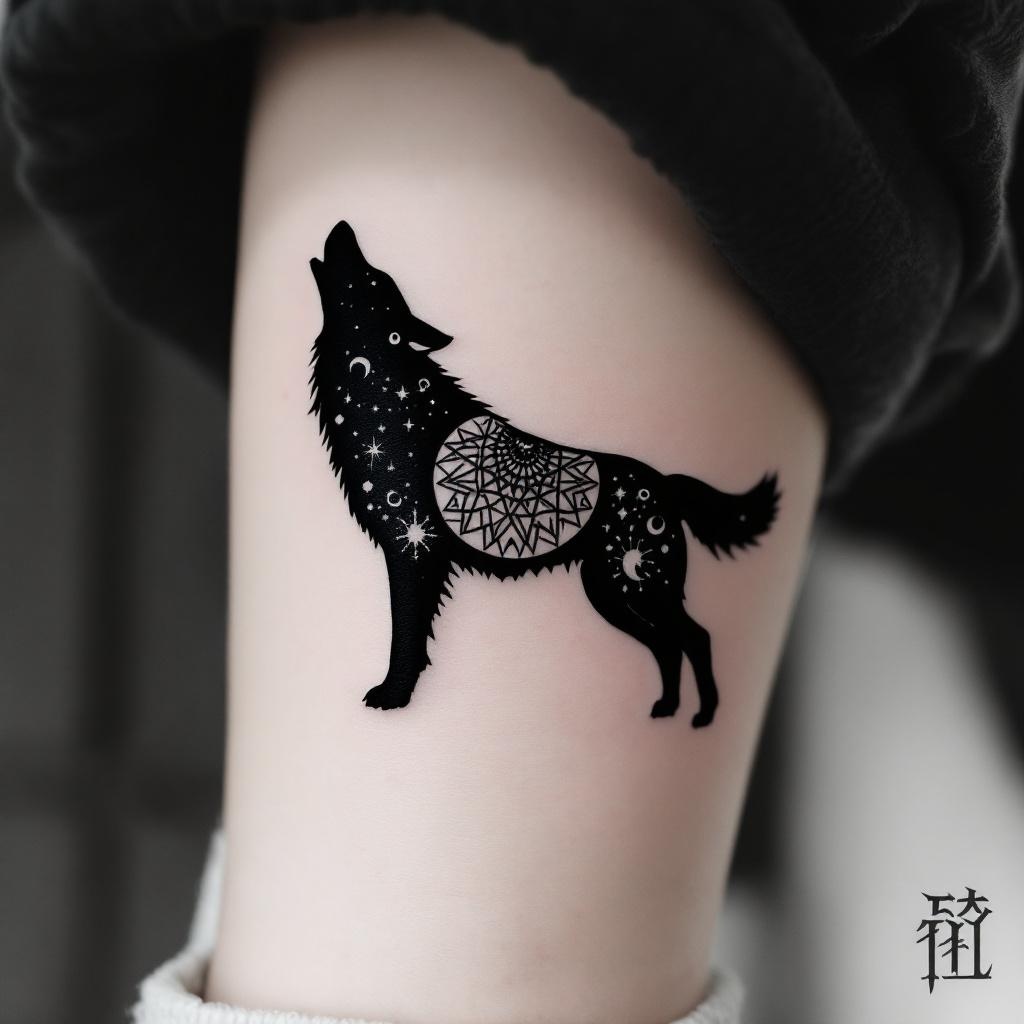
**Prompt:** A hand-micro tattoo featuring a sleek, minimalist wolf silhouette, intricately composed of fine linework and subtle dotwork shading. The design should capture the wolf in mid-howl, with delicate geometric patterns or tribal-inspired elements subtly woven into its form. Black and grey ink for a timeless look, with precise detailing to ensure clarity at a small scale. Placement on the inner wrist, forearm, or behind the ear for subtle visibility. Size: 2-3 inches, balancing detail and readability. The mood should be mystical yet understated, evoking strength and solitude. Optional: a crescent moon or faint constellation accents for added symbolism.
Detaillierte Analyse des Flux KI Image Prompt
Analysiere den detaillierten Prompt, der zur Erstellung des Bildes mit dem Flux KI Image Generator verwendet wurde.
Flux-Prompts für den KI-Bildgenerator erkunden
Wie man ein Bild generiert von Flux.1.1 pro
Folge diesen vier einfachen Schritten, um das gewünschte Bild zu erstellen.
Schritt 1: Gib deinen Text ein (Fühle dich frei, deinen Prompt für bessere Ergebnisse zu verfeinern)
Schritt 2: Wähle das Bildseitenverhältnis
Schritt 3: Wähle dein Flux-Modell:
Schritt 4: Klicke auf die Generieren-Schaltfläche und warte ein paar Sekunden auf dein Bild
Verwandte Flux KI Tools für Prompts über Flux.1.1 pro
Entdecke fortschrittliche Tools von Flux KI, um deinen kreativen Workflow zu verbessern.