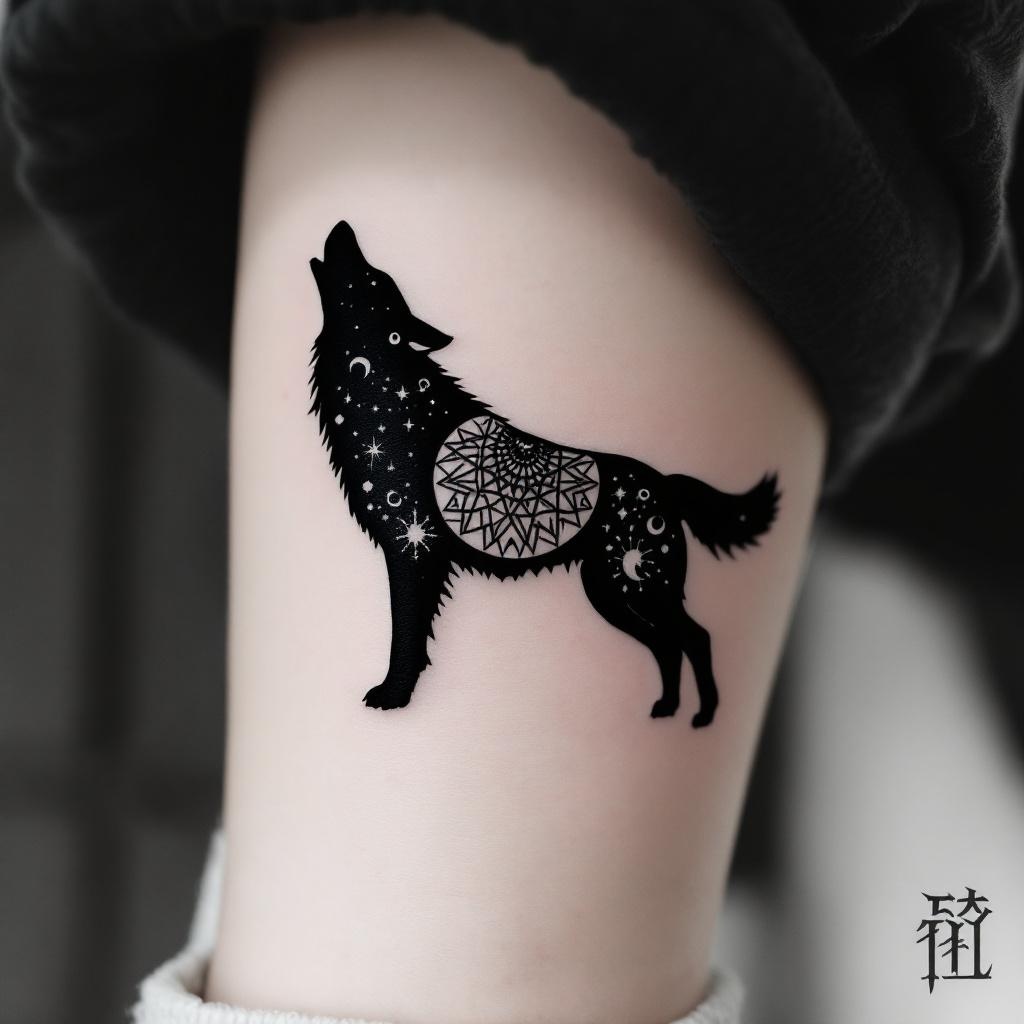
Hand-Micro Wolf Silhouette - Flux.1.1 pro
Invite
**Prompt:** A hand-micro tattoo featuring a sleek, minimalist wolf silhouette, intricately composed of fine linework and subtle dotwork shading. The design should capture the wolf in mid-howl, with delicate geometric patterns or tribal-inspired elements subtly woven into its form. Black and grey ink for a timeless look, with precise detailing to ensure clarity at a small scale. Placement on the inner wrist, forearm, or behind the ear for subtle visibility. Size: 2-3 inches, balancing detail and readability. The mood should be mystical yet understated, evoking strength and solitude. Optional: a crescent moon or faint constellation accents for added symbolism.
Analyse Détaillée du Prompt d'Image Flux IA
Analysez le prompt détaillé utilisé pour générer l'image avec Flux IA Image Generator.
Explorez les invites Flux IA
Comment générer une image par Flux.1.1 pro
Suivez ces quatre étapes simples pour créer l'image désirée.
Étape 1 : Entrez votre texte (N'hésitez pas à affiner votre prompt pour de meilleurs résultats)
Étape 2 : Choisissez le ratio d'aspect de l'image
Étape 3 : Sélectionnez votre modèle Flux :
Étape 4 : Cliquez sur le bouton Générer et attendez quelques secondes pour votre image
Outils Flux IA liés aux prompts sur Flux.1.1 pro
Découvrez des outils avancés de Flux IA pour booster votre flux de travail créatif.