Hand-Micro Wolf Silhouette - Flux.1.1 pro
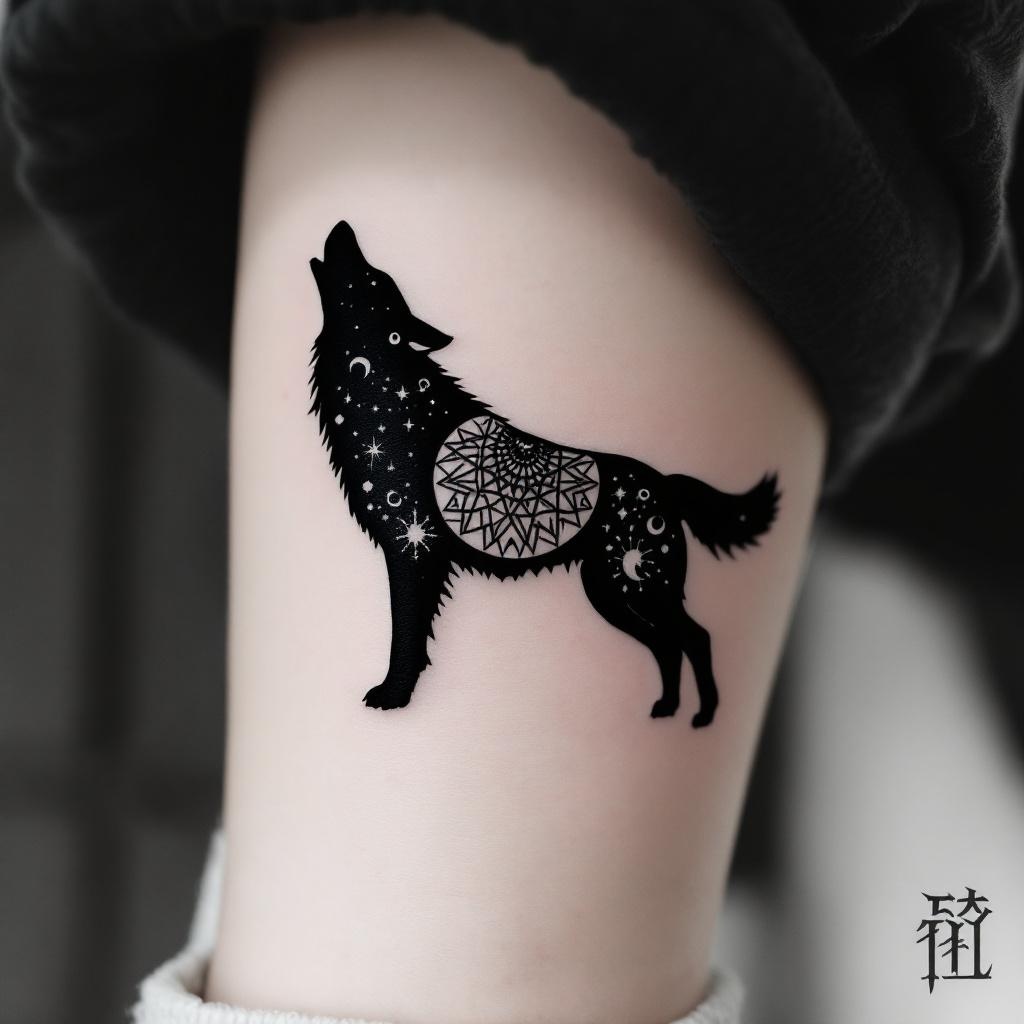
prompt
**Prompt:** A hand-micro tattoo featuring a sleek, minimalist wolf silhouette, intricately composed of fine linework and subtle dotwork shading. The design should capture the wolf in mid-howl, with delicate geometric patterns or tribal-inspired elements subtly woven into its form. Black and grey ink for a timeless look, with precise detailing to ensure clarity at a small scale. Placement on the inner wrist, forearm, or behind the ear for subtle visibility. Size: 2-3 inches, balancing detail and readability. The mood should be mystical yet understated, evoking strength and solitude. Optional: a crescent moon or faint constellation accents for added symbolism.
Analisis Terperinci Prompt Gambar Flux AI
Analisis prompt terperinci yang digunakan untuk menghasilkan gambar dengan Generator Gambar Flux AI.
Jelajahi Prompt Flux untuk Generator Gambar AI Flux
Cara menghasilkan gambar dengan Flux.1.1 pro
Ikuti empat langkah sederhana ini untuk membuat gambar yang Anda inginkan.
Langkah 1: Masukkan Teks Anda (Silakan sempurnakan prompt untuk hasil yang lebih baik)
Langkah 2: Pilih Rasio Aspek Gambar
Langkah 3: Pilih Model Flux Anda:
Langkah 4: Klik Tombol Buat dan Tunggu Beberapa Detik untuk Gambar Anda
Alat Flux AI terkait untuk prompt tentang Flux.1.1 pro
Temukan alat-alat canggih dari Flux AI untuk meningkatkan alur kerja kreatif Anda.