Ankle-Semicircle Waves - Flux.1 dev
Eingabe
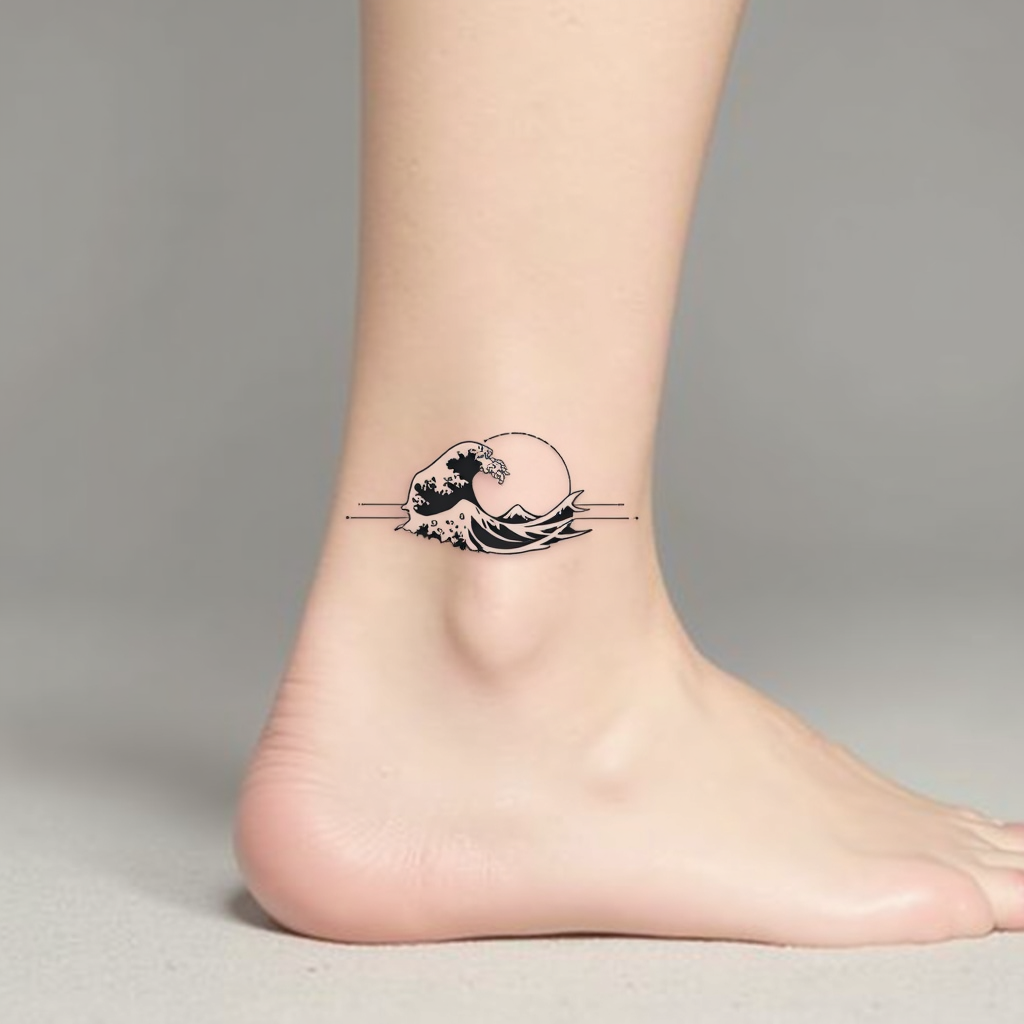
**Prompt:** "Design a delicate ankle tattoo featuring a semicircle of stylized ocean waves, wrapping gracefully around the outer ankle. Use a minimalist black ink style with fine, precise linework to capture the fluidity of the waves. Incorporate subtle dotwork shading for depth, suggesting movement and texture. The design should be small to medium in scale, no larger than 3 inches in diameter, ensuring elegance and wearability. Opt for a monochromatic palette to maintain timeless appeal. The waves should evoke a sense of calm and continuity, with a subtle nod to Japanese wave motifs for cultural resonance. Keep the overall aesthetic clean, modern, and harmonious with the body’s natural curves.
Detaillierte Analyse des Flux KI Image Prompt
Analysiere den detaillierten Prompt, der zur Erstellung des Bildes mit dem Flux KI Image Generator verwendet wurde.
Flux-Prompts für den KI-Bildgenerator erkunden
Wie man ein Bild generiert von Flux.1 dev
Folge diesen vier einfachen Schritten, um das gewünschte Bild zu erstellen.
Schritt 1: Gib deinen Text ein (Fühle dich frei, deinen Prompt für bessere Ergebnisse zu verfeinern)
Schritt 2: Wähle das Bildseitenverhältnis
Schritt 3: Wähle dein Flux-Modell:
Schritt 4: Klicke auf die Generieren-Schaltfläche und warte ein paar Sekunden auf dein Bild
Verwandte Flux KI Tools für Prompts über Flux.1 dev
Entdecke fortschrittliche Tools von Flux KI, um deinen kreativen Workflow zu verbessern.