Ankle-Semicircle Waves - Flux.1 dev
Prompt
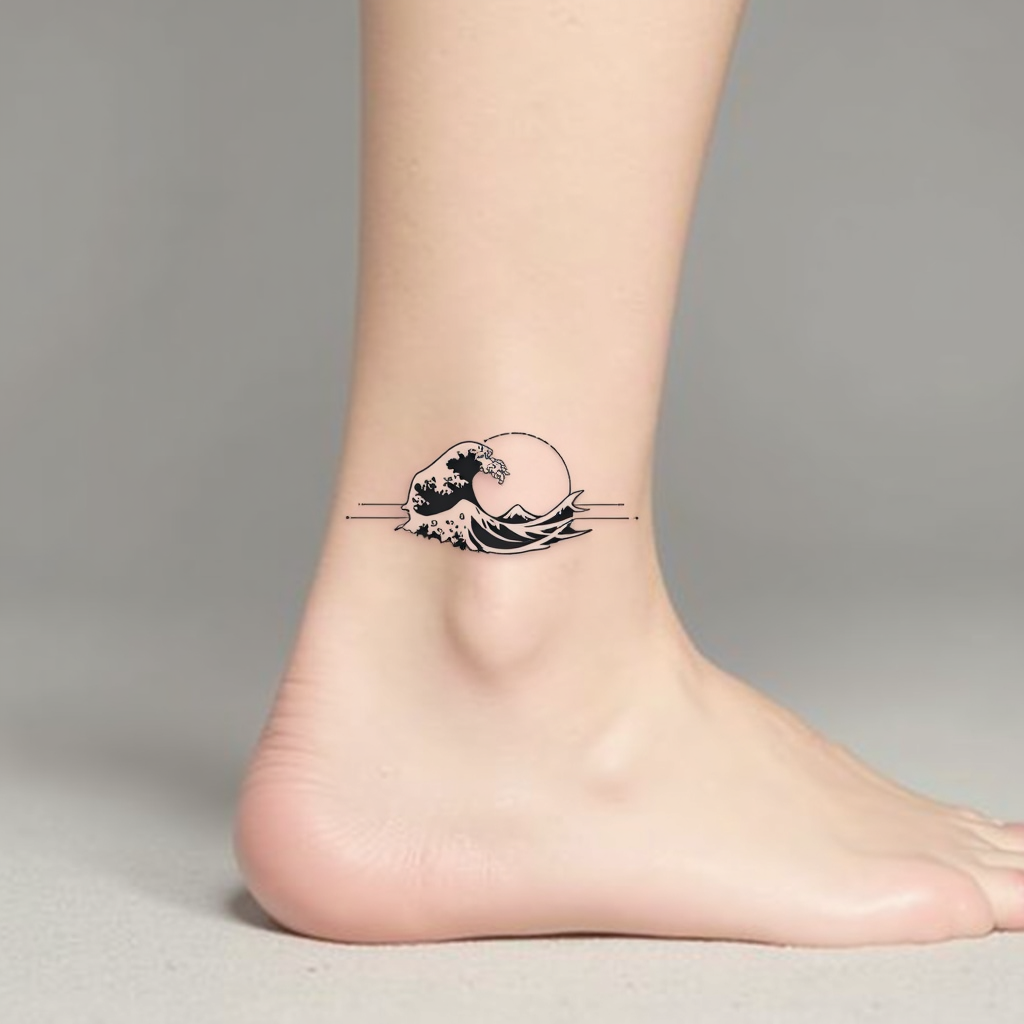
**Prompt:** "Design a delicate ankle tattoo featuring a semicircle of stylized ocean waves, wrapping gracefully around the outer ankle. Use a minimalist black ink style with fine, precise linework to capture the fluidity of the waves. Incorporate subtle dotwork shading for depth, suggesting movement and texture. The design should be small to medium in scale, no larger than 3 inches in diameter, ensuring elegance and wearability. Opt for a monochromatic palette to maintain timeless appeal. The waves should evoke a sense of calm and continuity, with a subtle nod to Japanese wave motifs for cultural resonance. Keep the overall aesthetic clean, modern, and harmonious with the body’s natural curves.
Análise Detalhada do Prompt de Imagem Flux IA
Analise o prompt detalhado usado para gerar a imagem com o Flux IA Image Generator.
Explore Prompts Flux para o Gerador de Imagens
Como gerar uma imagem por Flux.1 dev
Siga estes quatro passos simples para criar a imagem desejada.
Passo 1: Insira seu texto (Sinta-se à vontade para refinar seu prompt para melhores resultados)
Passo 2: Escolha a proporção da imagem
Passo 3: Selecione seu modelo Flux:
Passo 4: Clique no botão Gerar e aguarde alguns segundos para sua imagem
Ferramentas Flux IA relacionadas a prompts sobre Flux.1 dev
Descubra ferramentas avançadas da Flux IA para melhorar seu fluxo de trabalho criativo.