Ankle-Semicircle Waves - Flux.1 dev
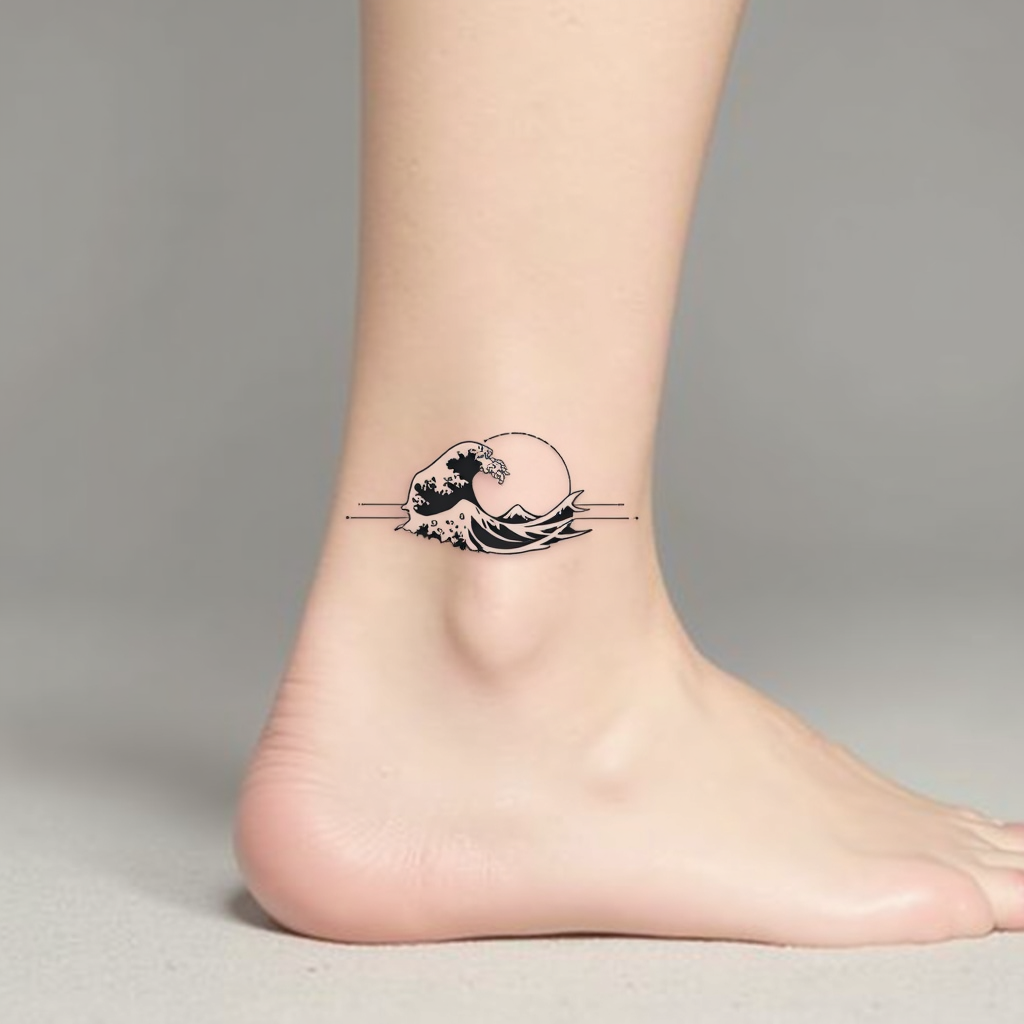
prompt
**Prompt:** "Design a delicate ankle tattoo featuring a semicircle of stylized ocean waves, wrapping gracefully around the outer ankle. Use a minimalist black ink style with fine, precise linework to capture the fluidity of the waves. Incorporate subtle dotwork shading for depth, suggesting movement and texture. The design should be small to medium in scale, no larger than 3 inches in diameter, ensuring elegance and wearability. Opt for a monochromatic palette to maintain timeless appeal. The waves should evoke a sense of calm and continuity, with a subtle nod to Japanese wave motifs for cultural resonance. Keep the overall aesthetic clean, modern, and harmonious with the body’s natural curves.
Analisi Dettagliata del Prompt Immagine Flux AI
Analizza il prompt dettagliato utilizzato per generare l'immagine con il Generatore Immagini Flux AI.
Esplora i Prompt Flux per il Generatore Immagini Flux AI
Come generare immagini con Flux.1 dev
Segui questi quattro semplici passaggi per creare l'immagine desiderata.
Passaggio 1: Inserisci il Tuo Testo (Sentiti libero di perfezionare il prompt per risultati migliori)
Passaggio 2: Scegli le Proporzioni dell'Immagine
Passaggio 3: Seleziona il Tuo Modello Flux:
Passaggio 4: Clicca il Pulsante Genera e Attendi Alcuni Secondi per la Tua Immagine
Strumenti Flux AI correlati per prompt su Flux.1 dev
Scopri strumenti avanzati di Flux AI per potenziare il tuo flusso di lavoro creativo.