Ankle-Semicircle Waves - Flux.1 dev
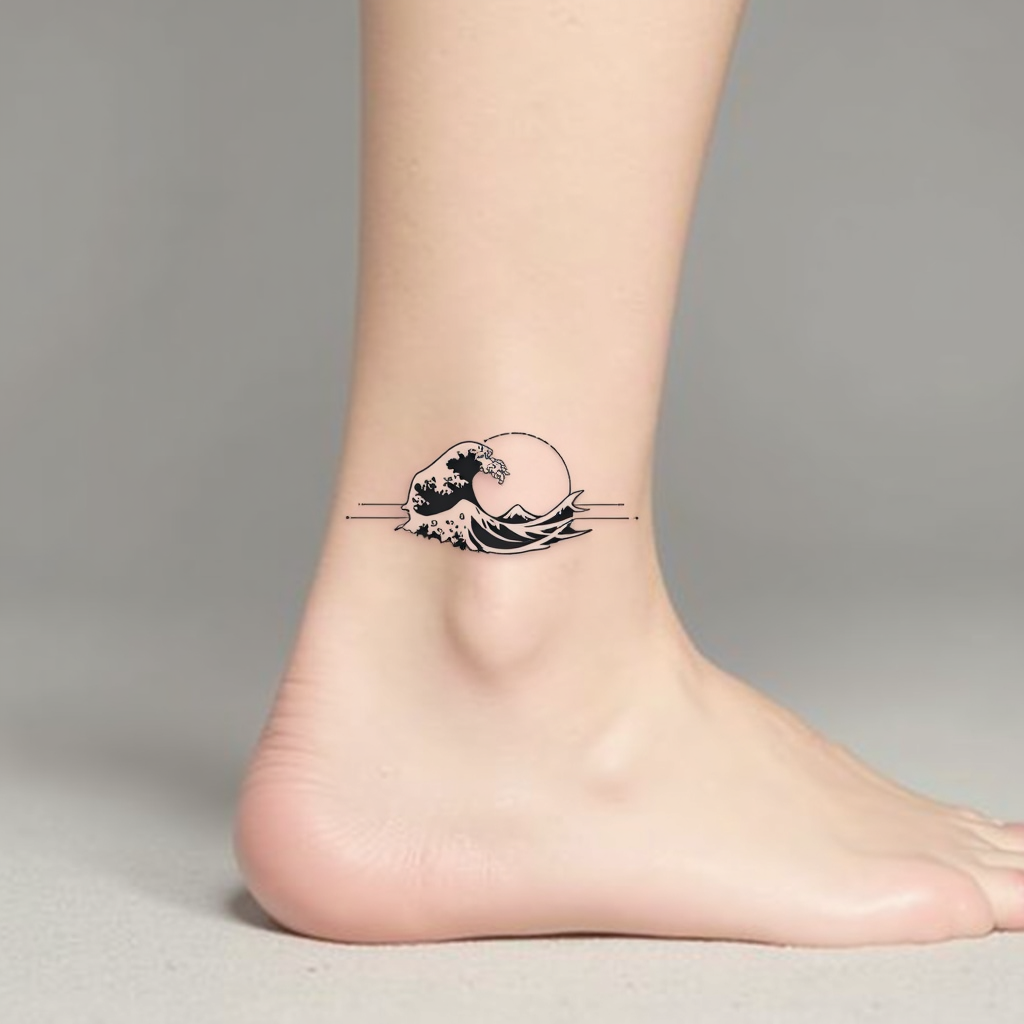
prompt
**Prompt:** "Design a delicate ankle tattoo featuring a semicircle of stylized ocean waves, wrapping gracefully around the outer ankle. Use a minimalist black ink style with fine, precise linework to capture the fluidity of the waves. Incorporate subtle dotwork shading for depth, suggesting movement and texture. The design should be small to medium in scale, no larger than 3 inches in diameter, ensuring elegance and wearability. Opt for a monochromatic palette to maintain timeless appeal. The waves should evoke a sense of calm and continuity, with a subtle nod to Japanese wave motifs for cultural resonance. Keep the overall aesthetic clean, modern, and harmonious with the body’s natural curves.
Analisis Terperinci Prompt Gambar Flux AI
Analisis prompt terperinci yang digunakan untuk menghasilkan gambar dengan Generator Gambar Flux AI.
Jelajahi Prompt Flux untuk Generator Gambar AI Flux
Cara menghasilkan gambar dengan Flux.1 dev
Ikuti empat langkah sederhana ini untuk membuat gambar yang Anda inginkan.
Langkah 1: Masukkan Teks Anda (Silakan sempurnakan prompt untuk hasil yang lebih baik)
Langkah 2: Pilih Rasio Aspek Gambar
Langkah 3: Pilih Model Flux Anda:
Langkah 4: Klik Tombol Buat dan Tunggu Beberapa Detik untuk Gambar Anda
Alat Flux AI terkait untuk prompt tentang Flux.1 dev
Temukan alat-alat canggih dari Flux AI untuk meningkatkan alur kerja kreatif Anda.