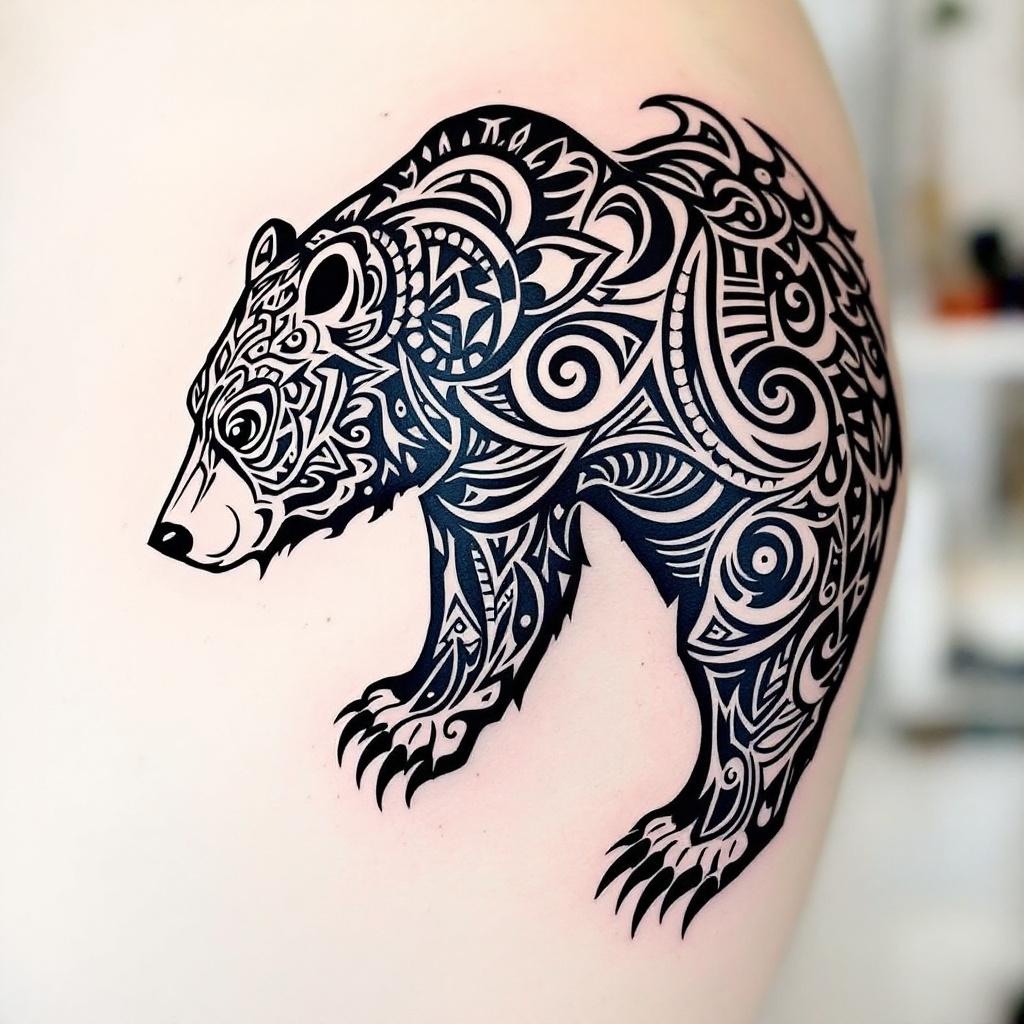
Shoulder Blade-Tribal Bear - Flux.1.1 pro
Eingabe
**Prompt:** A bold **tribal bear tattoo** spanning the **shoulder blade**, featuring intricate **geometric patterns** and **flowing linework** that mimics the bear’s powerful form. **Black ink only**, with sharp contrasts and dynamic negative space for a striking silhouette. The design blends **traditional tribal motifs** with a **modern, stylized edge**, emphasizing the bear’s fierce yet graceful presence. **Medium to large scale**, tailored to contour the shoulder’s natural curvature. Incorporate **symbolic elements** like claws or crescent moons for added depth. The aesthetic is **mystical and primal**, evoking strength and connection to nature. Clean, crisp lines with subtle **dotwork shading** for texture.
Detaillierte Analyse des Flux KI Image Prompt
Analysiere den detaillierten Prompt, der zur Erstellung des Bildes mit dem Flux KI Image Generator verwendet wurde.
Flux-Prompts für den KI-Bildgenerator erkunden
Wie man ein Bild generiert von Flux.1.1 pro
Folge diesen vier einfachen Schritten, um das gewünschte Bild zu erstellen.
Schritt 1: Gib deinen Text ein (Fühle dich frei, deinen Prompt für bessere Ergebnisse zu verfeinern)
Schritt 2: Wähle das Bildseitenverhältnis
Schritt 3: Wähle dein Flux-Modell:
Schritt 4: Klicke auf die Generieren-Schaltfläche und warte ein paar Sekunden auf dein Bild
Verwandte Flux KI Tools für Prompts über Flux.1.1 pro
Entdecke fortschrittliche Tools von Flux KI, um deinen kreativen Workflow zu verbessern.