Shoulder Blade-Tribal Bear - Flux.1.1 pro
prompt
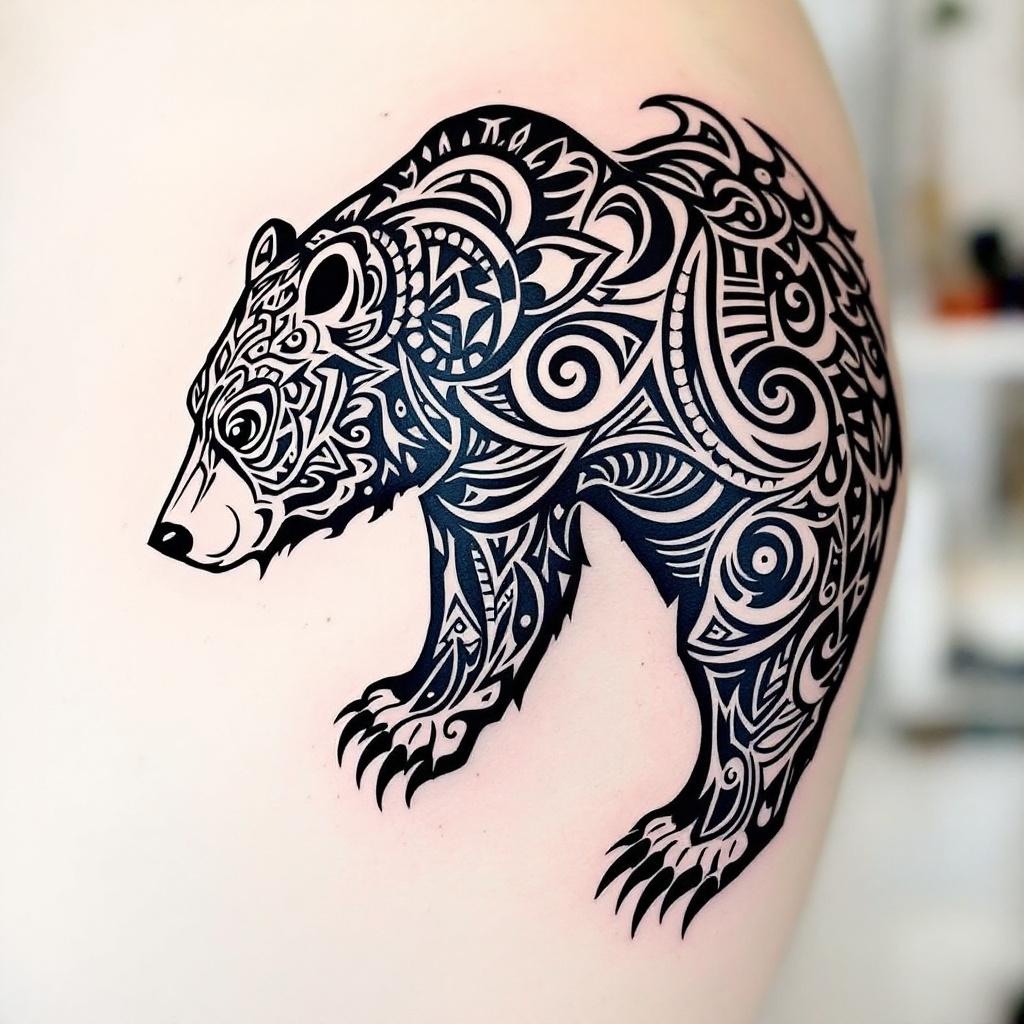
**Prompt:** A bold **tribal bear tattoo** spanning the **shoulder blade**, featuring intricate **geometric patterns** and **flowing linework** that mimics the bear’s powerful form. **Black ink only**, with sharp contrasts and dynamic negative space for a striking silhouette. The design blends **traditional tribal motifs** with a **modern, stylized edge**, emphasizing the bear’s fierce yet graceful presence. **Medium to large scale**, tailored to contour the shoulder’s natural curvature. Incorporate **symbolic elements** like claws or crescent moons for added depth. The aesthetic is **mystical and primal**, evoking strength and connection to nature. Clean, crisp lines with subtle **dotwork shading** for texture.
Analisi Dettagliata del Prompt Immagine Flux AI
Analizza il prompt dettagliato utilizzato per generare l'immagine con il Generatore Immagini Flux AI.
Esplora i Prompt Flux per il Generatore Immagini Flux AI
Come generare immagini con Flux.1.1 pro
Segui questi quattro semplici passaggi per creare l'immagine desiderata.
Passaggio 1: Inserisci il Tuo Testo (Sentiti libero di perfezionare il prompt per risultati migliori)
Passaggio 2: Scegli le Proporzioni dell'Immagine
Passaggio 3: Seleziona il Tuo Modello Flux:
Passaggio 4: Clicca il Pulsante Genera e Attendi Alcuni Secondi per la Tua Immagine
Strumenti Flux AI correlati per prompt su Flux.1.1 pro
Scopri strumenti avanzati di Flux AI per potenziare il tuo flusso di lavoro creativo.