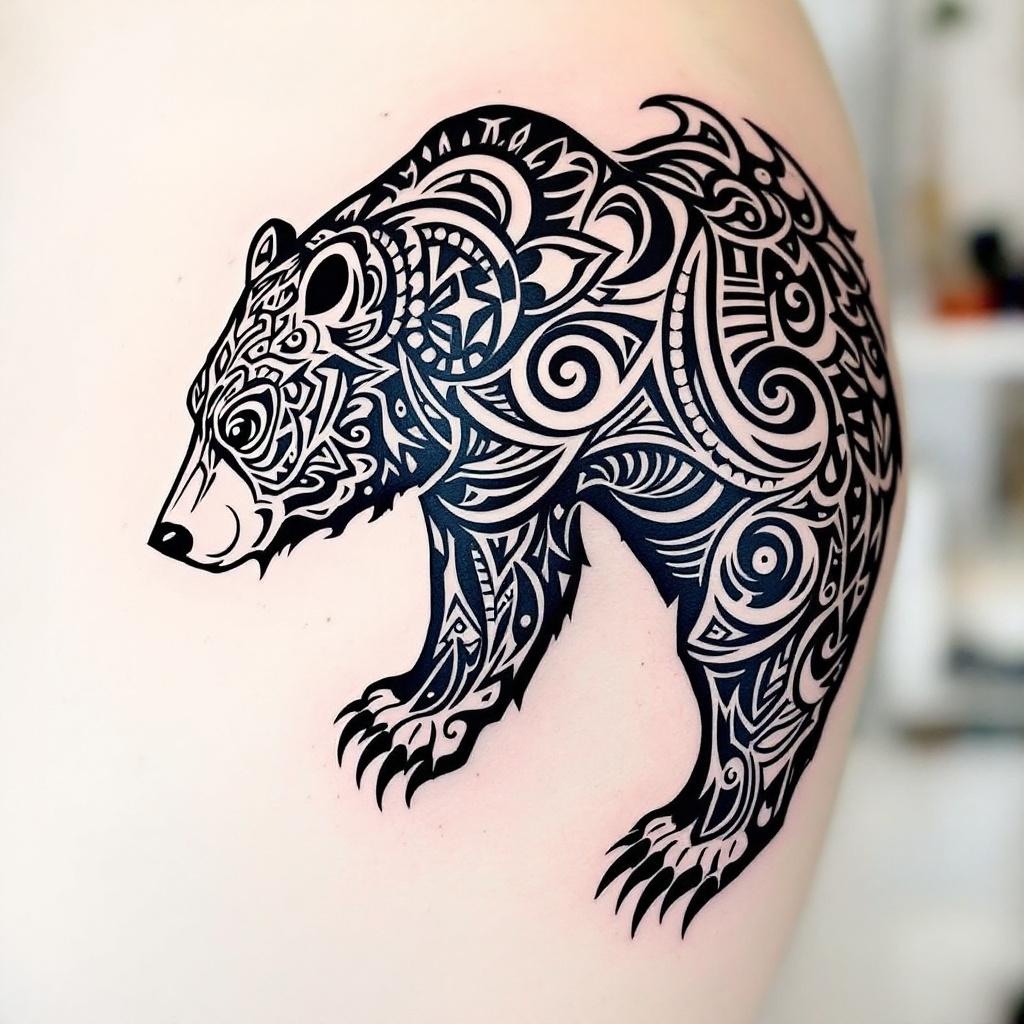
Shoulder Blade-Tribal Bear - Flux.1.1 pro
Invite
**Prompt:** A bold **tribal bear tattoo** spanning the **shoulder blade**, featuring intricate **geometric patterns** and **flowing linework** that mimics the bear’s powerful form. **Black ink only**, with sharp contrasts and dynamic negative space for a striking silhouette. The design blends **traditional tribal motifs** with a **modern, stylized edge**, emphasizing the bear’s fierce yet graceful presence. **Medium to large scale**, tailored to contour the shoulder’s natural curvature. Incorporate **symbolic elements** like claws or crescent moons for added depth. The aesthetic is **mystical and primal**, evoking strength and connection to nature. Clean, crisp lines with subtle **dotwork shading** for texture.
Analyse Détaillée du Prompt d'Image Flux IA
Analysez le prompt détaillé utilisé pour générer l'image avec Flux IA Image Generator.
Explorez les invites Flux IA
Comment générer une image par Flux.1.1 pro
Suivez ces quatre étapes simples pour créer l'image désirée.
Étape 1 : Entrez votre texte (N'hésitez pas à affiner votre prompt pour de meilleurs résultats)
Étape 2 : Choisissez le ratio d'aspect de l'image
Étape 3 : Sélectionnez votre modèle Flux :
Étape 4 : Cliquez sur le bouton Générer et attendez quelques secondes pour votre image
Outils Flux IA liés aux prompts sur Flux.1.1 pro
Découvrez des outils avancés de Flux IA pour booster votre flux de travail créatif.