Caldo Verde - Flux.1 dev
Eingabe
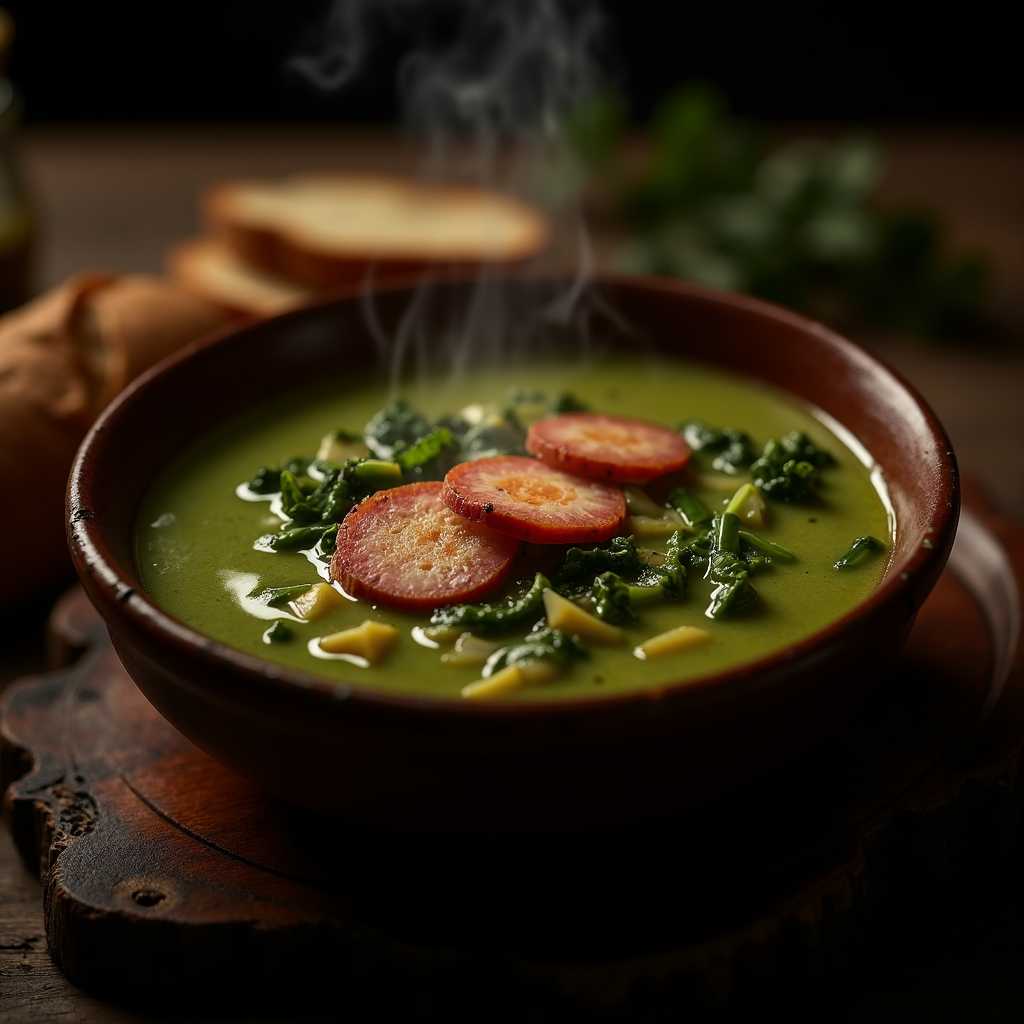
**Prompt:** "A steaming bowl of **Caldo Verde**, vibrant green with ribbons of tender kale swirling in a velvety potato broth, topped with golden slices of **chouriço** glistening under warm, diffused light. The rustic earthenware bowl sits on a weathered wooden table, surrounded by crusty bread and a drizzle of olive oil catching the light. A wisp of aromatic steam rises, hinting at garlic and paprika. Shot in a cozy, rustic style with soft shadows and rich textures, the close-up composition highlights the soup’s creamy consistency and the **chouriço**’s crisp edges, evoking the comfort of a Portuguese kitchen at dusk." (984 characters)
Detaillierte Analyse des Flux KI Image Prompt
Analysiere den detaillierten Prompt, der zur Erstellung des Bildes mit dem Flux KI Image Generator verwendet wurde.
Flux-Prompts für den KI-Bildgenerator erkunden
Wie man ein Bild generiert von Flux.1 dev
Folge diesen vier einfachen Schritten, um das gewünschte Bild zu erstellen.
Schritt 1: Gib deinen Text ein (Fühle dich frei, deinen Prompt für bessere Ergebnisse zu verfeinern)
Schritt 2: Wähle das Bildseitenverhältnis
Schritt 3: Wähle dein Flux-Modell:
Schritt 4: Klicke auf die Generieren-Schaltfläche und warte ein paar Sekunden auf dein Bild
Verwandte Flux KI Tools für Prompts über Flux.1 dev
Entdecke fortschrittliche Tools von Flux KI, um deinen kreativen Workflow zu verbessern.