Caldo Verde - Flux.1 dev
Indicador
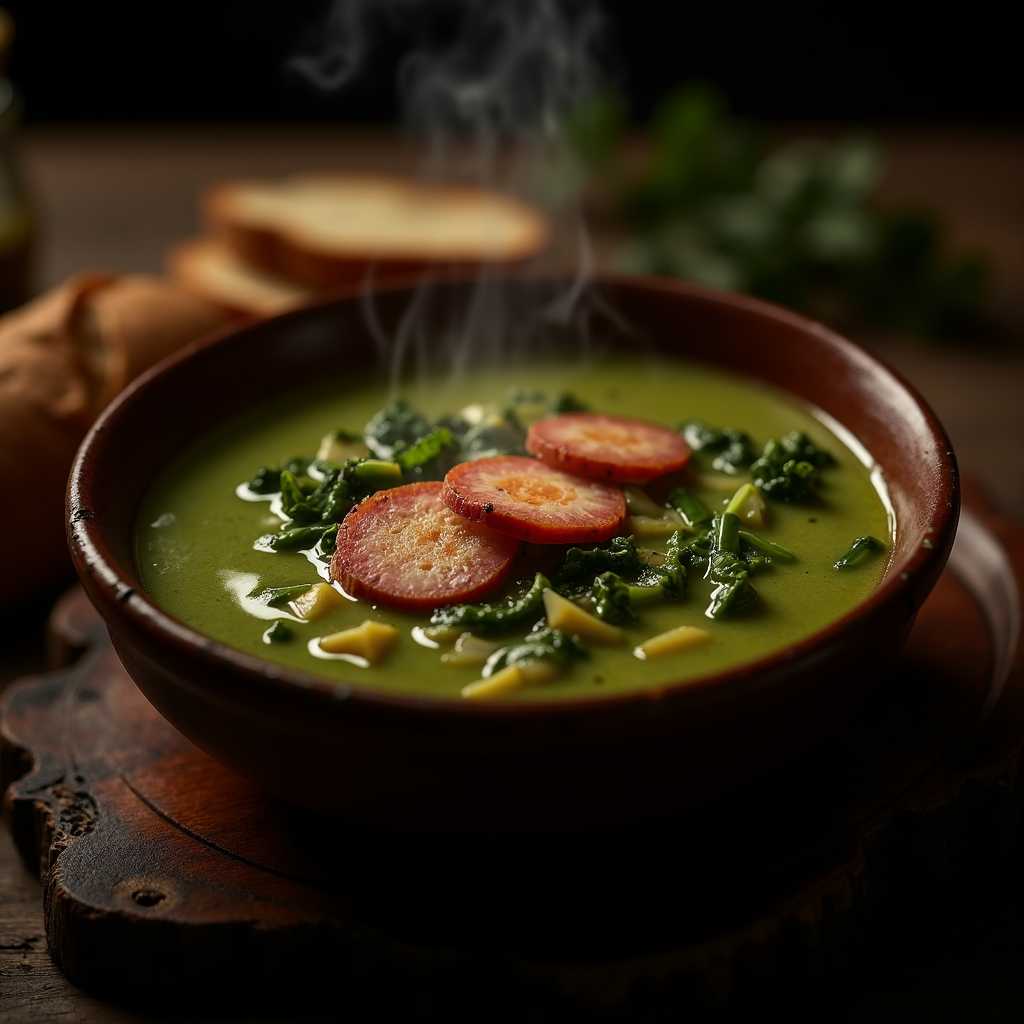
**Prompt:** "A steaming bowl of **Caldo Verde**, vibrant green with ribbons of tender kale swirling in a velvety potato broth, topped with golden slices of **chouriço** glistening under warm, diffused light. The rustic earthenware bowl sits on a weathered wooden table, surrounded by crusty bread and a drizzle of olive oil catching the light. A wisp of aromatic steam rises, hinting at garlic and paprika. Shot in a cozy, rustic style with soft shadows and rich textures, the close-up composition highlights the soup’s creamy consistency and the **chouriço**’s crisp edges, evoking the comfort of a Portuguese kitchen at dusk." (984 characters)
Análisis Detallado del Prompt de Imagen de Flux IA
Analiza el prompt detallado utilizado para generar la imagen con Flux IA Image Generator.
Explorar Mensajes para Flux IA
Cómo generar una imagen por Flux.1 dev
Sigue estos cuatro sencillos pasos para crear la imagen que deseas.
Paso 1: Ingresa tu texto (No dudes en refinar tu prompt para mejores resultados)
Paso 2: Elige la relación de aspecto de la imagen
Paso 3: Selecciona tu modelo Flux:
Paso 4: Haz clic en el botón Generar y espera unos segundos para tu imagen
Herramientas Flux IA relacionadas para prompts sobre Flux.1 dev
Descubre herramientas avanzadas de Flux IA para potenciar tu flujo de trabajo creativo.