Bootleg security footage reveals elite water parties - Flux.1 dev
Eingabe
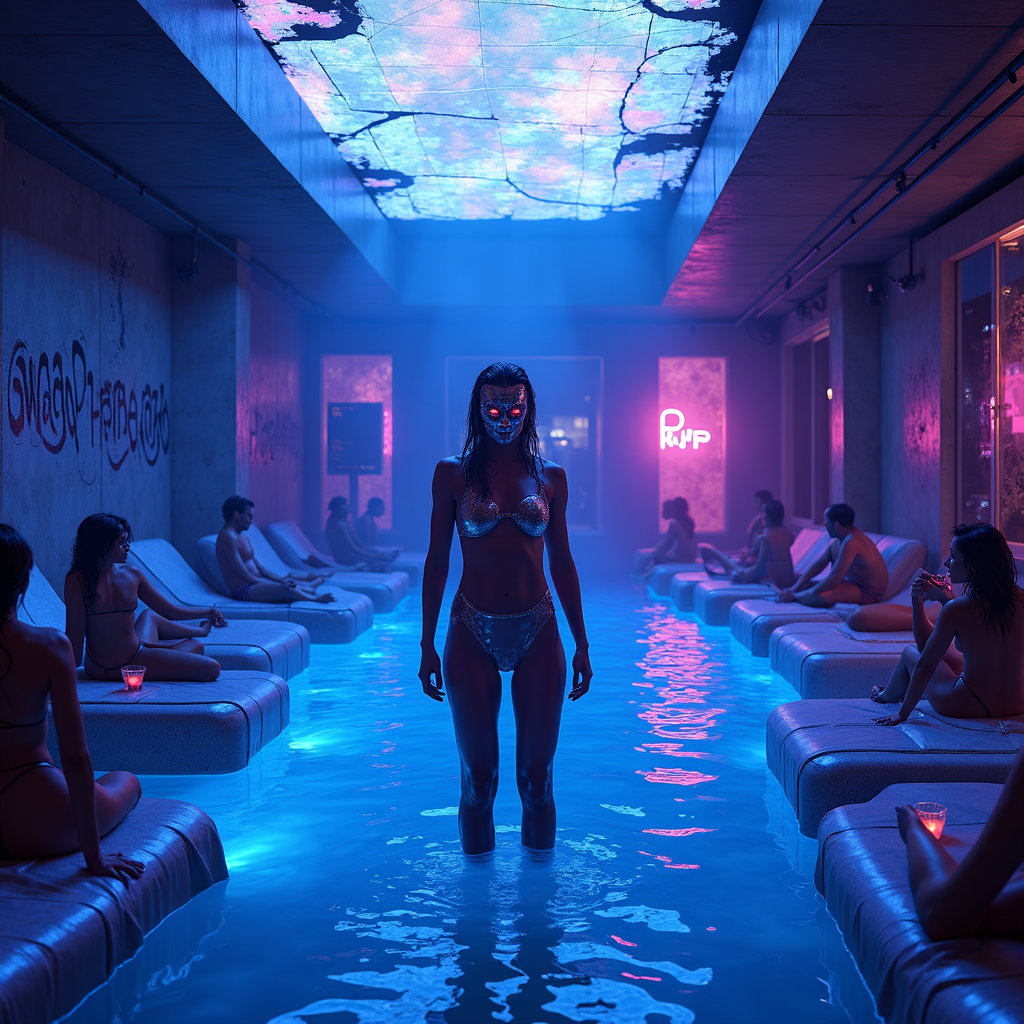
Bootleg security footage captures a clandestine, neon-drenched water party in the heart of a cyberpunk metropolis, where the elite revel in shimmering pools under flickering holographic lights. The scene is bathed in electric blues, deep purples, and hot pinks, with distorted glitches and static artifacts distorting the footage, giving it a gritty, underground vibe. Sleek, high-tech loungers draped in iridescent fabrics surround the glowing pool, where masked figures in sleek, form-fitting wetwear and cybernetic enhancements sip luminescent cocktails. The water itself ripples with bioluminescent algae, casting eerie reflections on the chrome walls adorned with cryptic graffiti. Overhead, a fractured skylight reveals a smog-choked skyline, punctuated by the occasional streak of a passing drone or hovercar. The atmosphere is thick with mist and the hum of bass-heavy synth music, while shadowy figures lurk in the periphery, their identities obscured by pixelated distortions. The focal point is a towering, androgynous figure in a liquid-metal bodysuit, standing at the pool’s edge, their face obscured by a flickering digital mask, exuding an air of enigmatic authority amidst the chaotic revelry.
Detaillierte Analyse des Flux KI Image Prompt
Analysiere den detaillierten Prompt, der zur Erstellung des Bildes mit dem Flux KI Image Generator verwendet wurde.
Flux-Prompts für den KI-Bildgenerator erkunden
Wie man ein Bild generiert von Flux.1 dev
Folge diesen vier einfachen Schritten, um das gewünschte Bild zu erstellen.
Schritt 1: Gib deinen Text ein (Fühle dich frei, deinen Prompt für bessere Ergebnisse zu verfeinern)
Schritt 2: Wähle das Bildseitenverhältnis
Schritt 3: Wähle dein Flux-Modell:
Schritt 4: Klicke auf die Generieren-Schaltfläche und warte ein paar Sekunden auf dein Bild
Verwandte Flux KI Tools für Prompts über Flux.1 dev
Entdecke fortschrittliche Tools von Flux KI, um deinen kreativen Workflow zu verbessern.