Bootleg security footage reveals elite water parties - Flux.1 dev
prompt
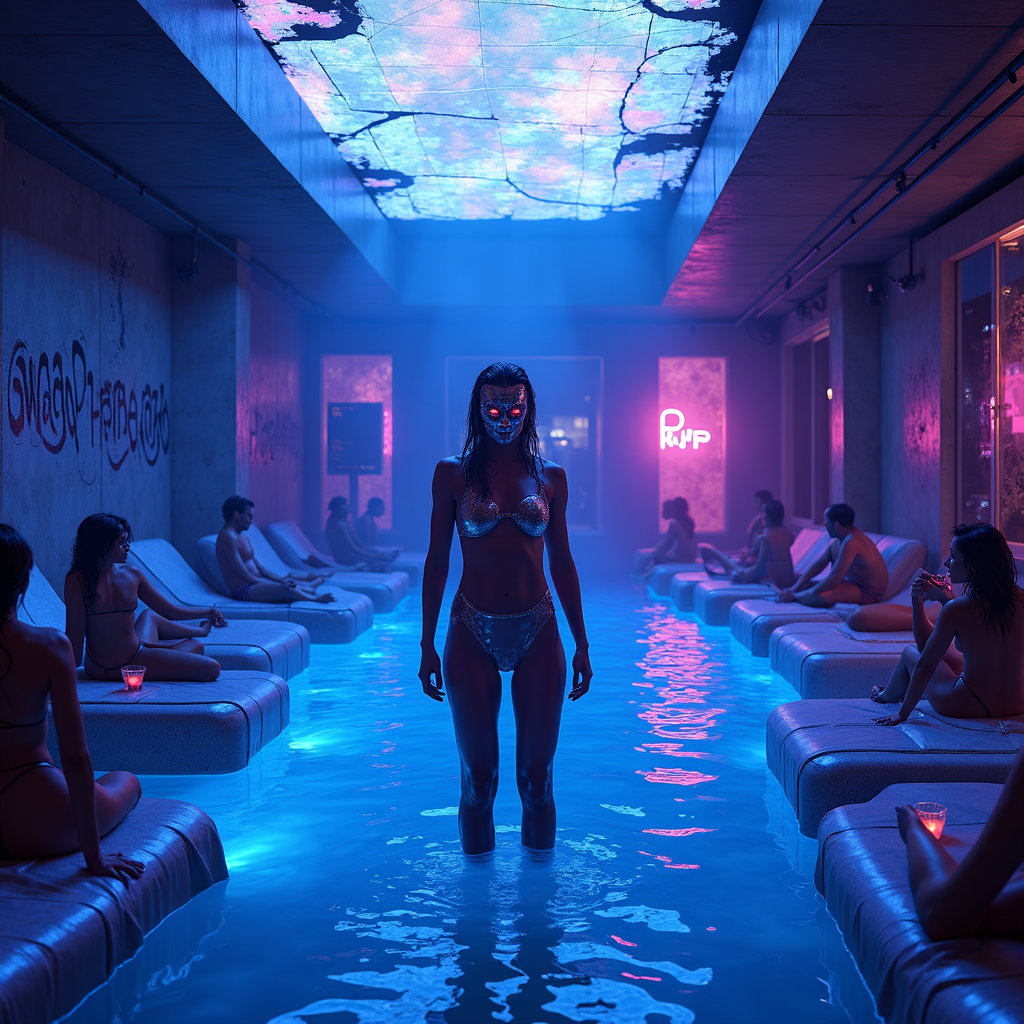
Bootleg security footage captures a clandestine, neon-drenched water party in the heart of a cyberpunk metropolis, where the elite revel in shimmering pools under flickering holographic lights. The scene is bathed in electric blues, deep purples, and hot pinks, with distorted glitches and static artifacts distorting the footage, giving it a gritty, underground vibe. Sleek, high-tech loungers draped in iridescent fabrics surround the glowing pool, where masked figures in sleek, form-fitting wetwear and cybernetic enhancements sip luminescent cocktails. The water itself ripples with bioluminescent algae, casting eerie reflections on the chrome walls adorned with cryptic graffiti. Overhead, a fractured skylight reveals a smog-choked skyline, punctuated by the occasional streak of a passing drone or hovercar. The atmosphere is thick with mist and the hum of bass-heavy synth music, while shadowy figures lurk in the periphery, their identities obscured by pixelated distortions. The focal point is a towering, androgynous figure in a liquid-metal bodysuit, standing at the pool’s edge, their face obscured by a flickering digital mask, exuding an air of enigmatic authority amidst the chaotic revelry.
Analisi Dettagliata del Prompt Immagine Flux AI
Analizza il prompt dettagliato utilizzato per generare l'immagine con il Generatore Immagini Flux AI.
Esplora i Prompt Flux per il Generatore Immagini Flux AI
Come generare immagini con Flux.1 dev
Segui questi quattro semplici passaggi per creare l'immagine desiderata.
Passaggio 1: Inserisci il Tuo Testo (Sentiti libero di perfezionare il prompt per risultati migliori)
Passaggio 2: Scegli le Proporzioni dell'Immagine
Passaggio 3: Seleziona il Tuo Modello Flux:
Passaggio 4: Clicca il Pulsante Genera e Attendi Alcuni Secondi per la Tua Immagine
Strumenti Flux AI correlati per prompt su Flux.1 dev
Scopri strumenti avanzati di Flux AI per potenziare il tuo flusso di lavoro creativo.