Bootleg security footage reveals elite water parties - Flux.1 dev
Invite
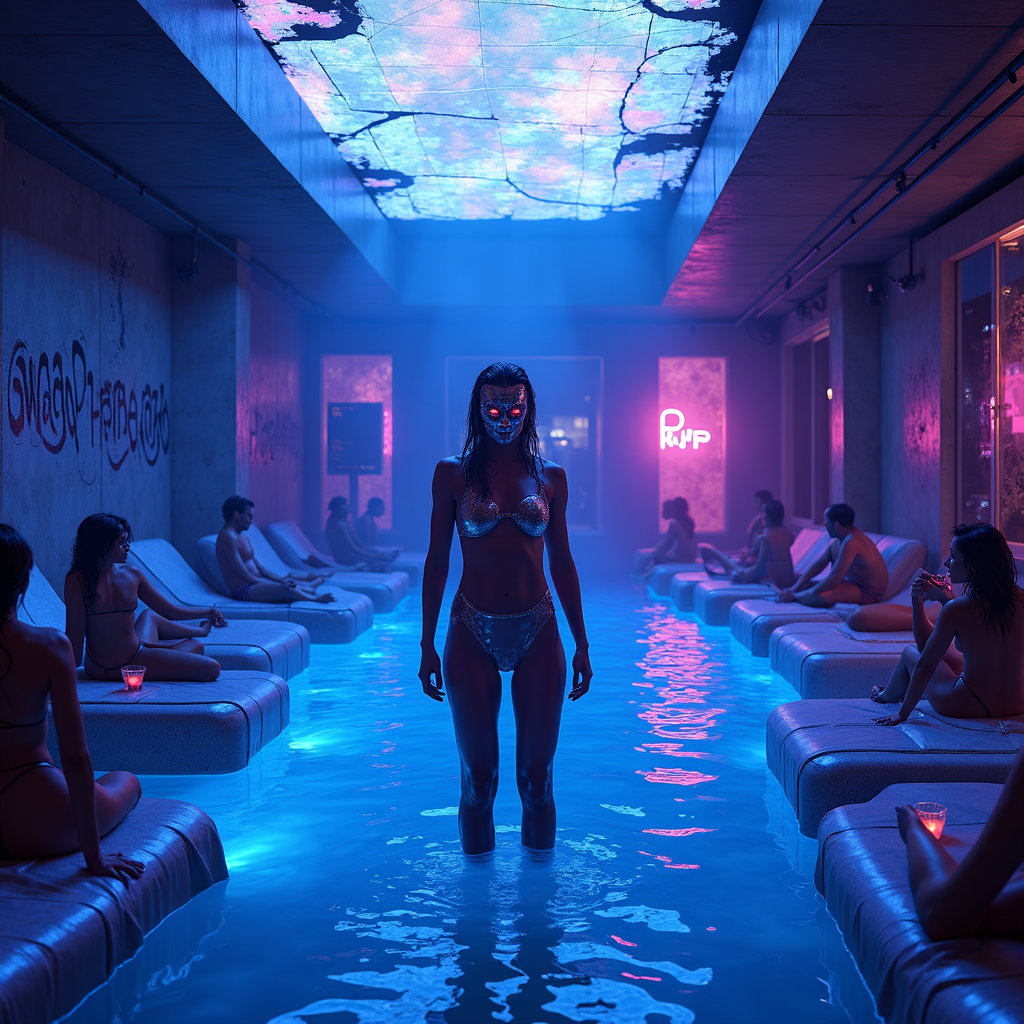
Bootleg security footage captures a clandestine, neon-drenched water party in the heart of a cyberpunk metropolis, where the elite revel in shimmering pools under flickering holographic lights. The scene is bathed in electric blues, deep purples, and hot pinks, with distorted glitches and static artifacts distorting the footage, giving it a gritty, underground vibe. Sleek, high-tech loungers draped in iridescent fabrics surround the glowing pool, where masked figures in sleek, form-fitting wetwear and cybernetic enhancements sip luminescent cocktails. The water itself ripples with bioluminescent algae, casting eerie reflections on the chrome walls adorned with cryptic graffiti. Overhead, a fractured skylight reveals a smog-choked skyline, punctuated by the occasional streak of a passing drone or hovercar. The atmosphere is thick with mist and the hum of bass-heavy synth music, while shadowy figures lurk in the periphery, their identities obscured by pixelated distortions. The focal point is a towering, androgynous figure in a liquid-metal bodysuit, standing at the pool’s edge, their face obscured by a flickering digital mask, exuding an air of enigmatic authority amidst the chaotic revelry.
Analyse Détaillée du Prompt d'Image Flux IA
Analysez le prompt détaillé utilisé pour générer l'image avec Flux IA Image Generator.
Explorez les invites Flux IA
Comment générer une image par Flux.1 dev
Suivez ces quatre étapes simples pour créer l'image désirée.
Étape 1 : Entrez votre texte (N'hésitez pas à affiner votre prompt pour de meilleurs résultats)
Étape 2 : Choisissez le ratio d'aspect de l'image
Étape 3 : Sélectionnez votre modèle Flux :
Étape 4 : Cliquez sur le bouton Générer et attendez quelques secondes pour votre image
Outils Flux IA liés aux prompts sur Flux.1 dev
Découvrez des outils avancés de Flux IA pour booster votre flux de travail créatif.