Bootleg security footage reveals elite water parties - Flux.1 dev
Indicador
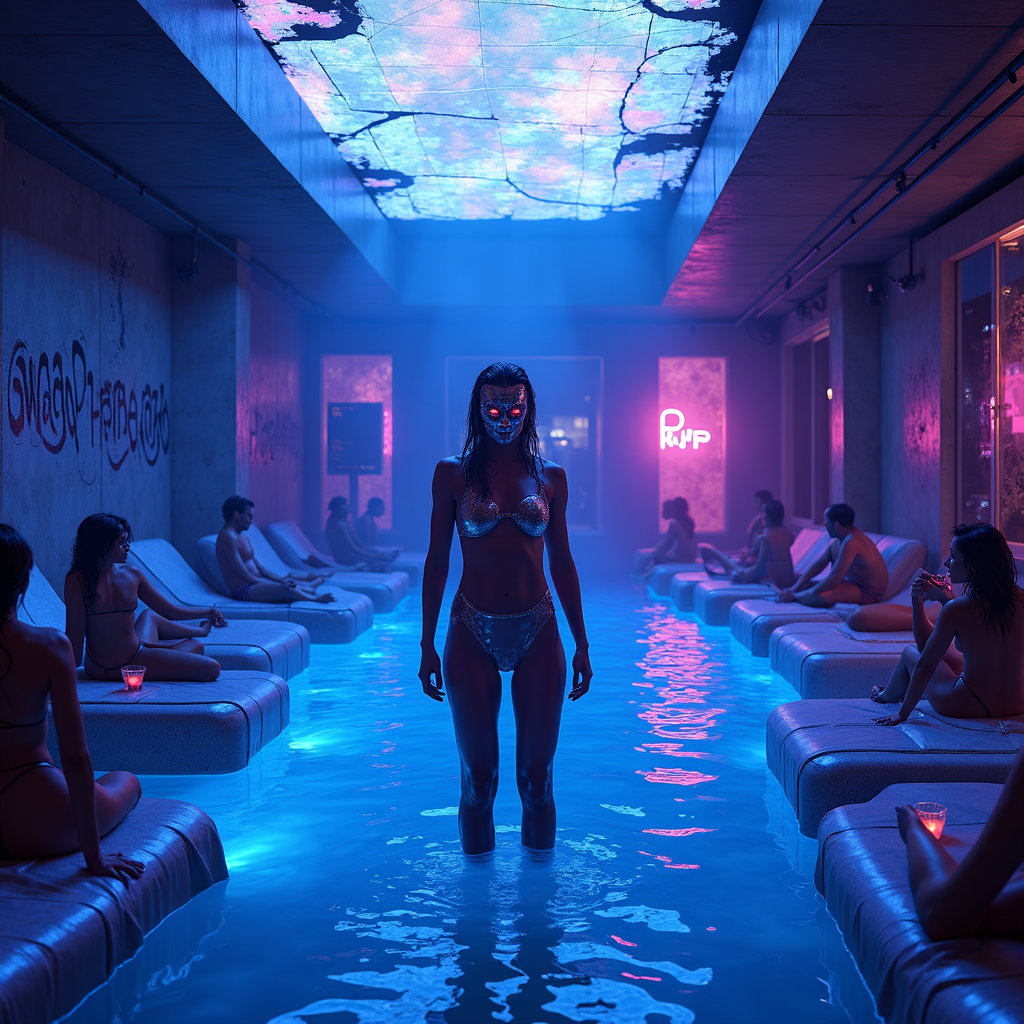
Bootleg security footage captures a clandestine, neon-drenched water party in the heart of a cyberpunk metropolis, where the elite revel in shimmering pools under flickering holographic lights. The scene is bathed in electric blues, deep purples, and hot pinks, with distorted glitches and static artifacts distorting the footage, giving it a gritty, underground vibe. Sleek, high-tech loungers draped in iridescent fabrics surround the glowing pool, where masked figures in sleek, form-fitting wetwear and cybernetic enhancements sip luminescent cocktails. The water itself ripples with bioluminescent algae, casting eerie reflections on the chrome walls adorned with cryptic graffiti. Overhead, a fractured skylight reveals a smog-choked skyline, punctuated by the occasional streak of a passing drone or hovercar. The atmosphere is thick with mist and the hum of bass-heavy synth music, while shadowy figures lurk in the periphery, their identities obscured by pixelated distortions. The focal point is a towering, androgynous figure in a liquid-metal bodysuit, standing at the pool’s edge, their face obscured by a flickering digital mask, exuding an air of enigmatic authority amidst the chaotic revelry.
Análisis Detallado del Prompt de Imagen de Flux IA
Analiza el prompt detallado utilizado para generar la imagen con Flux IA Image Generator.
Explorar Mensajes para Flux IA
Cómo generar una imagen por Flux.1 dev
Sigue estos cuatro sencillos pasos para crear la imagen que deseas.
Paso 1: Ingresa tu texto (No dudes en refinar tu prompt para mejores resultados)
Paso 2: Elige la relación de aspecto de la imagen
Paso 3: Selecciona tu modelo Flux:
Paso 4: Haz clic en el botón Generar y espera unos segundos para tu imagen
Herramientas Flux IA relacionadas para prompts sobre Flux.1 dev
Descubre herramientas avanzadas de Flux IA para potenciar tu flujo de trabajo creativo.