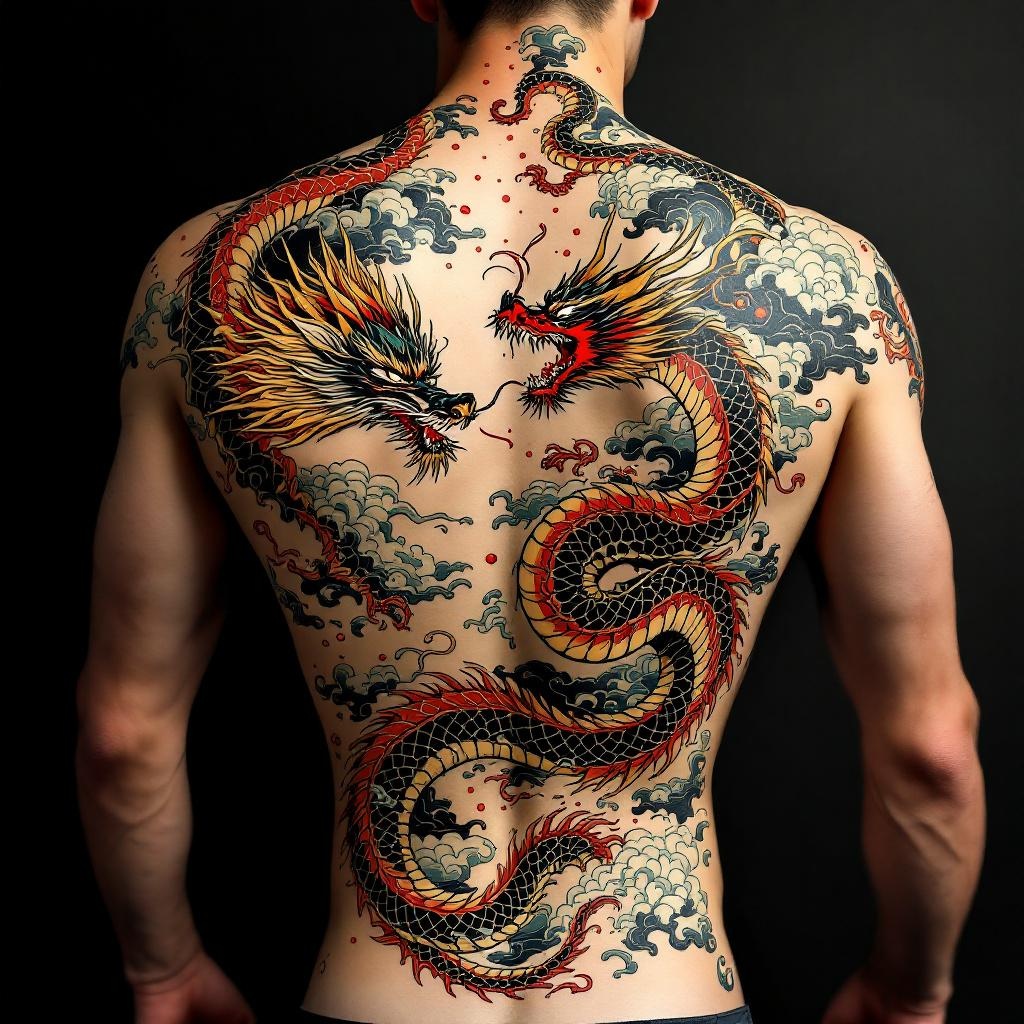
Back Piece-Dragon & Serpent - Flux.1.1 pro
Eingabe
**Prompt:** "Design a striking back piece tattoo featuring a fierce dragon and a coiling serpent in a dynamic clash, rendered in a bold Japanese traditional style (irezumi). The dragon should have detailed scales, flowing mane, and fiery breath, while the serpent exhibits intricate patterns and a sinuous, muscular body. Place the composition centered on the spine, spanning the full back from shoulders to lower back for maximum impact. Use a vibrant color palette of red, green, gold, and black with subtle shading for depth. Incorporate swirling clouds and water elements for movement. Symbolize power, wisdom, and duality. The mood should be intense yet balanced, honoring classic ukiyo-e artistry with precise linework and rich textures.
Detaillierte Analyse des Flux KI Image Prompt
Analysiere den detaillierten Prompt, der zur Erstellung des Bildes mit dem Flux KI Image Generator verwendet wurde.
Flux-Prompts für den KI-Bildgenerator erkunden
Wie man ein Bild generiert von Flux.1.1 pro
Folge diesen vier einfachen Schritten, um das gewünschte Bild zu erstellen.
Schritt 1: Gib deinen Text ein (Fühle dich frei, deinen Prompt für bessere Ergebnisse zu verfeinern)
Schritt 2: Wähle das Bildseitenverhältnis
Schritt 3: Wähle dein Flux-Modell:
Schritt 4: Klicke auf die Generieren-Schaltfläche und warte ein paar Sekunden auf dein Bild
Verwandte Flux KI Tools für Prompts über Flux.1.1 pro
Entdecke fortschrittliche Tools von Flux KI, um deinen kreativen Workflow zu verbessern.