Back Piece-Dragon & Serpent - Flux.1.1 pro
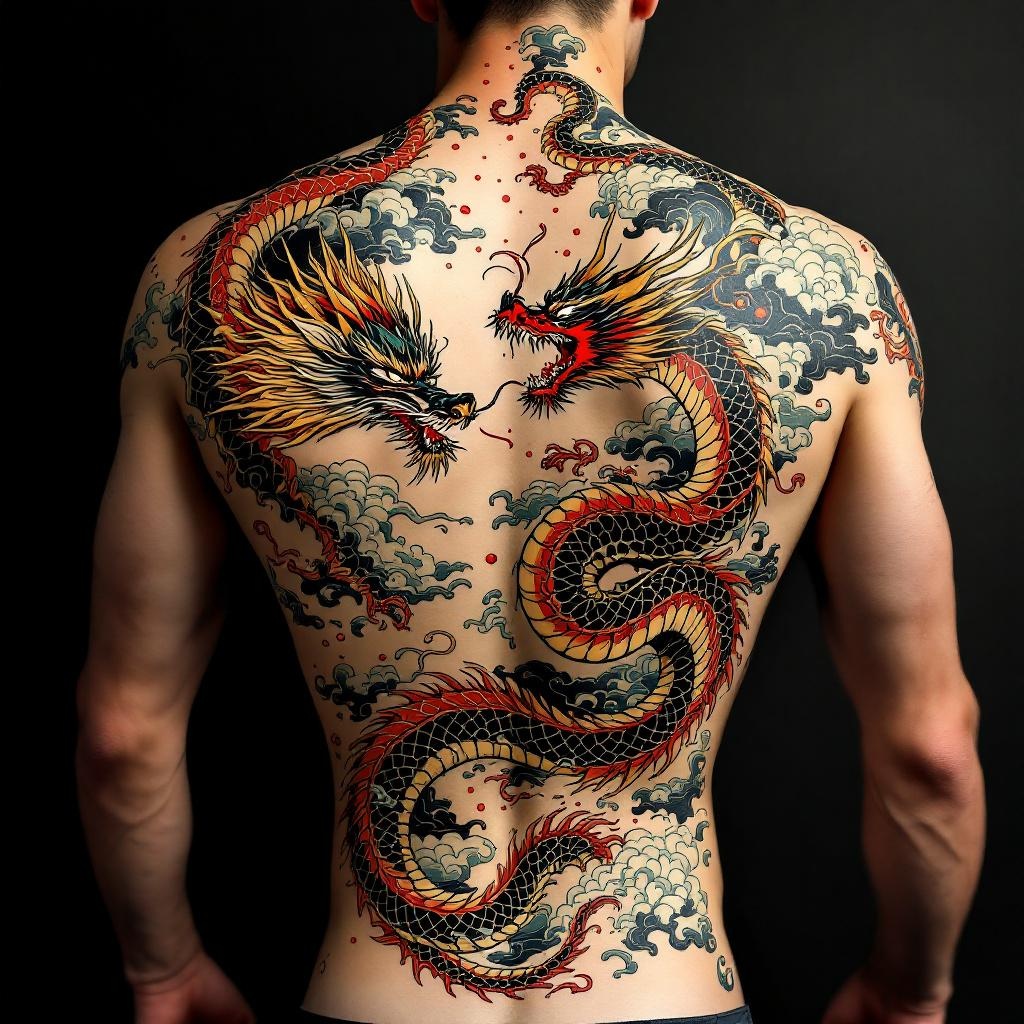
prompt
**Prompt:** "Design a striking back piece tattoo featuring a fierce dragon and a coiling serpent in a dynamic clash, rendered in a bold Japanese traditional style (irezumi). The dragon should have detailed scales, flowing mane, and fiery breath, while the serpent exhibits intricate patterns and a sinuous, muscular body. Place the composition centered on the spine, spanning the full back from shoulders to lower back for maximum impact. Use a vibrant color palette of red, green, gold, and black with subtle shading for depth. Incorporate swirling clouds and water elements for movement. Symbolize power, wisdom, and duality. The mood should be intense yet balanced, honoring classic ukiyo-e artistry with precise linework and rich textures.
Analisi Dettagliata del Prompt Immagine Flux AI
Analizza il prompt dettagliato utilizzato per generare l'immagine con il Generatore Immagini Flux AI.
Esplora i Prompt Flux per il Generatore Immagini Flux AI
Come generare immagini con Flux.1.1 pro
Segui questi quattro semplici passaggi per creare l'immagine desiderata.
Passaggio 1: Inserisci il Tuo Testo (Sentiti libero di perfezionare il prompt per risultati migliori)
Passaggio 2: Scegli le Proporzioni dell'Immagine
Passaggio 3: Seleziona il Tuo Modello Flux:
Passaggio 4: Clicca il Pulsante Genera e Attendi Alcuni Secondi per la Tua Immagine
Strumenti Flux AI correlati per prompt su Flux.1.1 pro
Scopri strumenti avanzati di Flux AI per potenziare il tuo flusso di lavoro creativo.