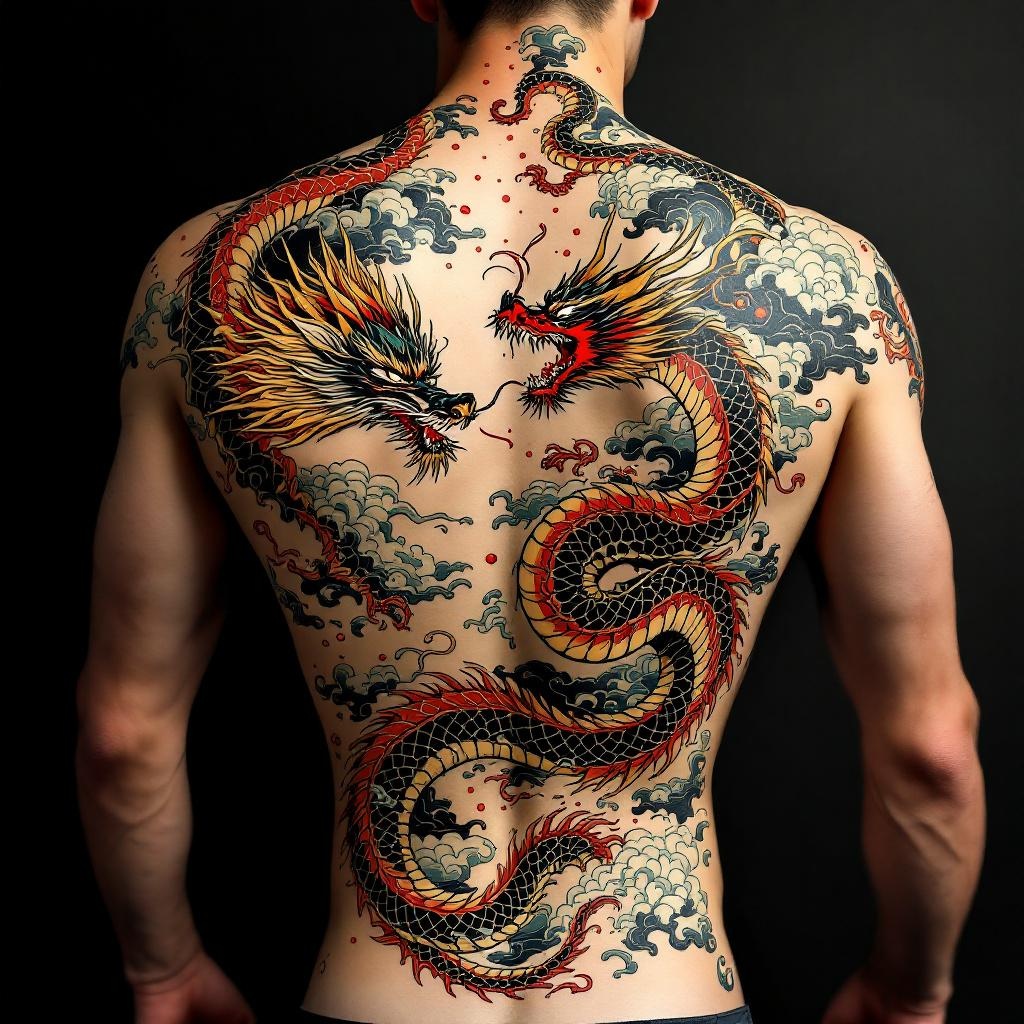
Back Piece-Dragon & Serpent - Flux.1.1 pro
Prompt
**Prompt:** "Design a striking back piece tattoo featuring a fierce dragon and a coiling serpent in a dynamic clash, rendered in a bold Japanese traditional style (irezumi). The dragon should have detailed scales, flowing mane, and fiery breath, while the serpent exhibits intricate patterns and a sinuous, muscular body. Place the composition centered on the spine, spanning the full back from shoulders to lower back for maximum impact. Use a vibrant color palette of red, green, gold, and black with subtle shading for depth. Incorporate swirling clouds and water elements for movement. Symbolize power, wisdom, and duality. The mood should be intense yet balanced, honoring classic ukiyo-e artistry with precise linework and rich textures.
Análise Detalhada do Prompt de Imagem Flux IA
Analise o prompt detalhado usado para gerar a imagem com o Flux IA Image Generator.
Explore Prompts Flux para o Gerador de Imagens
Como gerar uma imagem por Flux.1.1 pro
Siga estes quatro passos simples para criar a imagem desejada.
Passo 1: Insira seu texto (Sinta-se à vontade para refinar seu prompt para melhores resultados)
Passo 2: Escolha a proporção da imagem
Passo 3: Selecione seu modelo Flux:
Passo 4: Clique no botão Gerar e aguarde alguns segundos para sua imagem
Ferramentas Flux IA relacionadas a prompts sobre Flux.1.1 pro
Descubra ferramentas avançadas da Flux IA para melhorar seu fluxo de trabalho criativo.