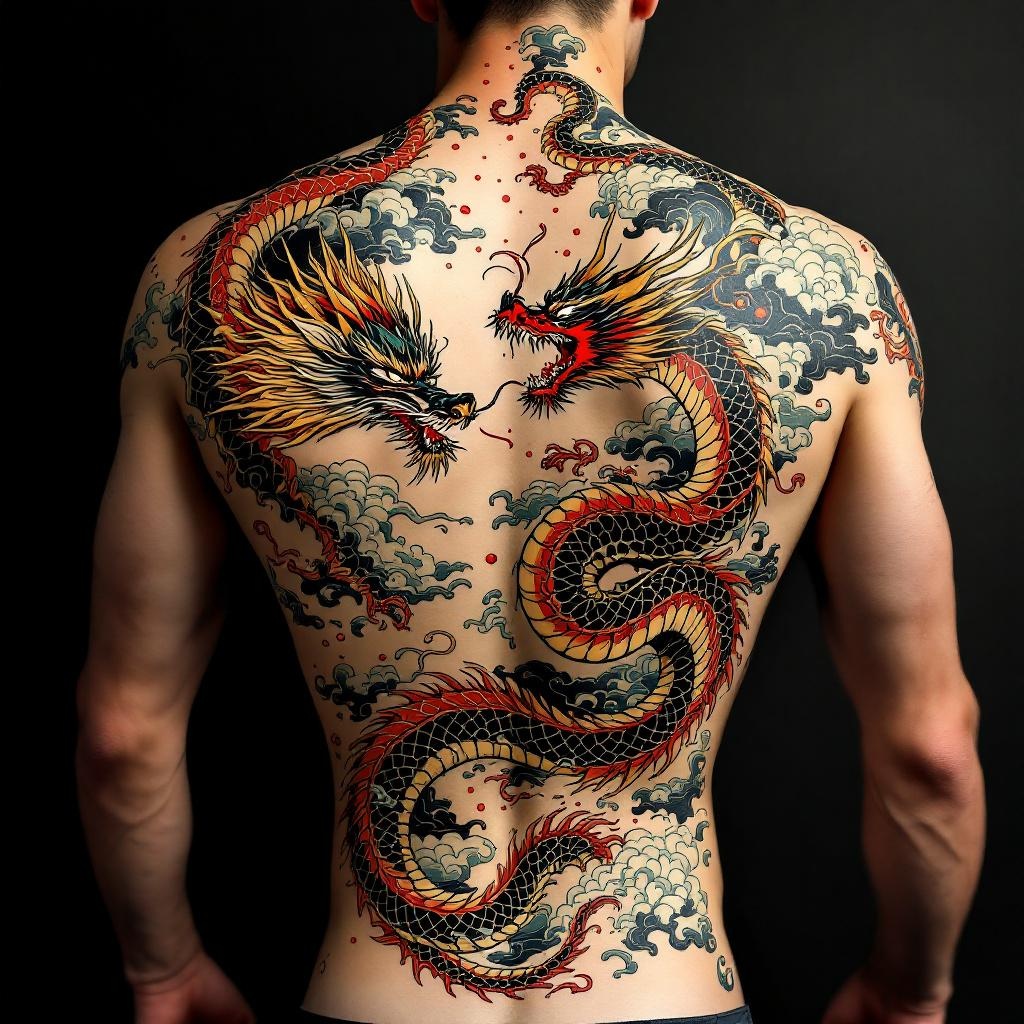
Back Piece-Dragon & Serpent - Flux.1.1 pro
Invite
**Prompt:** "Design a striking back piece tattoo featuring a fierce dragon and a coiling serpent in a dynamic clash, rendered in a bold Japanese traditional style (irezumi). The dragon should have detailed scales, flowing mane, and fiery breath, while the serpent exhibits intricate patterns and a sinuous, muscular body. Place the composition centered on the spine, spanning the full back from shoulders to lower back for maximum impact. Use a vibrant color palette of red, green, gold, and black with subtle shading for depth. Incorporate swirling clouds and water elements for movement. Symbolize power, wisdom, and duality. The mood should be intense yet balanced, honoring classic ukiyo-e artistry with precise linework and rich textures.
Analyse Détaillée du Prompt d'Image Flux IA
Analysez le prompt détaillé utilisé pour générer l'image avec Flux IA Image Generator.
Explorez les invites Flux IA
Comment générer une image par Flux.1.1 pro
Suivez ces quatre étapes simples pour créer l'image désirée.
Étape 1 : Entrez votre texte (N'hésitez pas à affiner votre prompt pour de meilleurs résultats)
Étape 2 : Choisissez le ratio d'aspect de l'image
Étape 3 : Sélectionnez votre modèle Flux :
Étape 4 : Cliquez sur le bouton Générer et attendez quelques secondes pour votre image
Outils Flux IA liés aux prompts sur Flux.1.1 pro
Découvrez des outils avancés de Flux IA pour booster votre flux de travail créatif.