Forearm-Micro Waterfall - Flux.1 dev
Eingabe
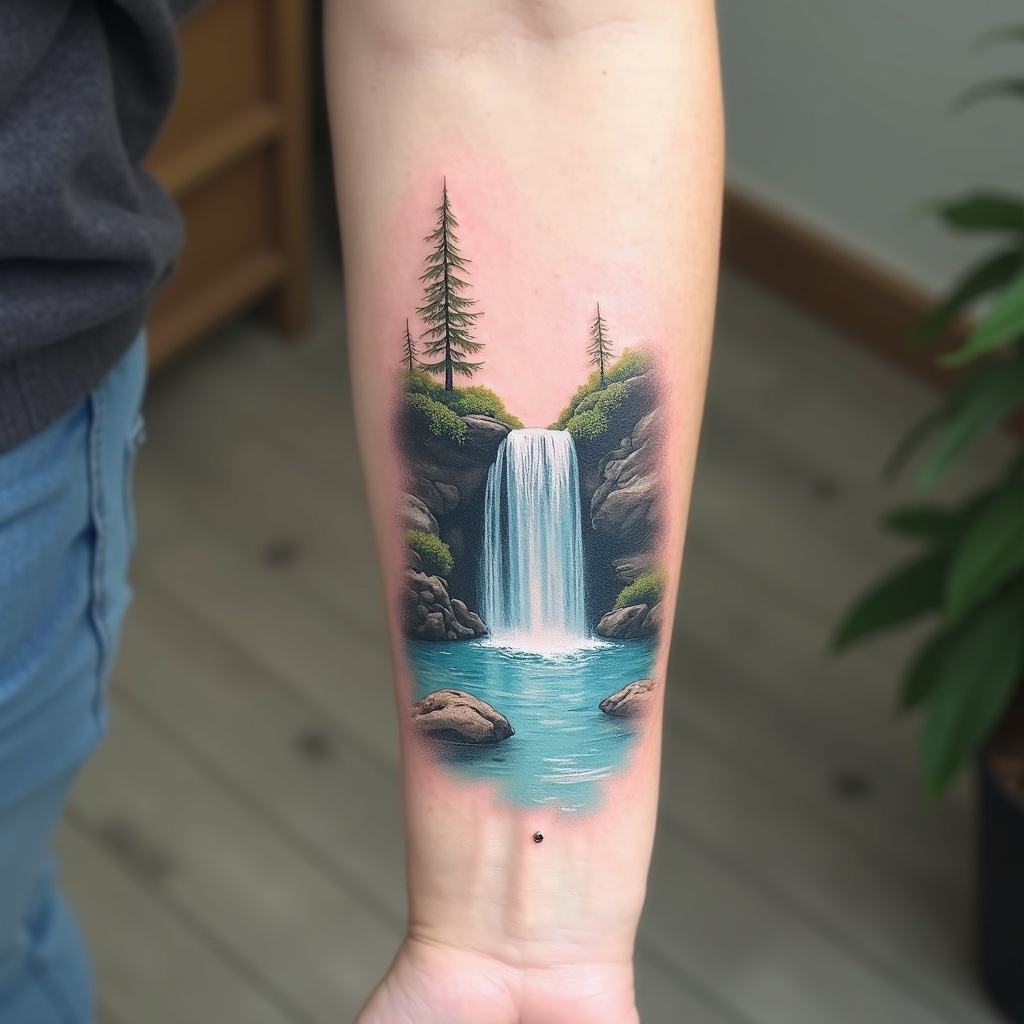
**Prompt:** A delicate **forearm-micro waterfall tattoo** in **hyper-realistic** style, capturing a miniature cascading waterfall with intricate water droplets and mist. The design flows along the inner forearm, **3-4 inches long**, with **subtle shading** for depth. **Cool blues and soft whites** dominate the palette, with hints of **translucent aqua** for a lifelike water effect. Surrounding elements include **tiny ferns and moss** for texture, evoking a serene forest vibe. **Minimalist framing lines** mimic a micro-art aesthetic. Symbolizes **renewal and fluidity**. Mood: **tranquil, ethereal, and finely detailed**. Avoid heavy outlines—opt for **soft gradients and fine linework**.
Detaillierte Analyse des Flux KI Image Prompt
Analysiere den detaillierten Prompt, der zur Erstellung des Bildes mit dem Flux KI Image Generator verwendet wurde.
Flux-Prompts für den KI-Bildgenerator erkunden
Wie man ein Bild generiert von Flux.1 dev
Folge diesen vier einfachen Schritten, um das gewünschte Bild zu erstellen.
Schritt 1: Gib deinen Text ein (Fühle dich frei, deinen Prompt für bessere Ergebnisse zu verfeinern)
Schritt 2: Wähle das Bildseitenverhältnis
Schritt 3: Wähle dein Flux-Modell:
Schritt 4: Klicke auf die Generieren-Schaltfläche und warte ein paar Sekunden auf dein Bild
Verwandte Flux KI Tools für Prompts über Flux.1 dev
Entdecke fortschrittliche Tools von Flux KI, um deinen kreativen Workflow zu verbessern.