Forearm-Micro Waterfall - Flux.1 dev
Indicador
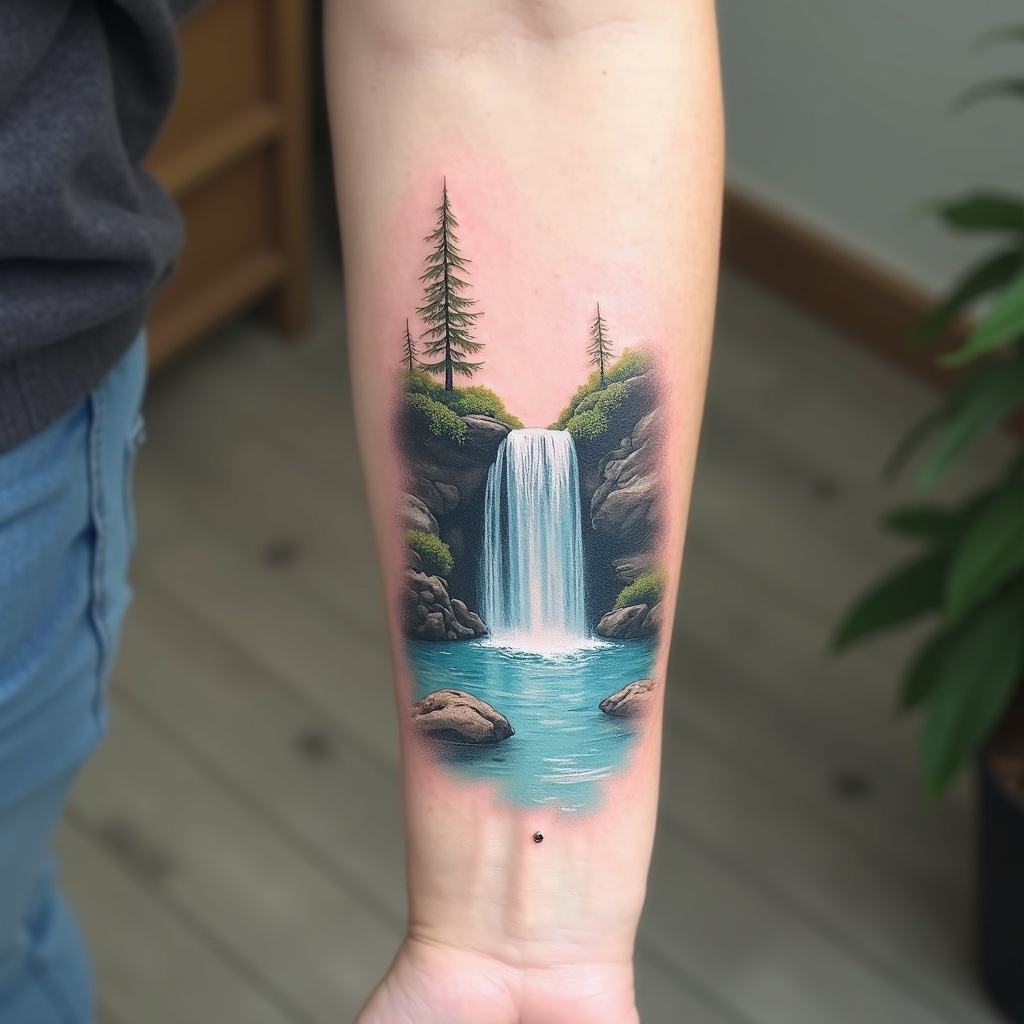
**Prompt:** A delicate **forearm-micro waterfall tattoo** in **hyper-realistic** style, capturing a miniature cascading waterfall with intricate water droplets and mist. The design flows along the inner forearm, **3-4 inches long**, with **subtle shading** for depth. **Cool blues and soft whites** dominate the palette, with hints of **translucent aqua** for a lifelike water effect. Surrounding elements include **tiny ferns and moss** for texture, evoking a serene forest vibe. **Minimalist framing lines** mimic a micro-art aesthetic. Symbolizes **renewal and fluidity**. Mood: **tranquil, ethereal, and finely detailed**. Avoid heavy outlines—opt for **soft gradients and fine linework**.
Análisis Detallado del Prompt de Imagen de Flux IA
Analiza el prompt detallado utilizado para generar la imagen con Flux IA Image Generator.
Explorar Mensajes para Flux IA
Cómo generar una imagen por Flux.1 dev
Sigue estos cuatro sencillos pasos para crear la imagen que deseas.
Paso 1: Ingresa tu texto (No dudes en refinar tu prompt para mejores resultados)
Paso 2: Elige la relación de aspecto de la imagen
Paso 3: Selecciona tu modelo Flux:
Paso 4: Haz clic en el botón Generar y espera unos segundos para tu imagen
Herramientas Flux IA relacionadas para prompts sobre Flux.1 dev
Descubre herramientas avanzadas de Flux IA para potenciar tu flujo de trabajo creativo.