Forearm-Micro Waterfall - Flux.1 dev
prompt
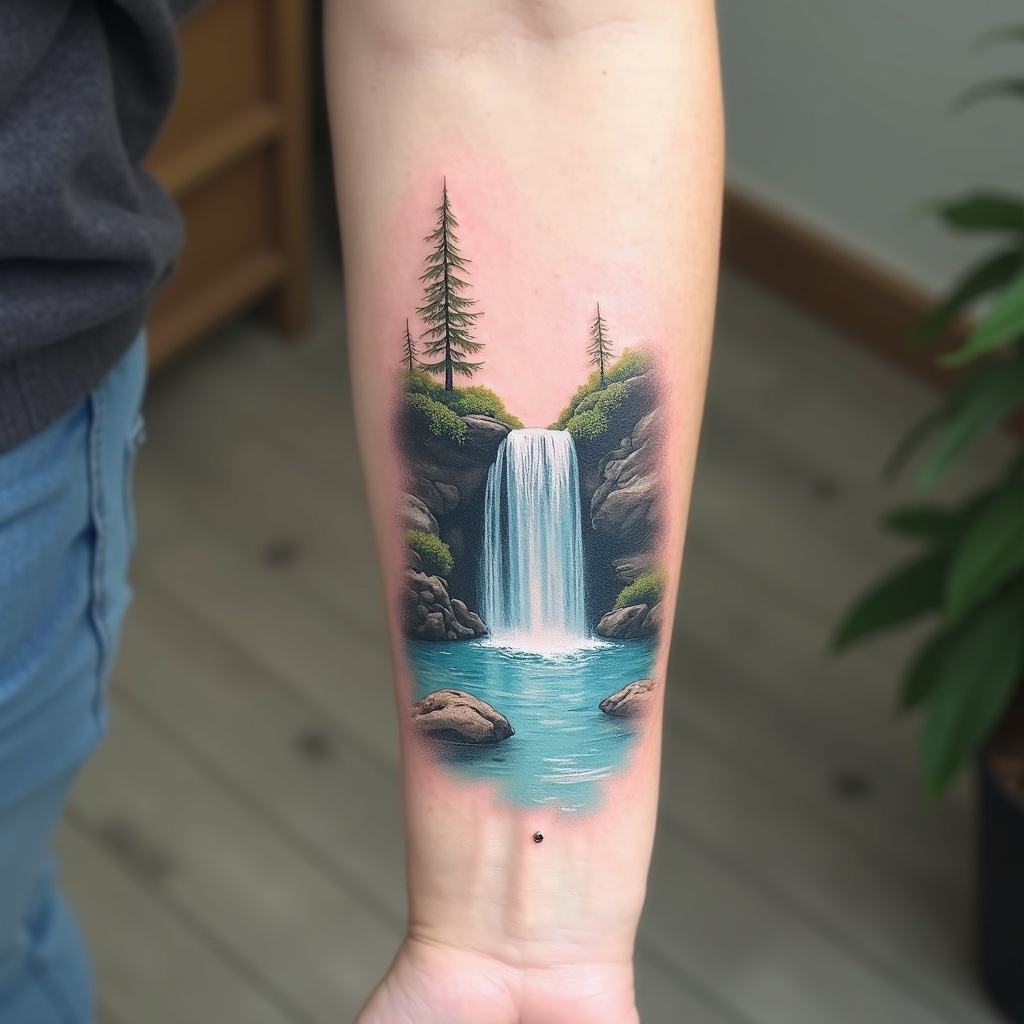
**Prompt:** A delicate **forearm-micro waterfall tattoo** in **hyper-realistic** style, capturing a miniature cascading waterfall with intricate water droplets and mist. The design flows along the inner forearm, **3-4 inches long**, with **subtle shading** for depth. **Cool blues and soft whites** dominate the palette, with hints of **translucent aqua** for a lifelike water effect. Surrounding elements include **tiny ferns and moss** for texture, evoking a serene forest vibe. **Minimalist framing lines** mimic a micro-art aesthetic. Symbolizes **renewal and fluidity**. Mood: **tranquil, ethereal, and finely detailed**. Avoid heavy outlines—opt for **soft gradients and fine linework**.
Detailed Analysis of the Flux AI Image Prompt
Analyze the detailed prompt used to generate the image with Flux AI Image Generator.
Explore Flux Prompts for the Flux AI Image Generator
How to generate image by Flux.1 dev
Follow these four simple steps to create your desired image.
Step 1: Enter Your Text (Feel free to refine your prompt for better results)
Step 2: Choose Image Aspect Ratio
Step 3: Select Your Flux Model:
Step 4: Click the Generate Button and Wait a Few Seconds for Your Image
Related Flux AI tools for prompts about Flux.1 dev
Discover advanced tools from Flux AI to boost your creative workflow.