Forearm-Micro Waterfall - Flux.1 dev
Prompt
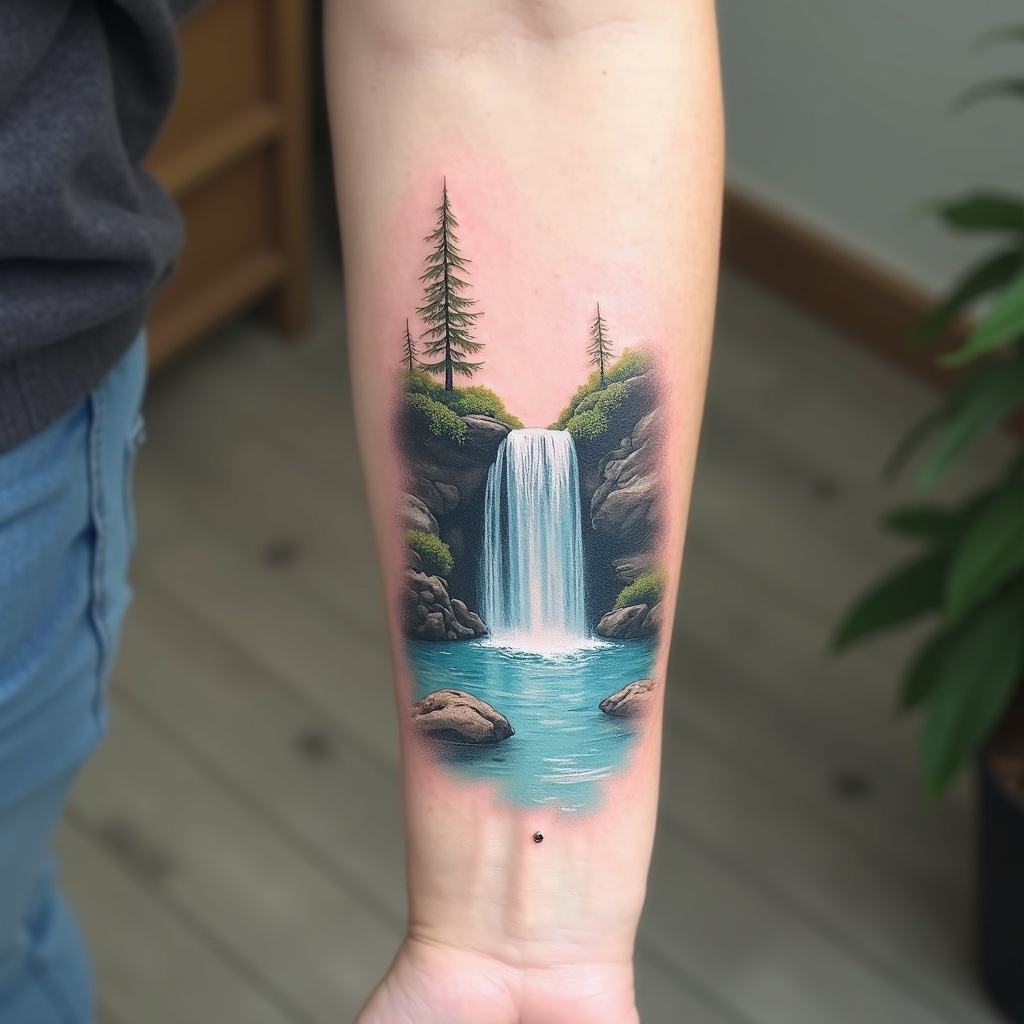
**Prompt:** A delicate **forearm-micro waterfall tattoo** in **hyper-realistic** style, capturing a miniature cascading waterfall with intricate water droplets and mist. The design flows along the inner forearm, **3-4 inches long**, with **subtle shading** for depth. **Cool blues and soft whites** dominate the palette, with hints of **translucent aqua** for a lifelike water effect. Surrounding elements include **tiny ferns and moss** for texture, evoking a serene forest vibe. **Minimalist framing lines** mimic a micro-art aesthetic. Symbolizes **renewal and fluidity**. Mood: **tranquil, ethereal, and finely detailed**. Avoid heavy outlines—opt for **soft gradients and fine linework**.
Análise Detalhada do Prompt de Imagem Flux IA
Analise o prompt detalhado usado para gerar a imagem com o Flux IA Image Generator.
Explore Prompts Flux para o Gerador de Imagens
Como gerar uma imagem por Flux.1 dev
Siga estes quatro passos simples para criar a imagem desejada.
Passo 1: Insira seu texto (Sinta-se à vontade para refinar seu prompt para melhores resultados)
Passo 2: Escolha a proporção da imagem
Passo 3: Selecione seu modelo Flux:
Passo 4: Clique no botão Gerar e aguarde alguns segundos para sua imagem
Ferramentas Flux IA relacionadas a prompts sobre Flux.1 dev
Descubra ferramentas avançadas da Flux IA para melhorar seu fluxo de trabalho criativo.