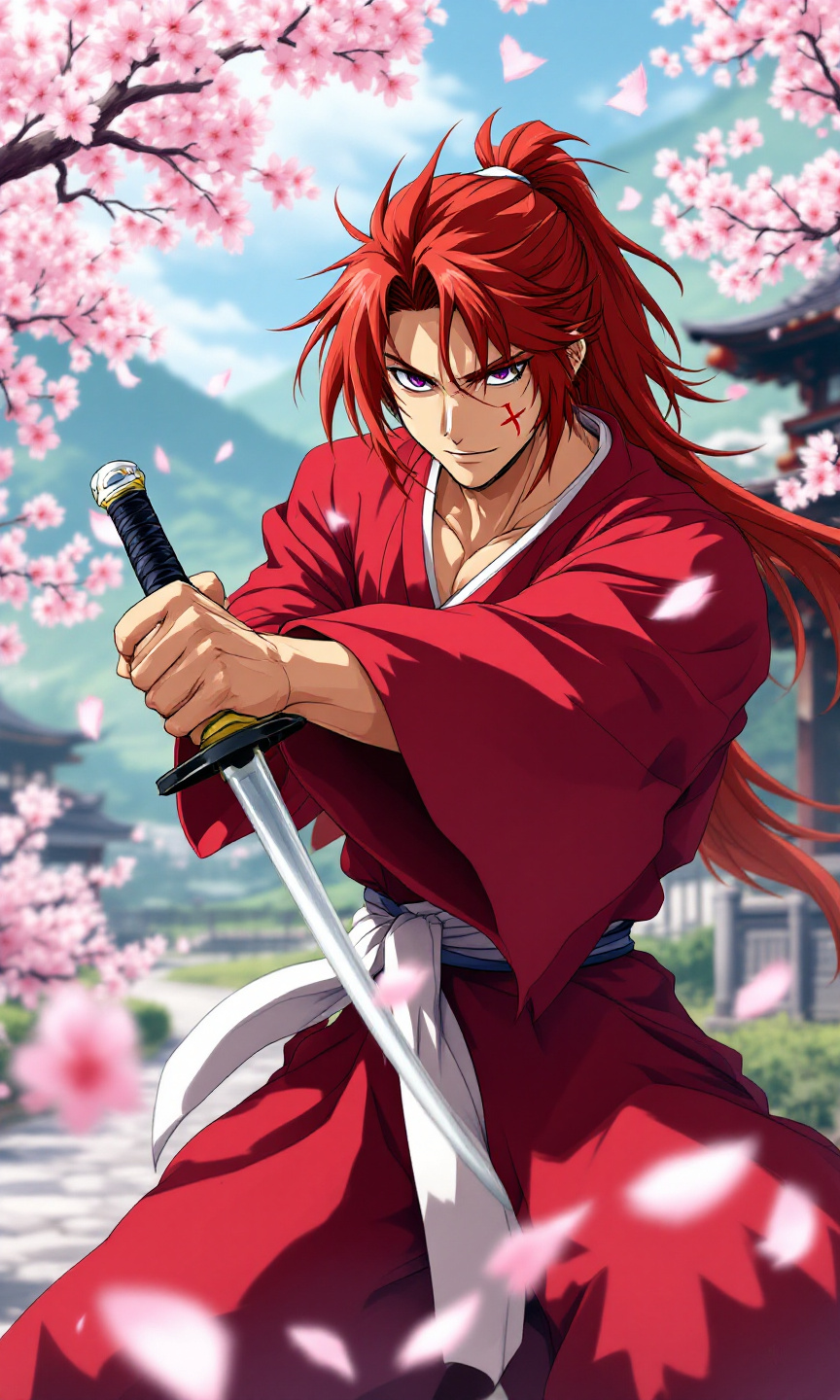
Kenshin Himura - Flux.1.1 pro
Indicador
Create an anime-style image of Kenshin Himura, featuring his iconic red kimono with a white obi, and long, spiky auburn hair tied in a loose ponytail. Highlight his distinctive cross-shaped scar on his left cheek and piercing violet eyes that convey a mix of determination and kindness. Position Kenshin in a dynamic pose, holding his reverse-blade sword at the ready, with a calm yet resolute expression. The background should depict a serene rural landscape with cherry blossom trees in full bloom, symbolizing peace and tranquility. Use vibrant colors and soft shading to capture the essence of traditional anime art, emphasizing fluid lines and expressive facial features. Incorporate signature elements like sakura petals gently falling around him, enhancing the sense of movement and emotion in the scene.
Análisis Detallado del Prompt de Imagen de Flux IA
Analiza el prompt detallado utilizado para generar la imagen con Flux IA Image Generator.
Explorar Mensajes para Flux IA
Cómo generar una imagen por Flux.1.1 pro
Sigue estos cuatro sencillos pasos para crear la imagen que deseas.
Paso 1: Ingresa tu texto (No dudes en refinar tu prompt para mejores resultados)
Paso 2: Elige la relación de aspecto de la imagen
Paso 3: Selecciona tu modelo Flux:
Paso 4: Haz clic en el botón Generar y espera unos segundos para tu imagen
Herramientas Flux IA relacionadas para prompts sobre Flux.1.1 pro
Descubre herramientas avanzadas de Flux IA para potenciar tu flujo de trabajo creativo.