Kenshin Himura - Flux.1.1 pro
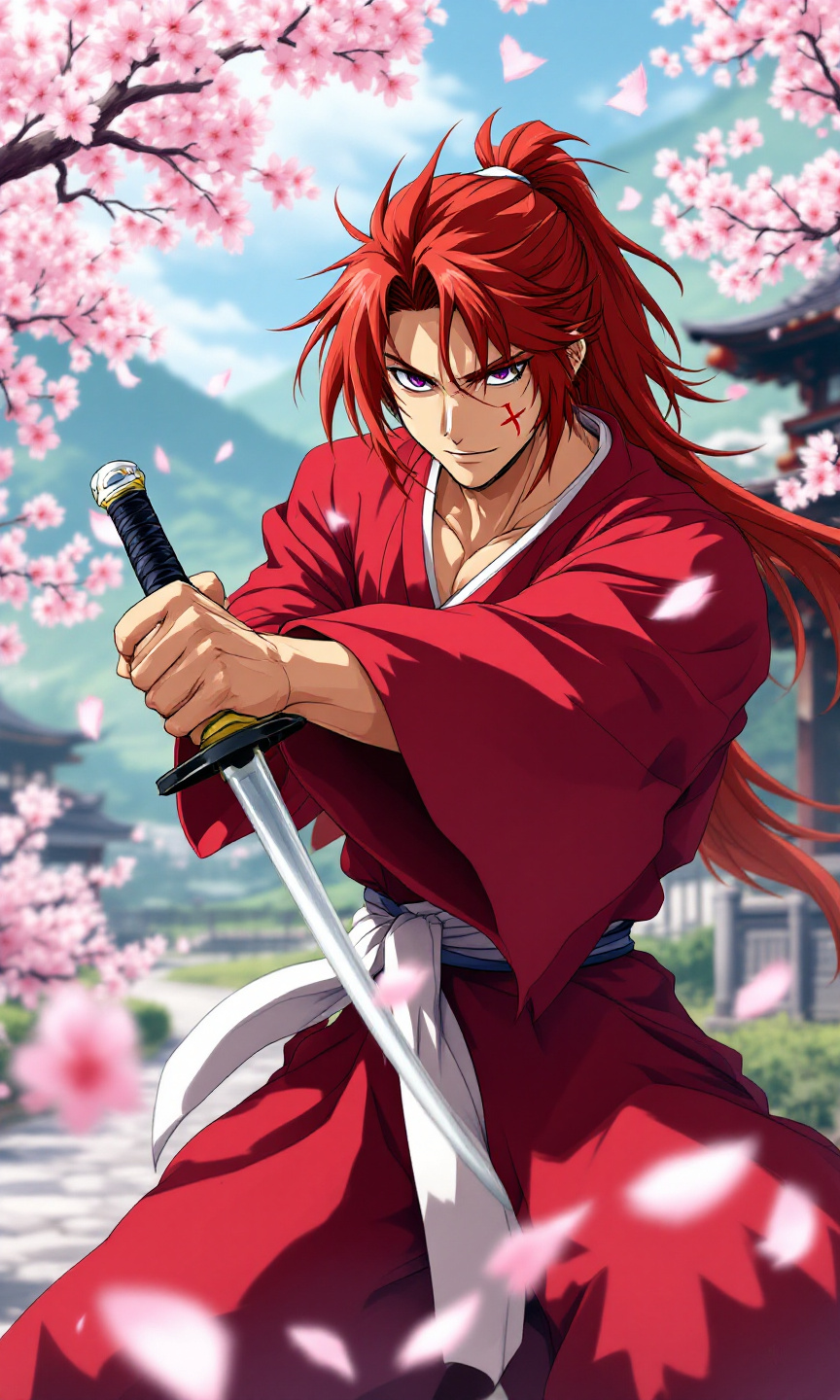
prompt
Create an anime-style image of Kenshin Himura, featuring his iconic red kimono with a white obi, and long, spiky auburn hair tied in a loose ponytail. Highlight his distinctive cross-shaped scar on his left cheek and piercing violet eyes that convey a mix of determination and kindness. Position Kenshin in a dynamic pose, holding his reverse-blade sword at the ready, with a calm yet resolute expression. The background should depict a serene rural landscape with cherry blossom trees in full bloom, symbolizing peace and tranquility. Use vibrant colors and soft shading to capture the essence of traditional anime art, emphasizing fluid lines and expressive facial features. Incorporate signature elements like sakura petals gently falling around him, enhancing the sense of movement and emotion in the scene.
Analisi Dettagliata del Prompt Immagine Flux AI
Analizza il prompt dettagliato utilizzato per generare l'immagine con il Generatore Immagini Flux AI.
Esplora i Prompt Flux per il Generatore Immagini Flux AI
Come generare immagini con Flux.1.1 pro
Segui questi quattro semplici passaggi per creare l'immagine desiderata.
Passaggio 1: Inserisci il Tuo Testo (Sentiti libero di perfezionare il prompt per risultati migliori)
Passaggio 2: Scegli le Proporzioni dell'Immagine
Passaggio 3: Seleziona il Tuo Modello Flux:
Passaggio 4: Clicca il Pulsante Genera e Attendi Alcuni Secondi per la Tua Immagine
Strumenti Flux AI correlati per prompt su Flux.1.1 pro
Scopri strumenti avanzati di Flux AI per potenziare il tuo flusso di lavoro creativo.