Hikaru Shindo - Flux.1 dev
Indicador
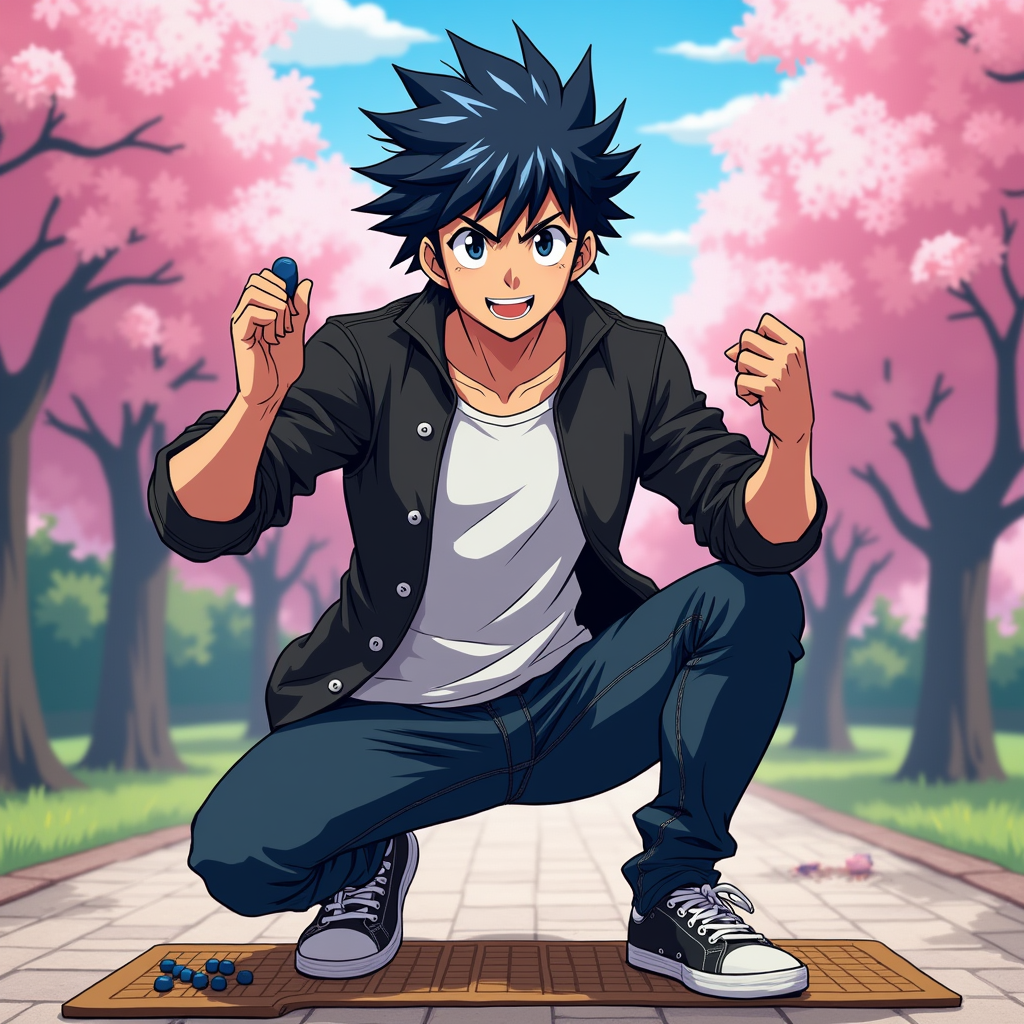
Generate an image of Hikaru Shindo in a vibrant anime style. Capture his spiky black hair with a slight blue tint, bright expressive eyes, and a determined yet friendly expression. He should be wearing a casual, stylish outfit consisting of a fitted black jacket over a white t-shirt, paired with dark jeans and sneakers. Include his signature Go board and stones as accessories, showcasing his passion for the game. Pose him in a dynamic stance, as if he's about to make a crucial move, with one hand raised and a Go stone in his fingers. The background should depict a serene park setting with cherry blossom trees, symbolizing growth and strategy. Use a colorful, energetic anime art style with bold outlines and vibrant colors, emphasizing the character's youthful spirit and determination.
Análisis Detallado del Prompt de Imagen de Flux IA
Analiza el prompt detallado utilizado para generar la imagen con Flux IA Image Generator.
Explorar Mensajes para Flux IA
Cómo generar una imagen por Flux.1 dev
Sigue estos cuatro sencillos pasos para crear la imagen que deseas.
Paso 1: Ingresa tu texto (No dudes en refinar tu prompt para mejores resultados)
Paso 2: Elige la relación de aspecto de la imagen
Paso 3: Selecciona tu modelo Flux:
Paso 4: Haz clic en el botón Generar y espera unos segundos para tu imagen
Herramientas Flux IA relacionadas para prompts sobre Flux.1 dev
Descubre herramientas avanzadas de Flux IA para potenciar tu flujo de trabajo creativo.