Waitress Math Holiday Budget - Flux.1 dev
Indicador
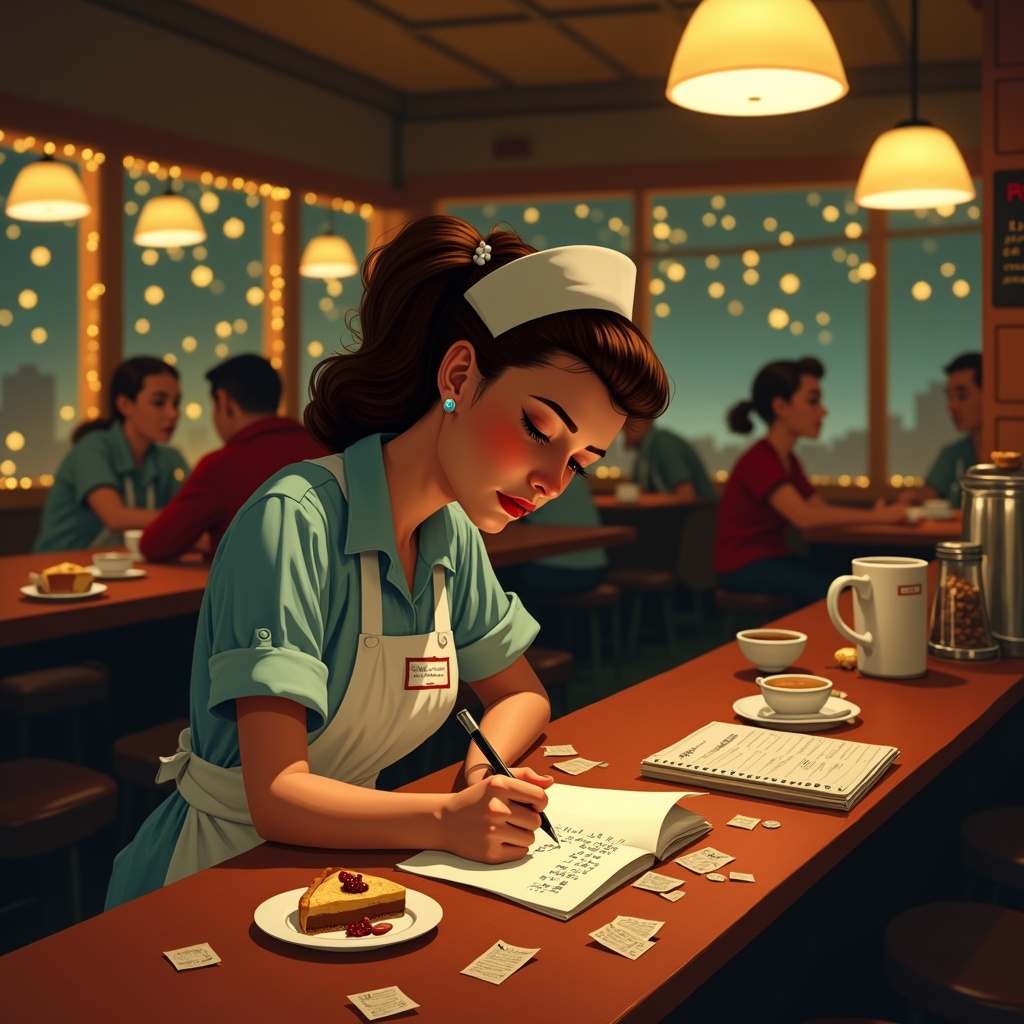
**Prompt:** "A bustling diner at night, warm golden light spilling from overhead lamps onto a worn wooden counter. A tired but determined waitress in a retro uniform (pale blue dress, white apron, name tag) leans over a notepad, scribbling holiday budget calculations amid coffee stains and crumpled receipts. Around her: a half-eaten slice of pie, a tipped-over coffee cup, and scattered coins. The background blurs with customers in holiday sweaters, twinkling fairy lights, and a chalkboard menu with festive specials. Style: Norman Rockwell meets Edward Hopper—nostalgic yet gritty. Palette: muted reds, warm browns, and soft yellows with a vignette effect. Mood: quiet resilience, the weight of seasonal hustle." (Characters: 598)
Análisis Detallado del Prompt de Imagen de Flux IA
Analiza el prompt detallado utilizado para generar la imagen con Flux IA Image Generator.
Explorar Mensajes para Flux IA
Cómo generar una imagen por Flux.1 dev
Sigue estos cuatro sencillos pasos para crear la imagen que deseas.
Paso 1: Ingresa tu texto (No dudes en refinar tu prompt para mejores resultados)
Paso 2: Elige la relación de aspecto de la imagen
Paso 3: Selecciona tu modelo Flux:
Paso 4: Haz clic en el botón Generar y espera unos segundos para tu imagen
Herramientas Flux IA relacionadas para prompts sobre Flux.1 dev
Descubre herramientas avanzadas de Flux IA para potenciar tu flujo de trabajo creativo.