Leonardo da Vinci - Flux.1 schnell
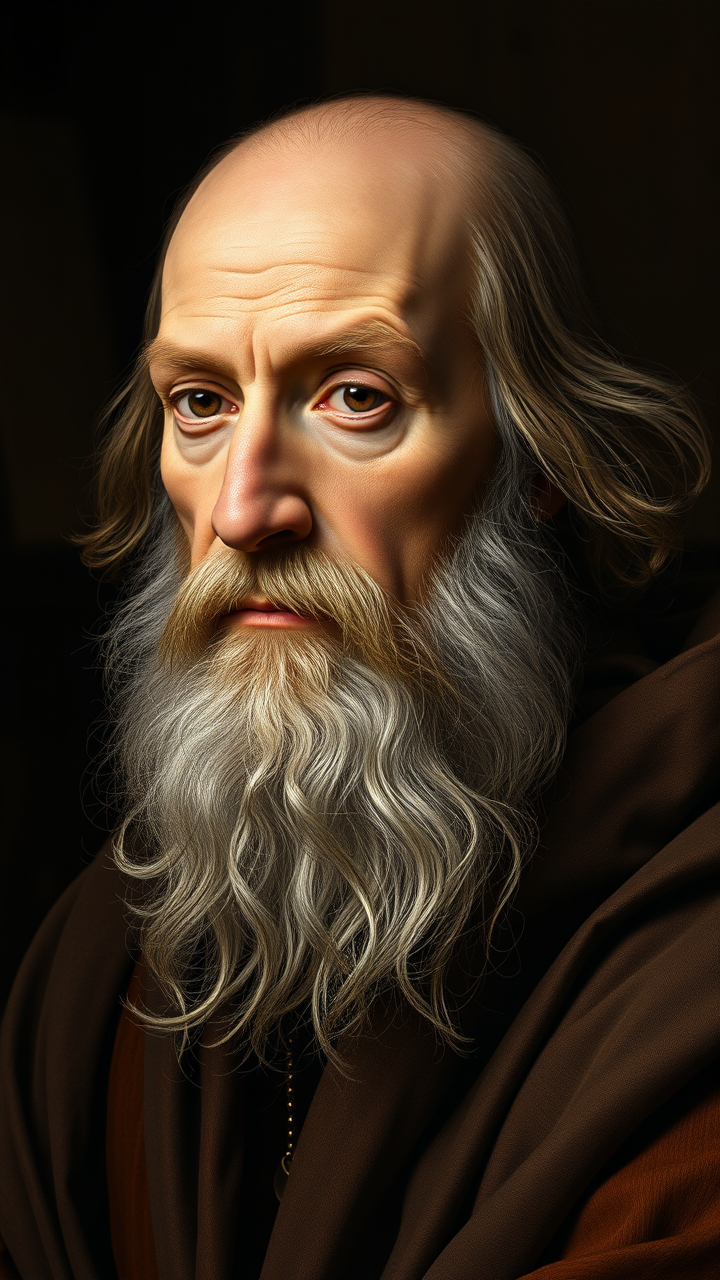
Indicador
**"Generate a highly detailed Renaissance-style portrait of Leonardo da Vinci, capturing his wise and contemplative expression. His face should have sharp, intelligent features—a prominent nose, deep-set eyes, and a flowing white beard. Light him with soft, diffused chiaroscuro lighting, emphasizing the texture of his aged skin and the folds of his robes. The background should be muted and dark, evoking his workshop with subtle hints of parchment and scientific instruments. Render the portrait in a masterful oil-painting style, with rich brushstrokes and warm, earthy tones. Use a close-up, three-quarter view with a 50mm lens effect for intimacy. The mood should be scholarly yet enigmatic, reflecting his genius. Ultra HD, hyper-realistic details, 8K resolution."**
Análisis Detallado del Prompt de Imagen de Flux IA
Analiza el prompt detallado utilizado para generar la imagen con Flux IA Image Generator.
Explorar Mensajes para Flux IA
Cómo generar una imagen por Flux.1 schnell
Sigue estos cuatro sencillos pasos para crear la imagen que deseas.
Paso 1: Ingresa tu texto (No dudes en refinar tu prompt para mejores resultados)
Paso 2: Elige la relación de aspecto de la imagen
Paso 3: Selecciona tu modelo Flux:
Paso 4: Haz clic en el botón Generar y espera unos segundos para tu imagen
Herramientas Flux IA relacionadas para prompts sobre Flux.1 schnell
Descubre herramientas avanzadas de Flux IA para potenciar tu flujo de trabajo creativo.