Leonardo da Vinci - Flux.1 schnell
Invite
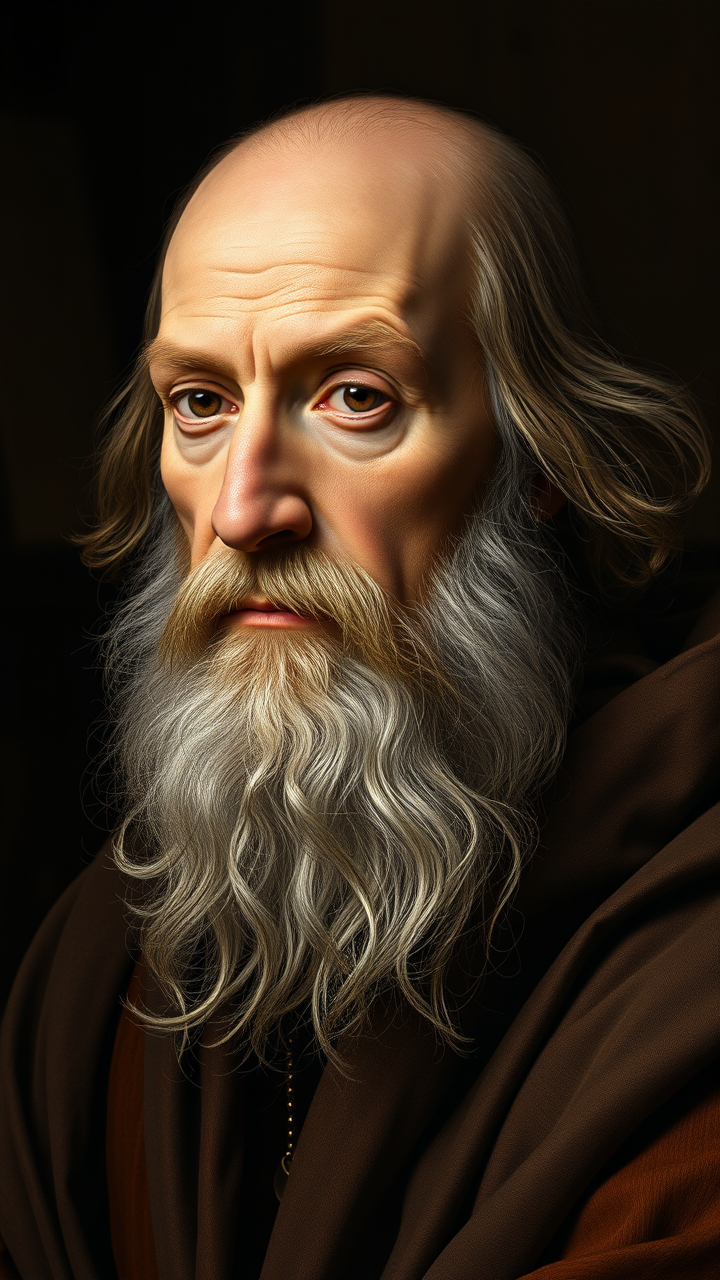
**"Generate a highly detailed Renaissance-style portrait of Leonardo da Vinci, capturing his wise and contemplative expression. His face should have sharp, intelligent features—a prominent nose, deep-set eyes, and a flowing white beard. Light him with soft, diffused chiaroscuro lighting, emphasizing the texture of his aged skin and the folds of his robes. The background should be muted and dark, evoking his workshop with subtle hints of parchment and scientific instruments. Render the portrait in a masterful oil-painting style, with rich brushstrokes and warm, earthy tones. Use a close-up, three-quarter view with a 50mm lens effect for intimacy. The mood should be scholarly yet enigmatic, reflecting his genius. Ultra HD, hyper-realistic details, 8K resolution."**
Analyse Détaillée du Prompt d'Image Flux IA
Analysez le prompt détaillé utilisé pour générer l'image avec Flux IA Image Generator.
Explorez les invites Flux IA
Comment générer une image par Flux.1 schnell
Suivez ces quatre étapes simples pour créer l'image désirée.
Étape 1 : Entrez votre texte (N'hésitez pas à affiner votre prompt pour de meilleurs résultats)
Étape 2 : Choisissez le ratio d'aspect de l'image
Étape 3 : Sélectionnez votre modèle Flux :
Étape 4 : Cliquez sur le bouton Générer et attendez quelques secondes pour votre image
Outils Flux IA liés aux prompts sur Flux.1 schnell
Découvrez des outils avancés de Flux IA pour booster votre flux de travail créatif.