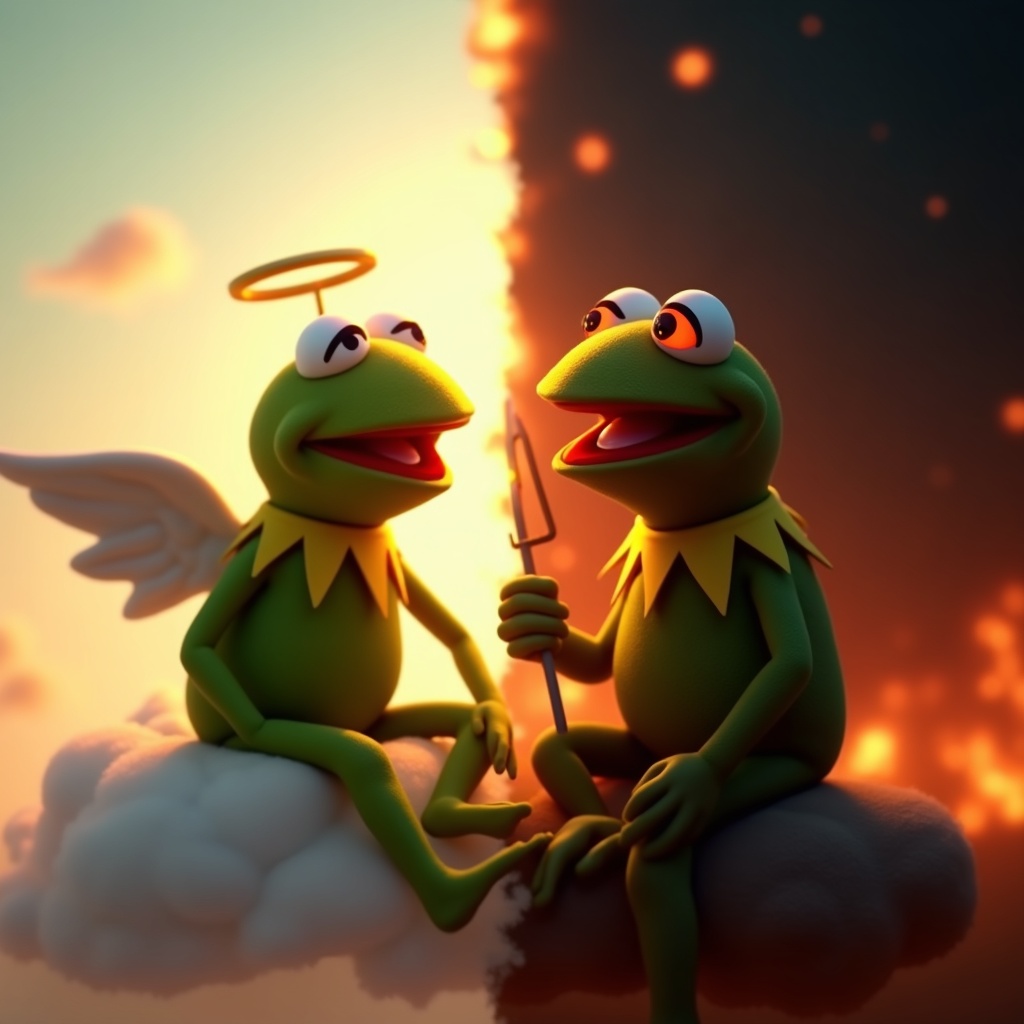
Kermit vs. Kermit Choices - Flux.1 dev
Indicador
**Prompt:** "Create a dramatic split-image of Kermit the Frog engaged in an internal struggle, depicting two contrasting versions of himself. On the left, a calm, angelic Kermit bathed in soft golden light, wearing a tiny halo, seated on a fluffy cloud with a serene expression. On the right, a mischievous, shadowy Kermit with glowing red eyes, surrounded by fiery embers, grinning devilishly. The composition is split down the middle with a stark contrast between warm pastels (left) and dark, moody tones (right). The background transitions smoothly from a heavenly sky to a chaotic inferno. Render in a semi-realistic Pixar-style 3D animation, with exaggerated facial expressions and dynamic lighting to emphasize the moral dilemma. Add subtle details like a tiny harp for the 'good' Kermit and a pitchfork for the 'evil' one." (999 characters)
Análisis Detallado del Prompt de Imagen de Flux IA
Analiza el prompt detallado utilizado para generar la imagen con Flux IA Image Generator.
Explorar Mensajes para Flux IA
Cómo generar una imagen por Flux.1 dev
Sigue estos cuatro sencillos pasos para crear la imagen que deseas.
Paso 1: Ingresa tu texto (No dudes en refinar tu prompt para mejores resultados)
Paso 2: Elige la relación de aspecto de la imagen
Paso 3: Selecciona tu modelo Flux:
Paso 4: Haz clic en el botón Generar y espera unos segundos para tu imagen
Herramientas Flux IA relacionadas para prompts sobre Flux.1 dev
Descubre herramientas avanzadas de Flux IA para potenciar tu flujo de trabajo creativo.