Kermit vs. Kermit Choices - Flux.1 dev
프롬프트
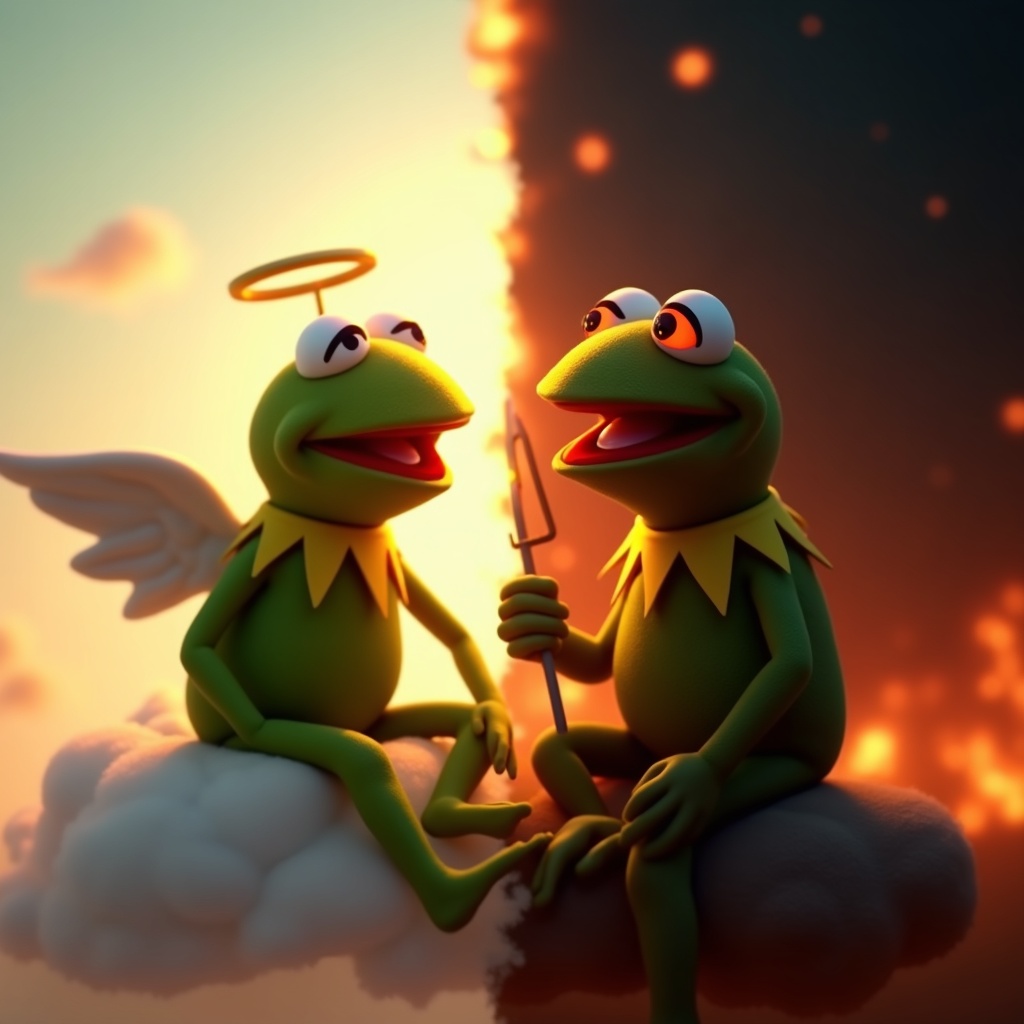
**Prompt:** "Create a dramatic split-image of Kermit the Frog engaged in an internal struggle, depicting two contrasting versions of himself. On the left, a calm, angelic Kermit bathed in soft golden light, wearing a tiny halo, seated on a fluffy cloud with a serene expression. On the right, a mischievous, shadowy Kermit with glowing red eyes, surrounded by fiery embers, grinning devilishly. The composition is split down the middle with a stark contrast between warm pastels (left) and dark, moody tones (right). The background transitions smoothly from a heavenly sky to a chaotic inferno. Render in a semi-realistic Pixar-style 3D animation, with exaggerated facial expressions and dynamic lighting to emphasize the moral dilemma. Add subtle details like a tiny harp for the 'good' Kermit and a pitchfork for the 'evil' one." (999 characters)
Flux AI 이미지 프롬프트에 대한 상세 분석
Flux AI Image Generator를 사용하여 이미지를 생성하는 데 사용된 상세한 프롬프트를 분석합니다.
Flux AI 이미지 생성기 프롬프트 탐색
을 통해 이미지를 생성하는 방법 Flux.1 dev
원하는 이미지를 만들기 위해 다음 네 가지 간단한 단계를 따르세요.
단계 1: 텍스트 입력 (더 나은 결과를 위해 프롬프트를 자유롭게 수정하세요)
단계 2: 이미지 종횡비 선택
단계 3: Flux 모델 선택:
단계 4: 생성 버튼을 클릭하고 몇 초간 기다려 이미지를 받으세요
프롬프트와 관련된 Flux AI 도구 Flux.1 dev
Flux AI의 고급 도구를 발견하여 창의적인 작업 흐름을 향상시키세요.