Kermit vs. Kermit Choices - Flux.1 dev
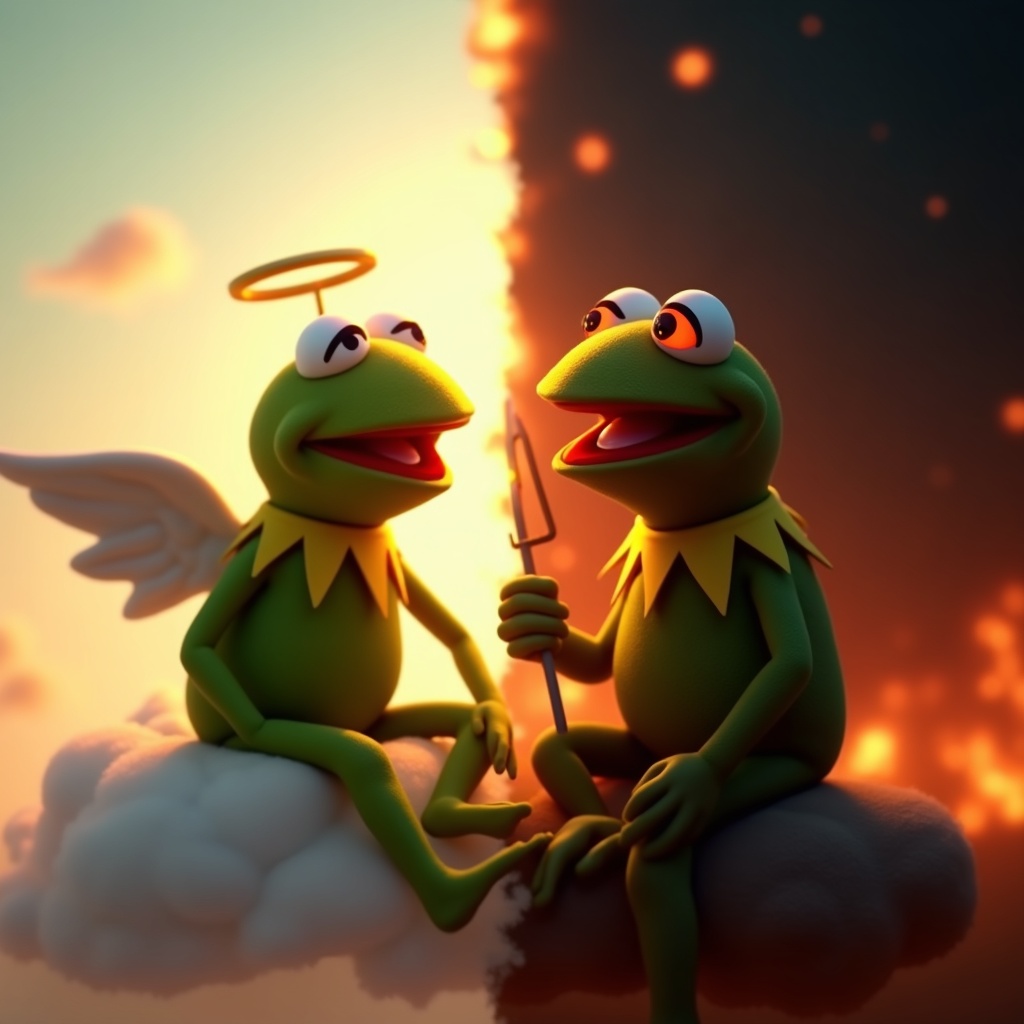
Prompt
**Prompt:** "Create a dramatic split-image of Kermit the Frog engaged in an internal struggle, depicting two contrasting versions of himself. On the left, a calm, angelic Kermit bathed in soft golden light, wearing a tiny halo, seated on a fluffy cloud with a serene expression. On the right, a mischievous, shadowy Kermit with glowing red eyes, surrounded by fiery embers, grinning devilishly. The composition is split down the middle with a stark contrast between warm pastels (left) and dark, moody tones (right). The background transitions smoothly from a heavenly sky to a chaotic inferno. Render in a semi-realistic Pixar-style 3D animation, with exaggerated facial expressions and dynamic lighting to emphasize the moral dilemma. Add subtle details like a tiny harp for the 'good' Kermit and a pitchfork for the 'evil' one." (999 characters)
Análise Detalhada do Prompt de Imagem Flux IA
Analise o prompt detalhado usado para gerar a imagem com o Flux IA Image Generator.
Explore Prompts Flux para o Gerador de Imagens
Como gerar uma imagem por Flux.1 dev
Siga estes quatro passos simples para criar a imagem desejada.
Passo 1: Insira seu texto (Sinta-se à vontade para refinar seu prompt para melhores resultados)
Passo 2: Escolha a proporção da imagem
Passo 3: Selecione seu modelo Flux:
Passo 4: Clique no botão Gerar e aguarde alguns segundos para sua imagem
Ferramentas Flux IA relacionadas a prompts sobre Flux.1 dev
Descubra ferramentas avançadas da Flux IA para melhorar seu fluxo de trabalho criativo.