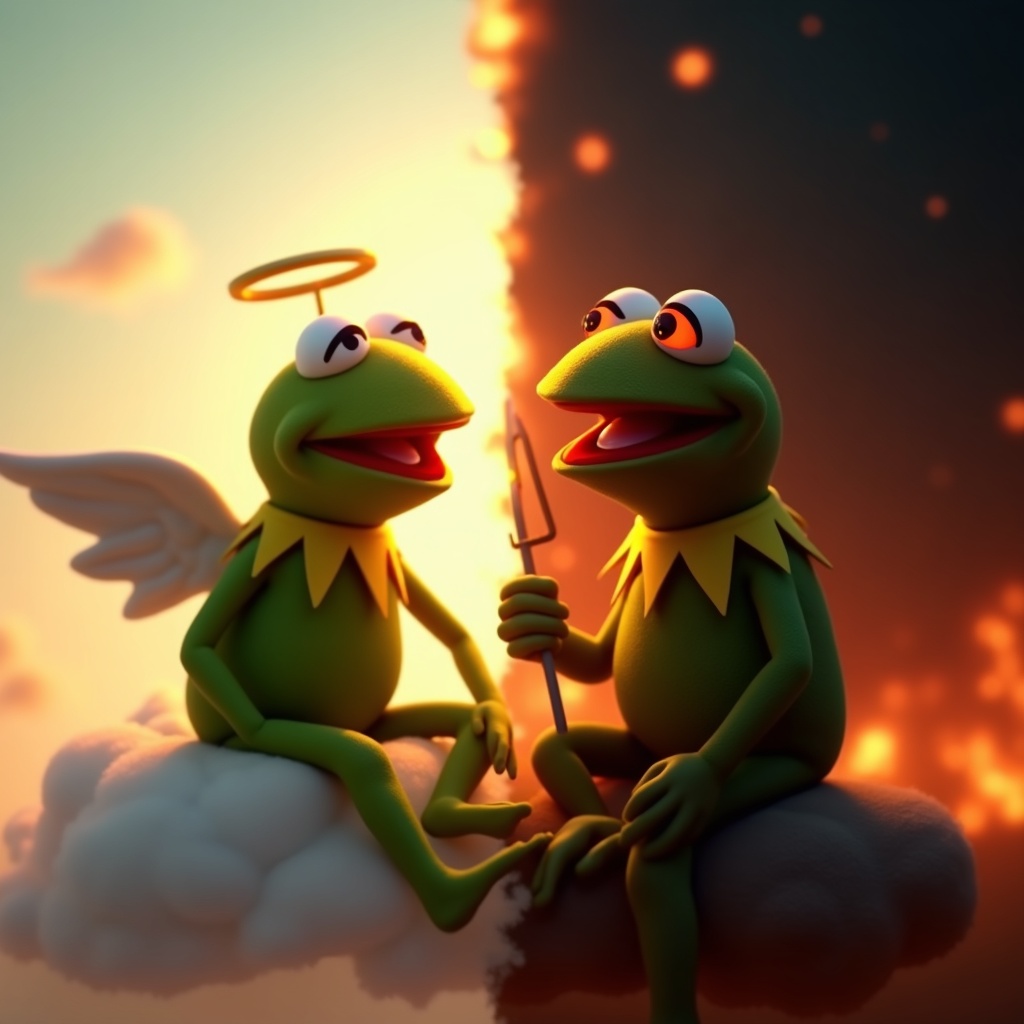
Kermit vs. Kermit Choices - Flux.1 dev
提示
**Prompt:** "Create a dramatic split-image of Kermit the Frog engaged in an internal struggle, depicting two contrasting versions of himself. On the left, a calm, angelic Kermit bathed in soft golden light, wearing a tiny halo, seated on a fluffy cloud with a serene expression. On the right, a mischievous, shadowy Kermit with glowing red eyes, surrounded by fiery embers, grinning devilishly. The composition is split down the middle with a stark contrast between warm pastels (left) and dark, moody tones (right). The background transitions smoothly from a heavenly sky to a chaotic inferno. Render in a semi-realistic Pixar-style 3D animation, with exaggerated facial expressions and dynamic lighting to emphasize the moral dilemma. Add subtle details like a tiny harp for the 'good' Kermit and a pitchfork for the 'evil' one." (999 characters)
Flux AI 圖像提示的詳細分析
分析使用 Flux AI 圖像生成器生成圖像所使用的詳細提示。
探索 Flux AI 圖像生成器的提示
如何通過 Flux.1 dev
遵循以下四個簡單步驟來創建您想要的圖片。
步驟 1:輸入您的文字 (可自由調整提示以獲得更好的結果)
步驟 2:選擇圖片的縱橫比
步驟 3:選擇您的 Flux 模型:
步驟 4:點擊生成按鈕並等待幾秒鐘獲取您的圖片
與提示相關的 Flux AI 工具 Flux.1 dev
發現來自 Flux AI 的高級工具,提升您的創意工作流程。