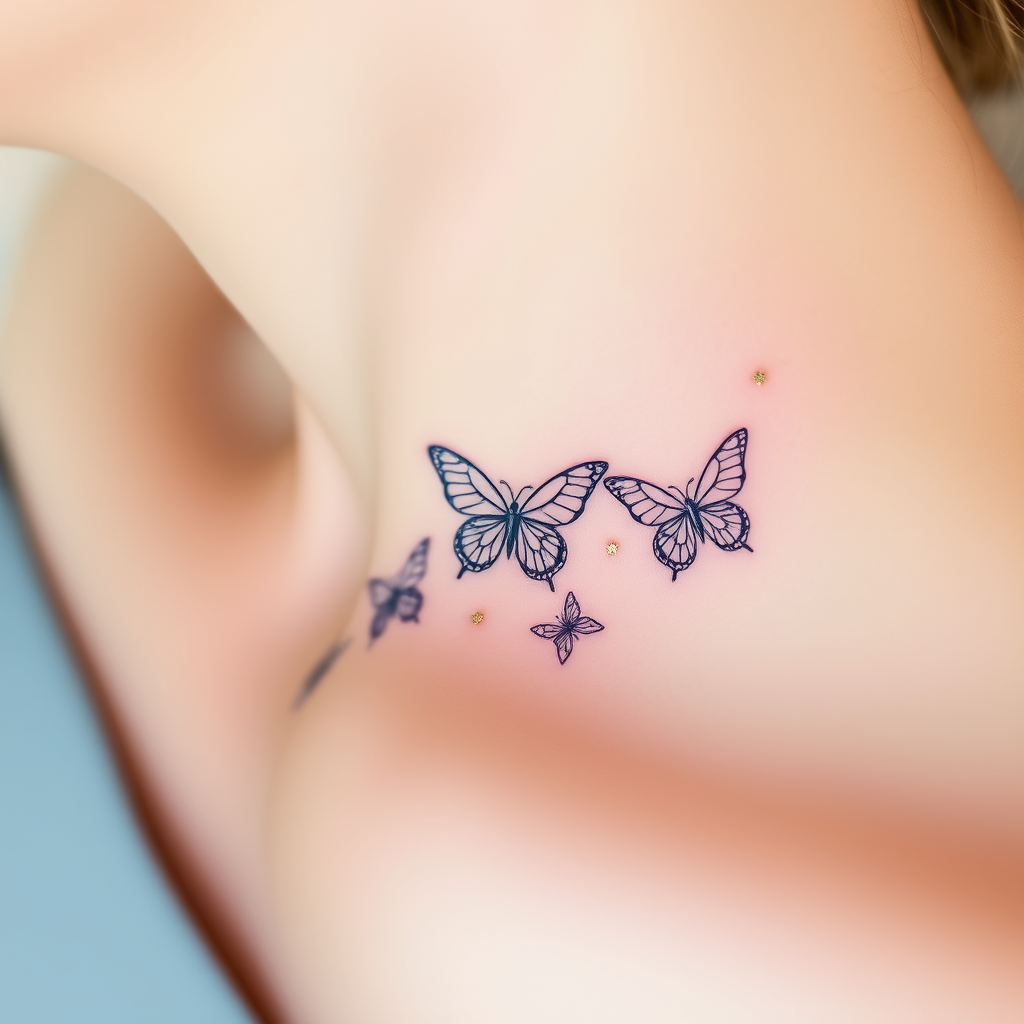
Collarbone-Delicate Butterflies - Flux.1 schnell
Indicador
**Prompt:** "A delicate, intricate tattoo of butterflies fluttering along the collarbone, rendered in a fine-line, minimalist style with subtle shading for depth. Each butterfly features ultra-thin, lace-like wings with intricate vein patterns, appearing almost ethereal. The design is small to medium in scale, perfectly following the natural curve of the collarbone for an elegant, feminine touch. Soft watercolor hues—pale blues, blush pinks, and lavender—blend gently into the skin, with a few accents of metallic gold for a subtle shimmer. The overall aesthetic is dreamy and graceful, evoking fragility and transformation. Optional: Include tiny floral or celestial elements (e.g., micro stars or cherry blossoms) for added whimsy.
Análisis Detallado del Prompt de Imagen de Flux IA
Analiza el prompt detallado utilizado para generar la imagen con Flux IA Image Generator.
Explorar Mensajes para Flux IA
Cómo generar una imagen por Flux.1 schnell
Sigue estos cuatro sencillos pasos para crear la imagen que deseas.
Paso 1: Ingresa tu texto (No dudes en refinar tu prompt para mejores resultados)
Paso 2: Elige la relación de aspecto de la imagen
Paso 3: Selecciona tu modelo Flux:
Paso 4: Haz clic en el botón Generar y espera unos segundos para tu imagen
Herramientas Flux IA relacionadas para prompts sobre Flux.1 schnell
Descubre herramientas avanzadas de Flux IA para potenciar tu flujo de trabajo creativo.