Bootleg emotion mods circulate in schoolyard markets - Flux.1 schnell
Indicador
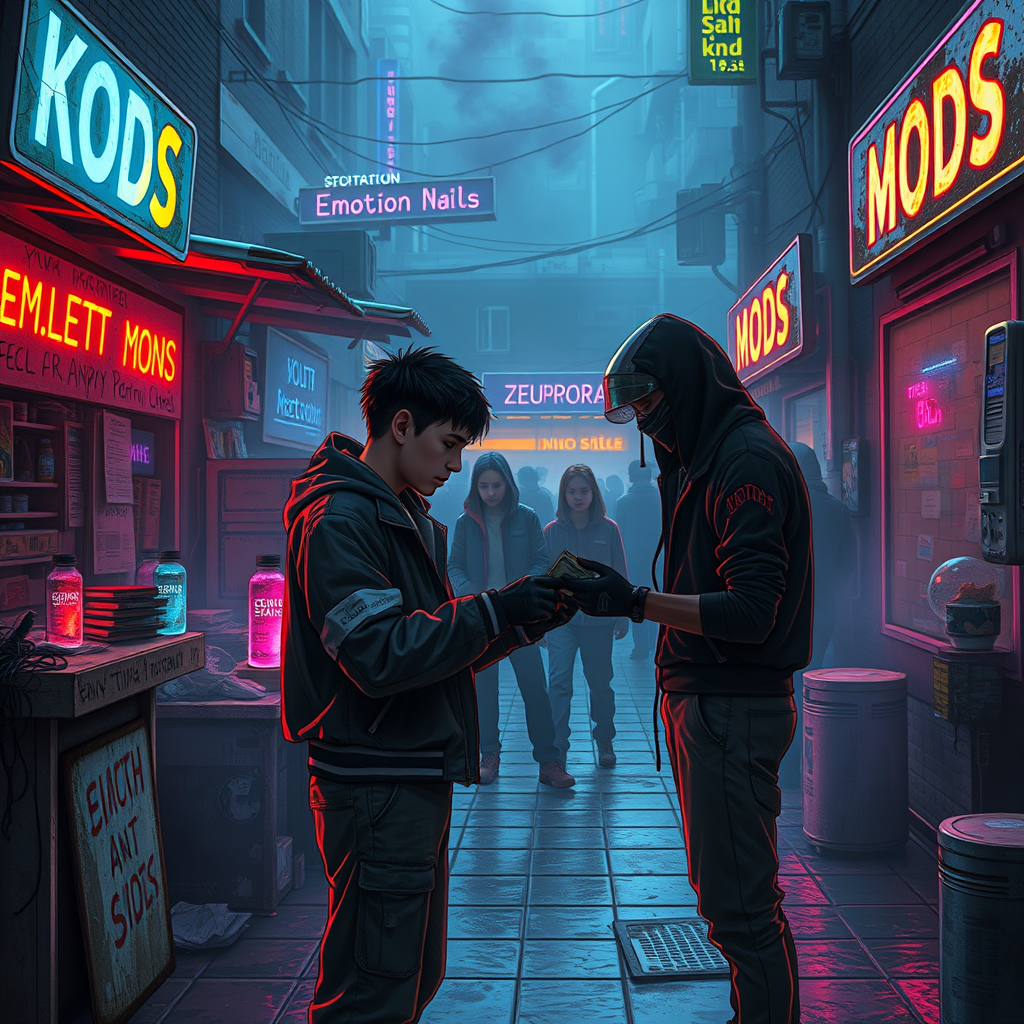
**Prompt:** In the neon-drenched alleyways of a sprawling cyberpunk schoolyard, makeshift stalls cobbled together from salvaged tech and scrap metal line the damp pavement, their flickering holographic signs advertising *"Emotion Mods – Cheap & Potent"* in jagged, glitching fonts. A haze of electric blue and violet smoke curls through the air, mingling with the scent of ozone and burnt circuitry as shadowy figures—students in patched-up uniforms and augmented street kids—huddle around dealers peddling bootleg emotion mods: tiny, glowing vials of illicit neuro-code, some pulsing with angry reds, others shimmering with melancholic blues. The focal point is a transaction in progress: a wiry teen with a rusted neural port at their temple hands over crumpled cred-sticks to a vendor whose face is obscured by a cracked data visor, their gloved fingers clutching a mod labeled *"Euphoria v.3.2 (Unstable)"*. Overhead, the sky is a smog-choked tapestry of towering megastructures, their windows blinking like sleepless eyes, while the distant hum of drones and the occasional burst of distorted laughter from a nearby VR arcade complete the scene of underground desire and danger.
Análisis Detallado del Prompt de Imagen de Flux IA
Analiza el prompt detallado utilizado para generar la imagen con Flux IA Image Generator.
Explorar Mensajes para Flux IA
Cómo generar una imagen por Flux.1 schnell
Sigue estos cuatro sencillos pasos para crear la imagen que deseas.
Paso 1: Ingresa tu texto (No dudes en refinar tu prompt para mejores resultados)
Paso 2: Elige la relación de aspecto de la imagen
Paso 3: Selecciona tu modelo Flux:
Paso 4: Haz clic en el botón Generar y espera unos segundos para tu imagen
Herramientas Flux IA relacionadas para prompts sobre Flux.1 schnell
Descubre herramientas avanzadas de Flux IA para potenciar tu flujo de trabajo creativo.