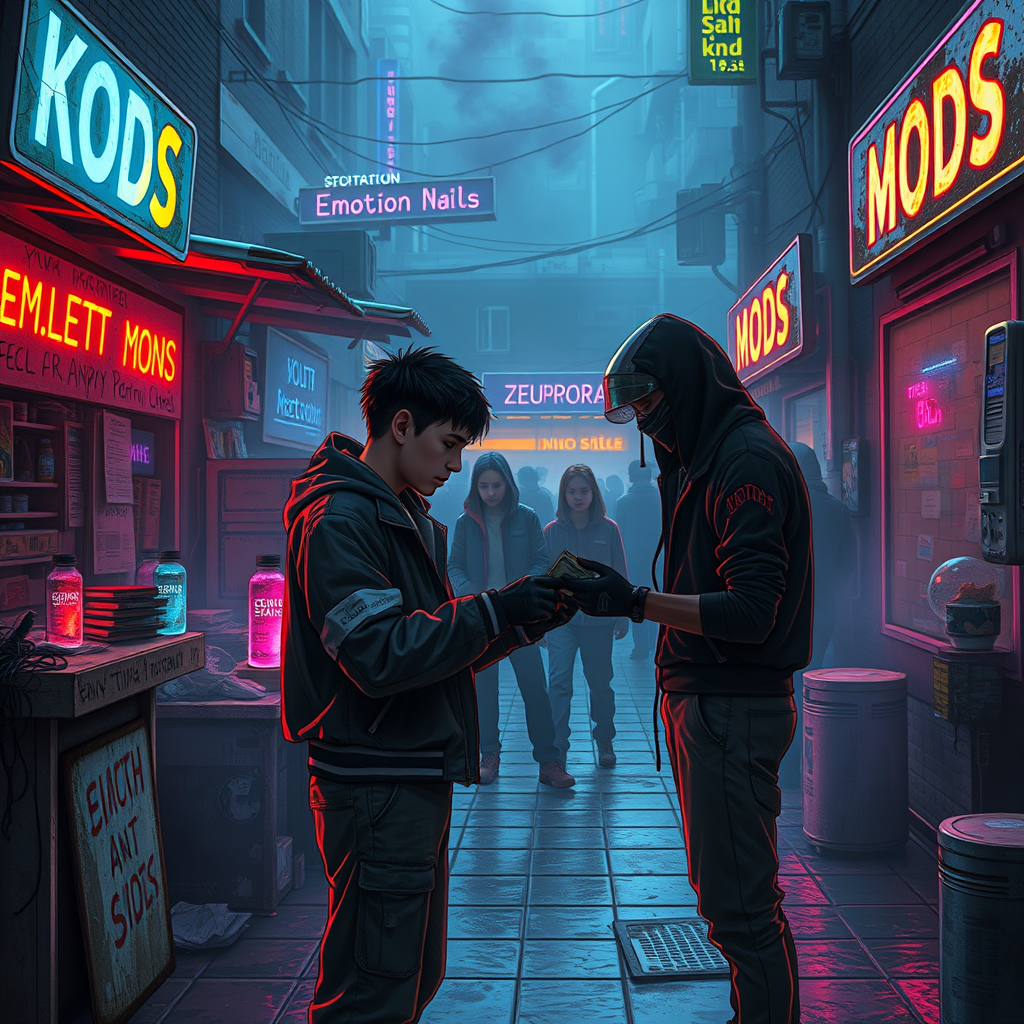
Bootleg emotion mods circulate in schoolyard markets - Flux.1 schnell
プロンプト
**Prompt:** In the neon-drenched alleyways of a sprawling cyberpunk schoolyard, makeshift stalls cobbled together from salvaged tech and scrap metal line the damp pavement, their flickering holographic signs advertising *"Emotion Mods – Cheap & Potent"* in jagged, glitching fonts. A haze of electric blue and violet smoke curls through the air, mingling with the scent of ozone and burnt circuitry as shadowy figures—students in patched-up uniforms and augmented street kids—huddle around dealers peddling bootleg emotion mods: tiny, glowing vials of illicit neuro-code, some pulsing with angry reds, others shimmering with melancholic blues. The focal point is a transaction in progress: a wiry teen with a rusted neural port at their temple hands over crumpled cred-sticks to a vendor whose face is obscured by a cracked data visor, their gloved fingers clutching a mod labeled *"Euphoria v.3.2 (Unstable)"*. Overhead, the sky is a smog-choked tapestry of towering megastructures, their windows blinking like sleepless eyes, while the distant hum of drones and the occasional burst of distorted laughter from a nearby VR arcade complete the scene of underground desire and danger.
Flux AI Image Promptの詳細分析
Flux AI Image Generatorを使用して画像を生成するために使用された詳細なプロンプトを分析します。
Flux AI画像生成のプロンプトを探索
で画像を生成する方法 Flux.1 schnell
以下の4つの簡単なステップに従って、希望する画像を作成してください。
ステップ 1: テキストを入力 (より良い結果のためにプロンプトを調整してください)
ステップ 2: 画像のアスペクト比を選択
ステップ 3: Fluxモデルを選択:
ステップ 4: 生成ボタンをクリックして数秒待ち、画像を取得
プロンプトに関連するFlux AIツール Flux.1 schnell
Flux AIの高度なツールを発見して、クリエイティブな作業フローを強化しましょう。