Bootleg emotion mods circulate in schoolyard markets - Flux.1 schnell
prompt
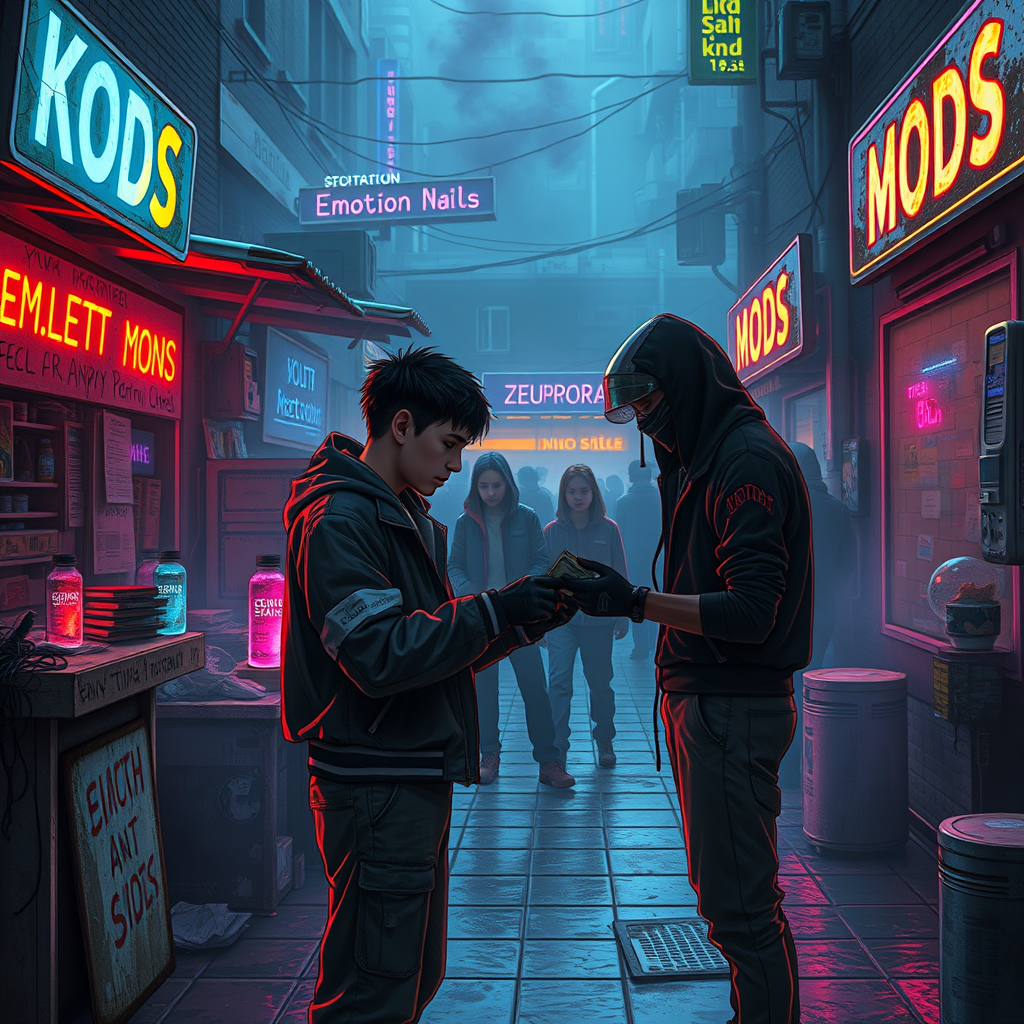
**Prompt:** In the neon-drenched alleyways of a sprawling cyberpunk schoolyard, makeshift stalls cobbled together from salvaged tech and scrap metal line the damp pavement, their flickering holographic signs advertising *"Emotion Mods – Cheap & Potent"* in jagged, glitching fonts. A haze of electric blue and violet smoke curls through the air, mingling with the scent of ozone and burnt circuitry as shadowy figures—students in patched-up uniforms and augmented street kids—huddle around dealers peddling bootleg emotion mods: tiny, glowing vials of illicit neuro-code, some pulsing with angry reds, others shimmering with melancholic blues. The focal point is a transaction in progress: a wiry teen with a rusted neural port at their temple hands over crumpled cred-sticks to a vendor whose face is obscured by a cracked data visor, their gloved fingers clutching a mod labeled *"Euphoria v.3.2 (Unstable)"*. Overhead, the sky is a smog-choked tapestry of towering megastructures, their windows blinking like sleepless eyes, while the distant hum of drones and the occasional burst of distorted laughter from a nearby VR arcade complete the scene of underground desire and danger.
Analisi Dettagliata del Prompt Immagine Flux AI
Analizza il prompt dettagliato utilizzato per generare l'immagine con il Generatore Immagini Flux AI.
Esplora i Prompt Flux per il Generatore Immagini Flux AI
Come generare immagini con Flux.1 schnell
Segui questi quattro semplici passaggi per creare l'immagine desiderata.
Passaggio 1: Inserisci il Tuo Testo (Sentiti libero di perfezionare il prompt per risultati migliori)
Passaggio 2: Scegli le Proporzioni dell'Immagine
Passaggio 3: Seleziona il Tuo Modello Flux:
Passaggio 4: Clicca il Pulsante Genera e Attendi Alcuni Secondi per la Tua Immagine
Strumenti Flux AI correlati per prompt su Flux.1 schnell
Scopri strumenti avanzati di Flux AI per potenziare il tuo flusso di lavoro creativo.