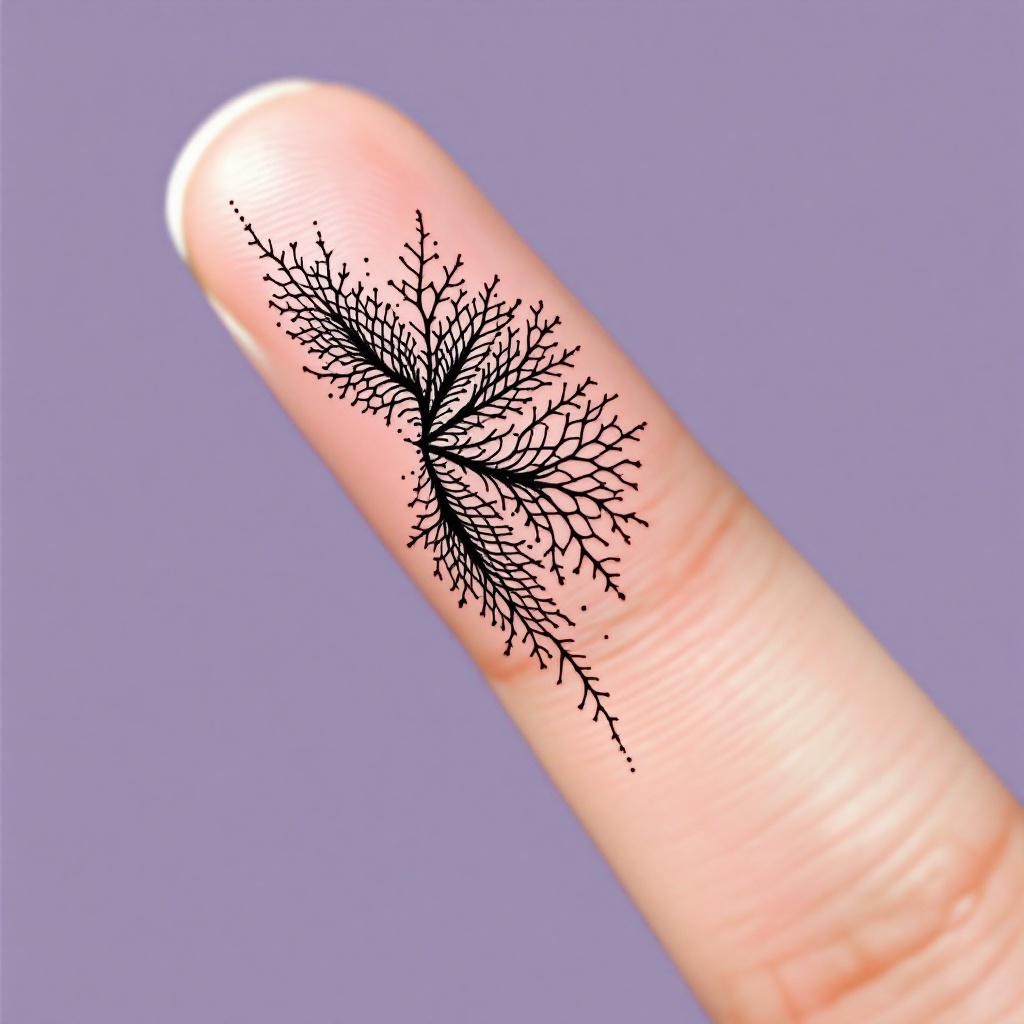
Finger-Tiny Crosshatch - Flux.1.1 pro
Indicador
**Prompt:** "Design a delicate, finger-sized tattoo featuring intricate crosshatch patterns in a minimalist black ink style. The motif should resemble fine, woven textures or subtle lace-like grids, with precise, hair-thin lines creating depth and dimension. Place it along the side of the index finger, scaled to wrap subtly around the curvature. Opt for a monochromatic palette—jet-black ink on fair skin—to emphasize contrast. The aesthetic should evoke quiet elegance, with a hint of geometric precision, blending organic flow and structured repetition. No cultural symbols; keep it abstract yet tactile, as if etched by a master engraver." (998 characters)
Análisis Detallado del Prompt de Imagen de Flux IA
Analiza el prompt detallado utilizado para generar la imagen con Flux IA Image Generator.
Explorar Mensajes para Flux IA
Cómo generar una imagen por Flux.1.1 pro
Sigue estos cuatro sencillos pasos para crear la imagen que deseas.
Paso 1: Ingresa tu texto (No dudes en refinar tu prompt para mejores resultados)
Paso 2: Elige la relación de aspecto de la imagen
Paso 3: Selecciona tu modelo Flux:
Paso 4: Haz clic en el botón Generar y espera unos segundos para tu imagen
Herramientas Flux IA relacionadas para prompts sobre Flux.1.1 pro
Descubre herramientas avanzadas de Flux IA para potenciar tu flujo de trabajo creativo.